CHAPTER 14 TROUBLESHOOTING
14-134
COPYRIGHT
©
1999 CANON INC. CANON 405/335 REV.0 JAN. 1999 PRINTED IN JAPAN (IMPRIME AU JAPON)
B. Downloading
1. Before Starting the Work
Obtain the following:
• PC to which the downloading tool
(service tool) has been installed.
• Bi-Centronics cable (with an IEEE 1284
Standard-compliant marking)
2. Downloading
a. Connection
• Check to make sure that the
communication memory lamp is off.
1) Turn off the machine's main power
switch; then, disconnect the power plug,
and disconnect the modular cable
(telephone).
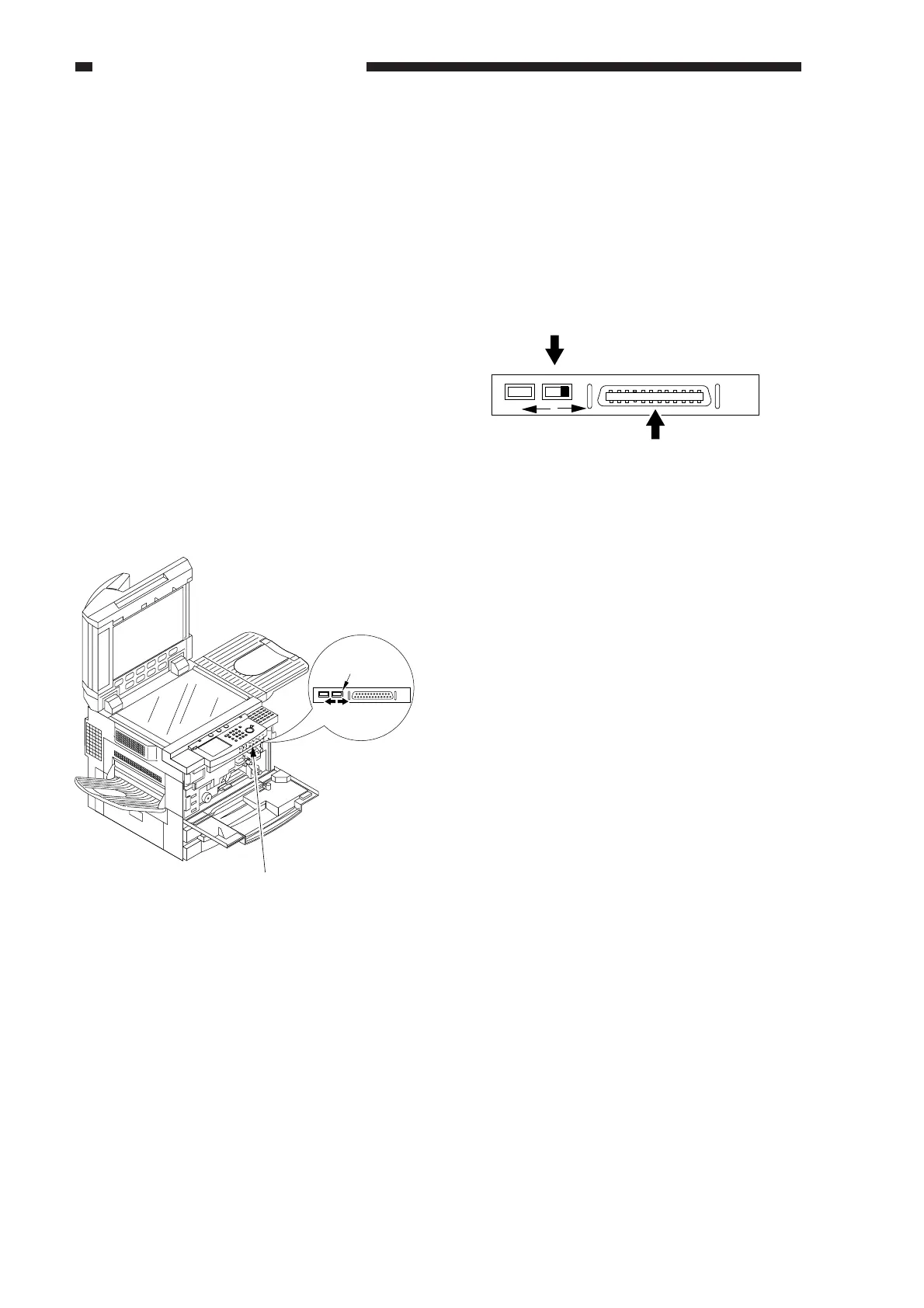
2) Open the front door, and open the
connector cover for downloading.
Figure 14-705
COPY LOAD
Connector cover
for downloading
Downloading
switch
Connector cover
opened
3) Connect the machine to the PC with a bi-
Centronics cable.
• Make sure that the PC is off.
• Connect the 25-pin connector of the cable
to the PC, and 36-pin connector to the
machine.
4) Slide the switch to LOAD.
Figure 14-706
5) Turn on the PC, and start the downloading
tool.
COPY
LOAD
Downloading switch
Bi-Centronics interface
connector



 To Next Page