CHAPTER 9 FIXING SYSTEM
9-14
COPYRIGHT
©
1999 CANON INC. CANON 405/335 REV.0 JAN. 1999 PRINTED IN JAPAN (IMPRIME AU JAPON)
A. Fixing Assembly
1. Removing the Fixing Assembly
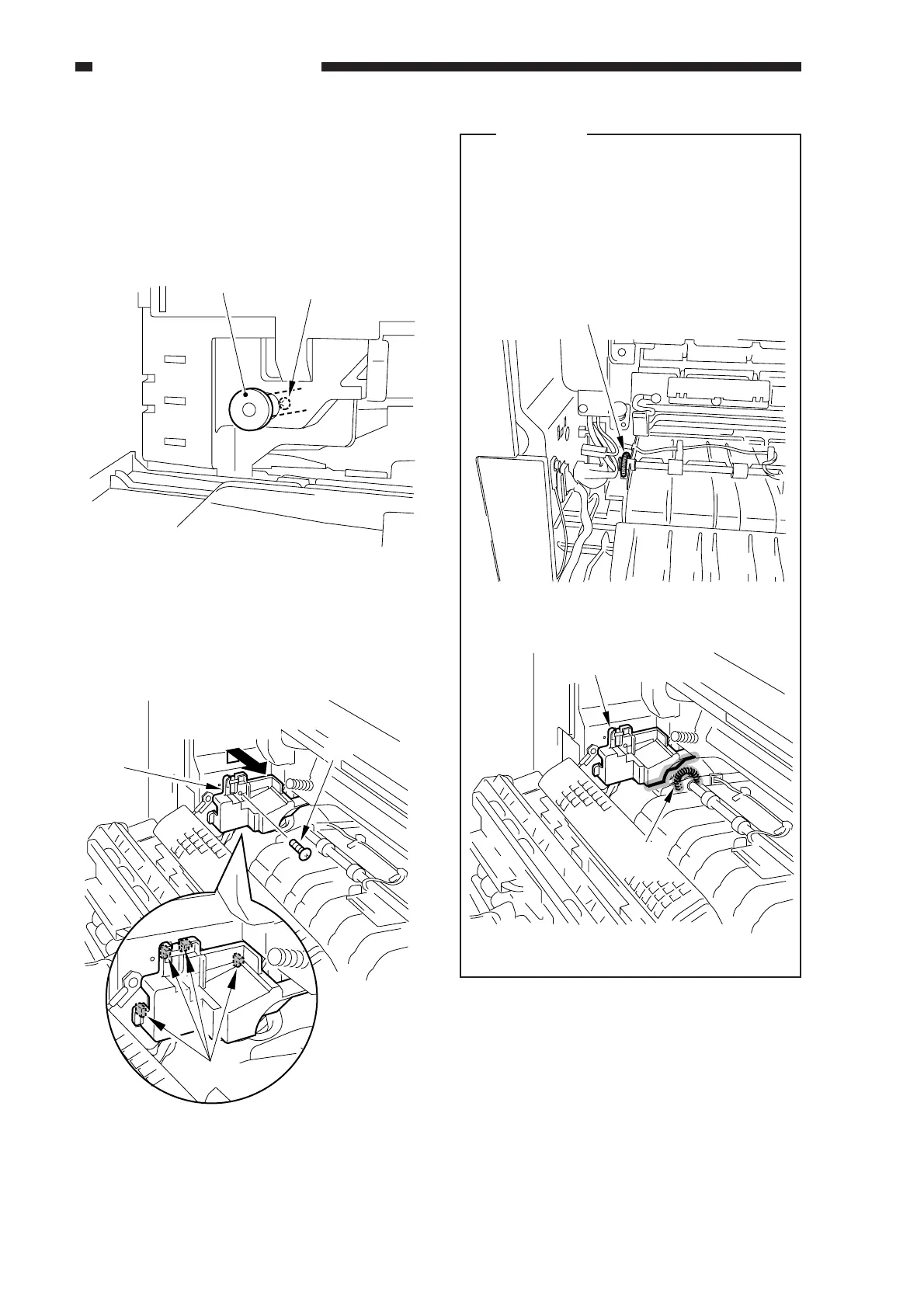
1) Open the front door.
2) Remove the screw [2], and detach the
fixing assembly knob.
Figure 9-201
3) Remove the screw [3] (Figure 9-202).
4) Detach the fixing delivery connector
cover [4] as if to displace it upward.
Figure 9-202
Caution:
• When mounting the connector cover,
take care so that its bottom will not
interfere with the spring shown in the
figure.
• Take care so that the connector cover
will not interfere with the spring,
displacing the spring.
Figure 9-202-1
[1] [2]
Lift to detach.
Hooks.
[3]
[4]
Sprig
Connector cover
Spring
Figure 9-202-2



 To Next Page