COPYRIGHT
©
1999 CANON INC. CANON 405/335 REV.0 JAN. 1999 PRINTED IN JAPAN (IMPRIME AU JAPON)
8-21
CHAPTER 8 PAPER DECK
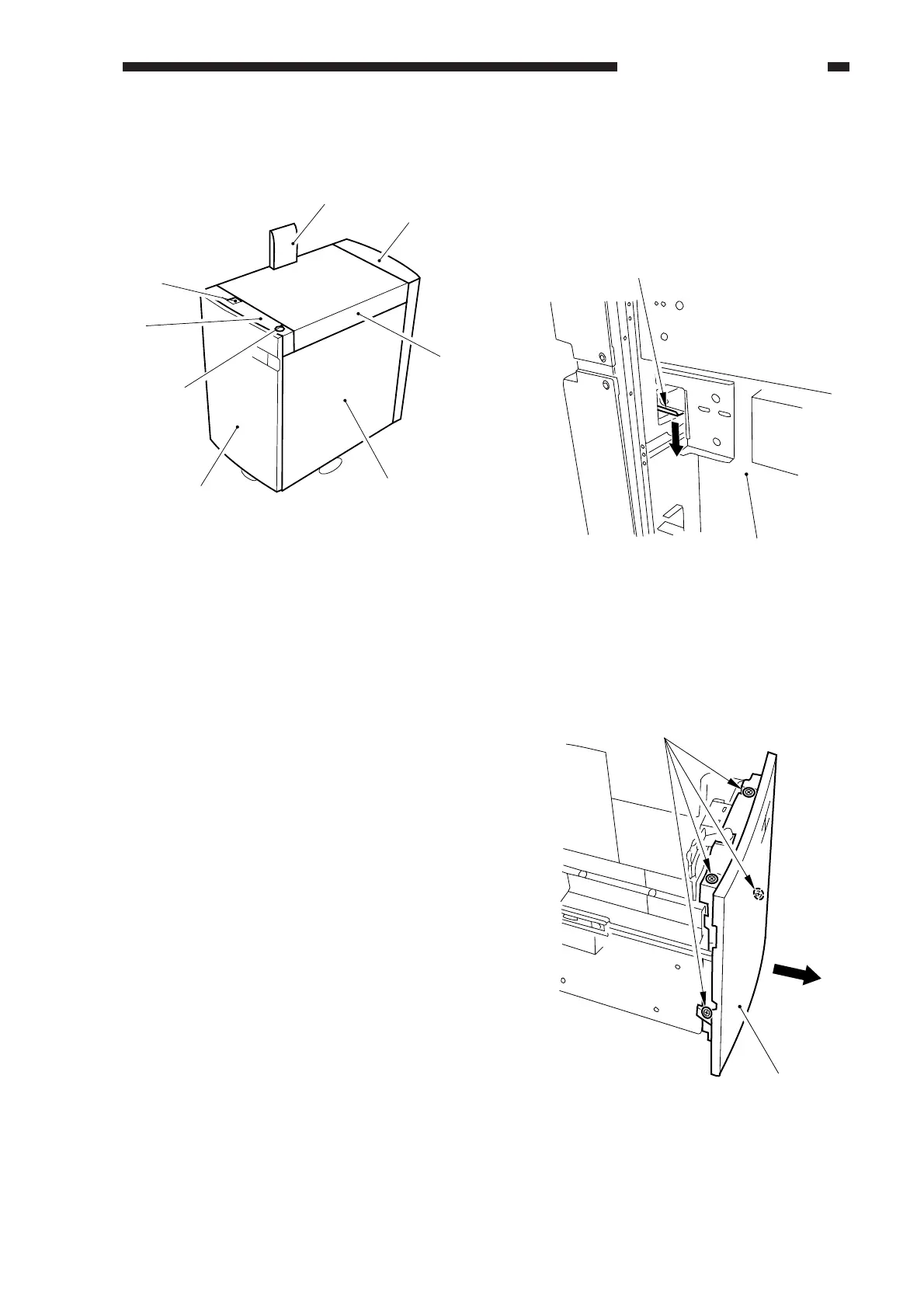
A. External Covers
Figure 8-301
[1] Deck releasing grip
[2] Upper front cover
[3] Compartment open/close switch
[4] Front cover
[5] Right cover
[6] Upper cover
[7] Rear cover
[8] Grip cover
1. Removing the Front Cover
1) Disconnect the deck from the copier, and
push down the latch plate [2] of the
compartment to open the compartment
[1].
Figure 8-302
2) Loosen the four screws [3], and detach the
front cover [4] of the deck to the front.
Figure 8-303
[1]
[2]
[3]
[4]
[5]
[6]
[7]
[8]
(rear)
[1]
[2]
[3]
[4]



 To Next Page