CHAPTER 8 PAPER DECK
8-24
COPYRIGHT
©
1999 CANON INC. CANON 405/335 REV.0 JAN. 1999 PRINTED IN JAPAN (IMPRIME AU JAPON)
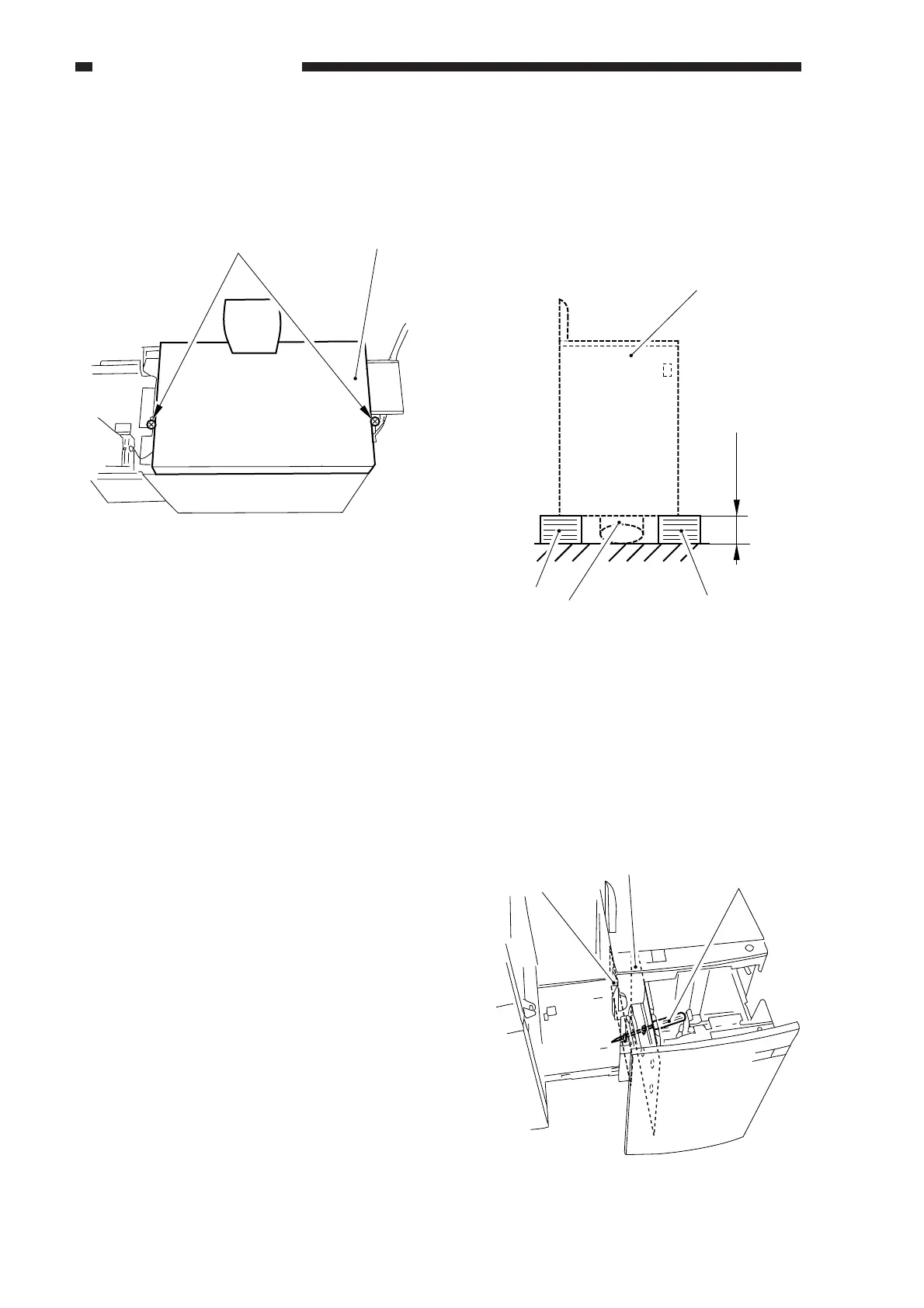
4) Close the deck vertical path assembly, and
remove the two screws [6]; then, detach
the upper cover [7].
Figure 8-310
B. Paper Deck
1. Removing the Deck from the Copier
1) Place a stack of copy paper [3] (about 8
cm high) on the floor for the deck [2] (to
prevent deformation of the roll support
plate [1]).
Figure 8-311
2) Remove the right cover. (See p. 8-23.)
3) As shown in Figure 8-312, match the hole
in the deck lower left stay and the hole in
the compartment, and insert a screwdriver
[4] from inside the compartment to hold it
in place.
Figure 8-312
[7]
[6]
8 cm (approx.)
[2]
[3]
[3]
[1]
Lower left stay
Compartment
left side plate
[4]



 To Next Page