CHAPTER 10 EXTERNALS/AUXILIARY MECHANISMS
10-34
COPYRIGHT
©
1999 CANON INC. CANON 405/335 REV.0 JAN. 1999 PRINTED IN JAPAN (IMPRIME AU JAPON)
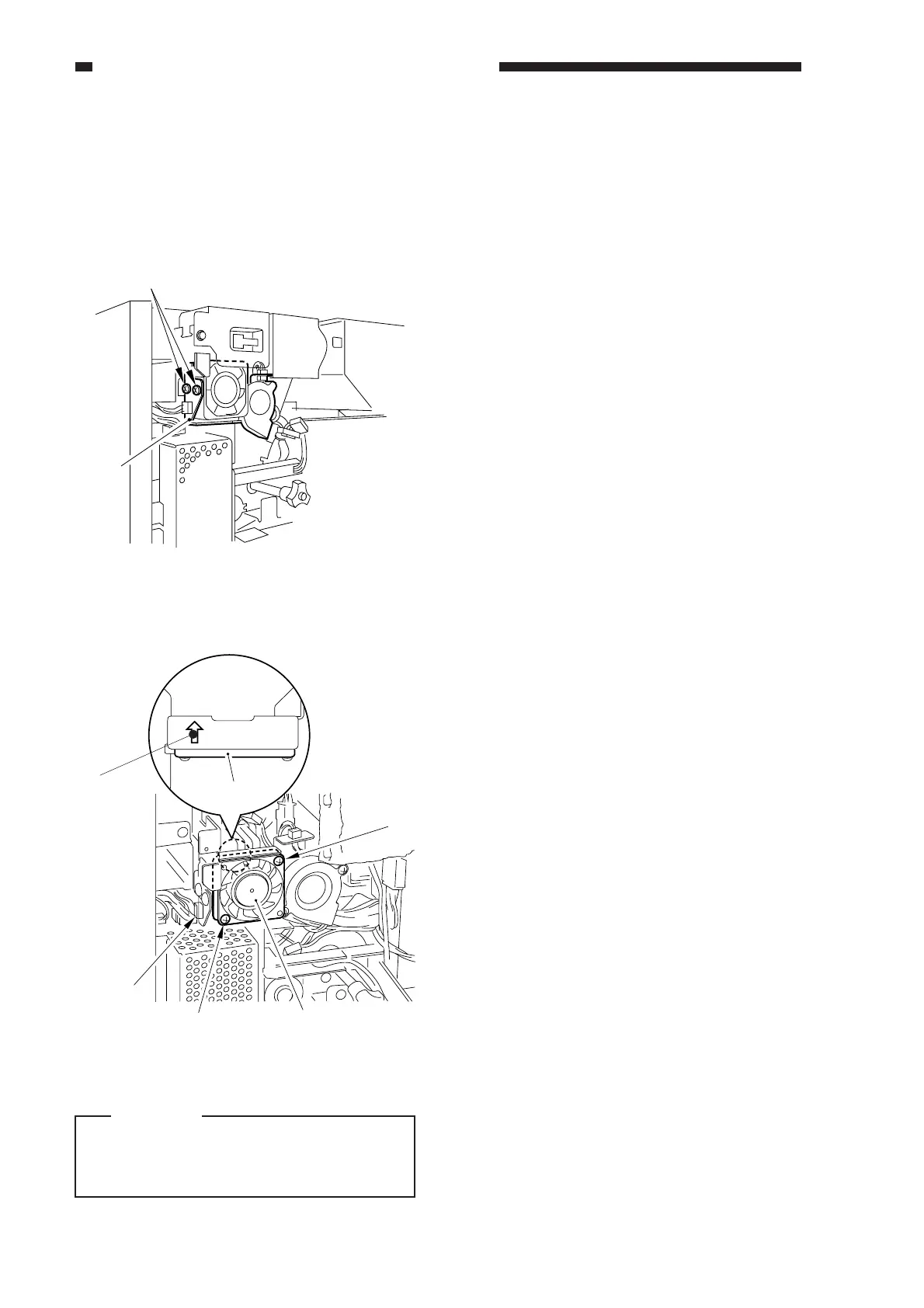
12. Scanner Motor Cooling Fan (FM18)
1) Remove the rear cover.
2) Remove the flywheel.
3) Remove the two screws, and disconnect
the fan.
Figure 10-550
Figure 10-551
Caution:
When mounting the fan, be sure that the
direction of the fan will match the
marking on the stay.
4) Disconnect the connector, and remove the
screw; then, detach the fan.
[2]
[1]
(top vie)
Fan
[3]
[2]
FM18
[2]
[1]



 To Next Page