COPYRIGHT
©
1999 CANON INC. CANON 405/335 REV.0 JAN. 1999 PRINTED IN JAPAN (IMPRIME AU JAPON)
10-33
CHAPTER 10 EXTERNALS/AUXILIARY MECHANISMS
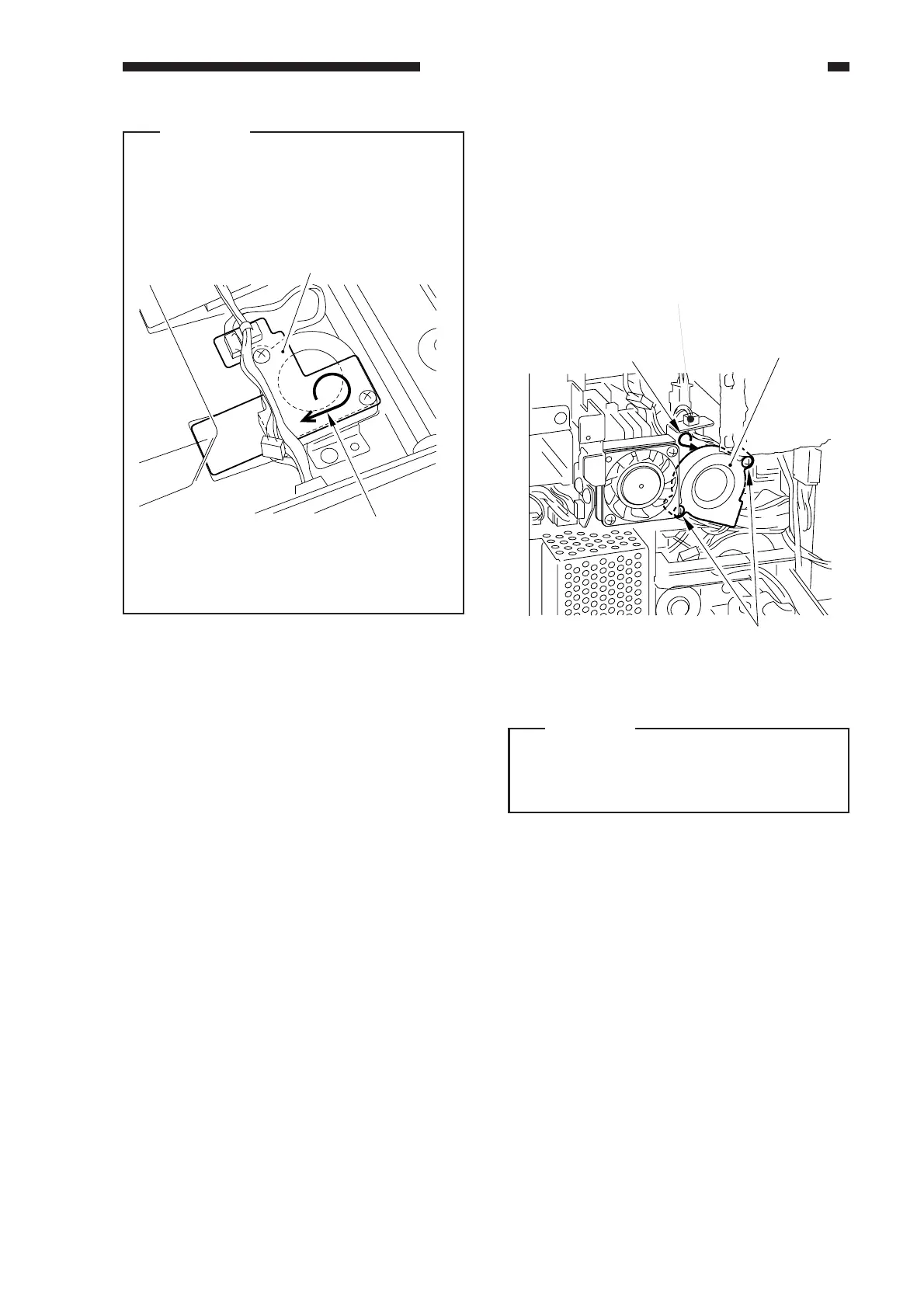
Caution:
When mounting FM14, FM15, or FM16,
be sure that the marking on the stay [7]
will match the rotation of the fan.
Figure 10-548
11. DC Controller PCB Cooling Fan
(FM17)
1) Open the rear cover.
2) Disconnect the connector [1], and remove
the two screws [2]; then, detach the fan
[3].
Figure 10-549
Caution:
When mounting the fan, be sure that the
marking on the fan will match the
direction of air current.
[7]
Direction of rotation
[3]
FM17
[2]
[1]



 To Next Page