CHAPTER 8 PAPER DECK
8-40
COPYRIGHT
©
1999 CANON INC. CANON 405/335 REV.0 JAN. 1999 PRINTED IN JAPAN (IMPRIME AU JAPON)
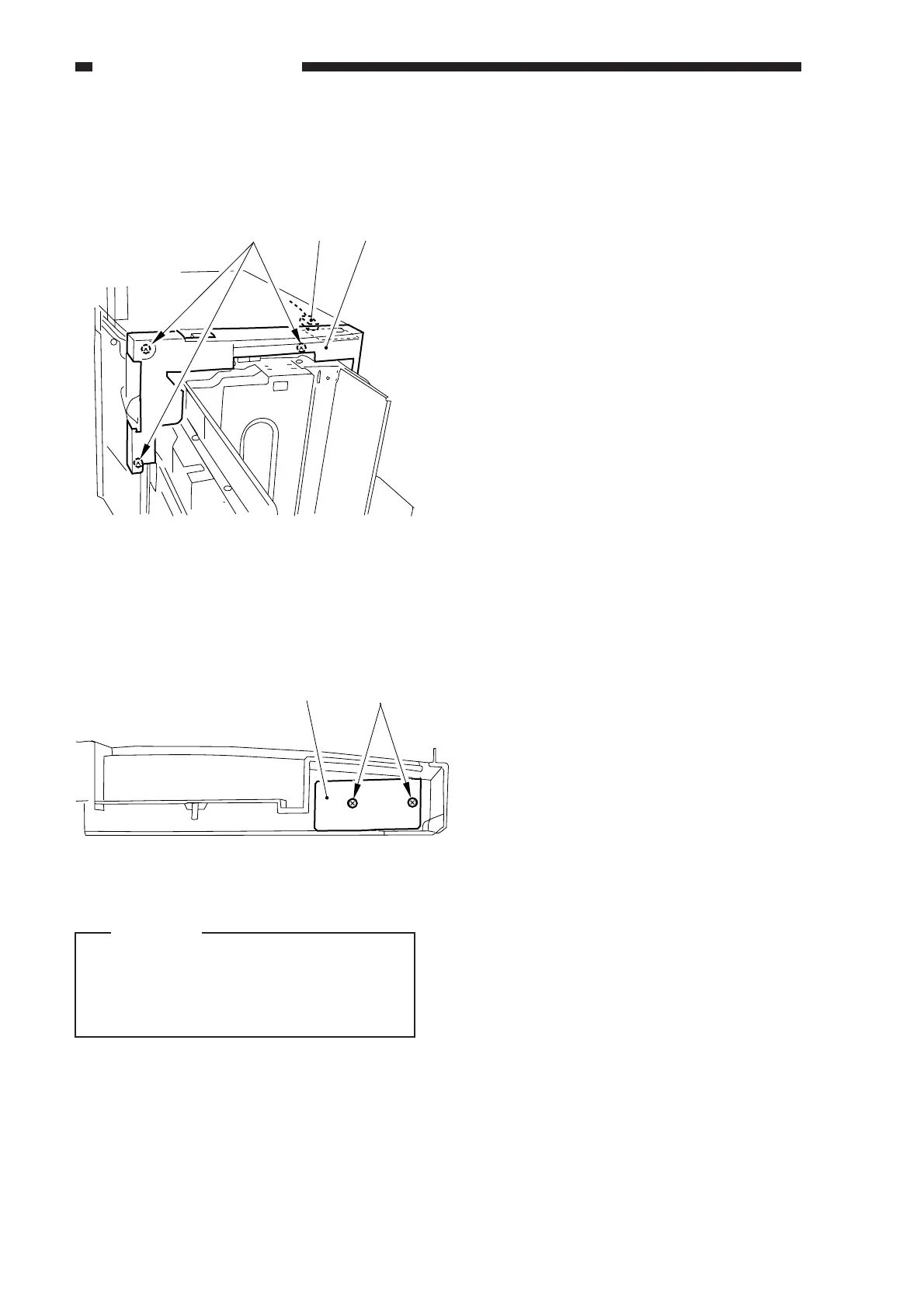
2) Remove the three screws [3], and
disconnect the connector [4]; then, detach
the upper front cover [5].
Figure 8-349
3) Remove the two screws [6], and detach
the open switch PCB [7].
[3] [4] [5]
Figure 8-350
Caution:
When mounting the upper front cover,
be sure that it is not trapped by the open
switch PCB and all connectors are
connected correctly.
[7] [6]



 To Next Page