COPYRIGHT
©
1999 CANON INC. CANON 405/335 REV.0 JAN. 1999 PRINTED IN JAPAN (IMPRIME AU JAPON)
10-19
CHAPTER 10 EXTERNALS/AUXILIARY MECHANISMS
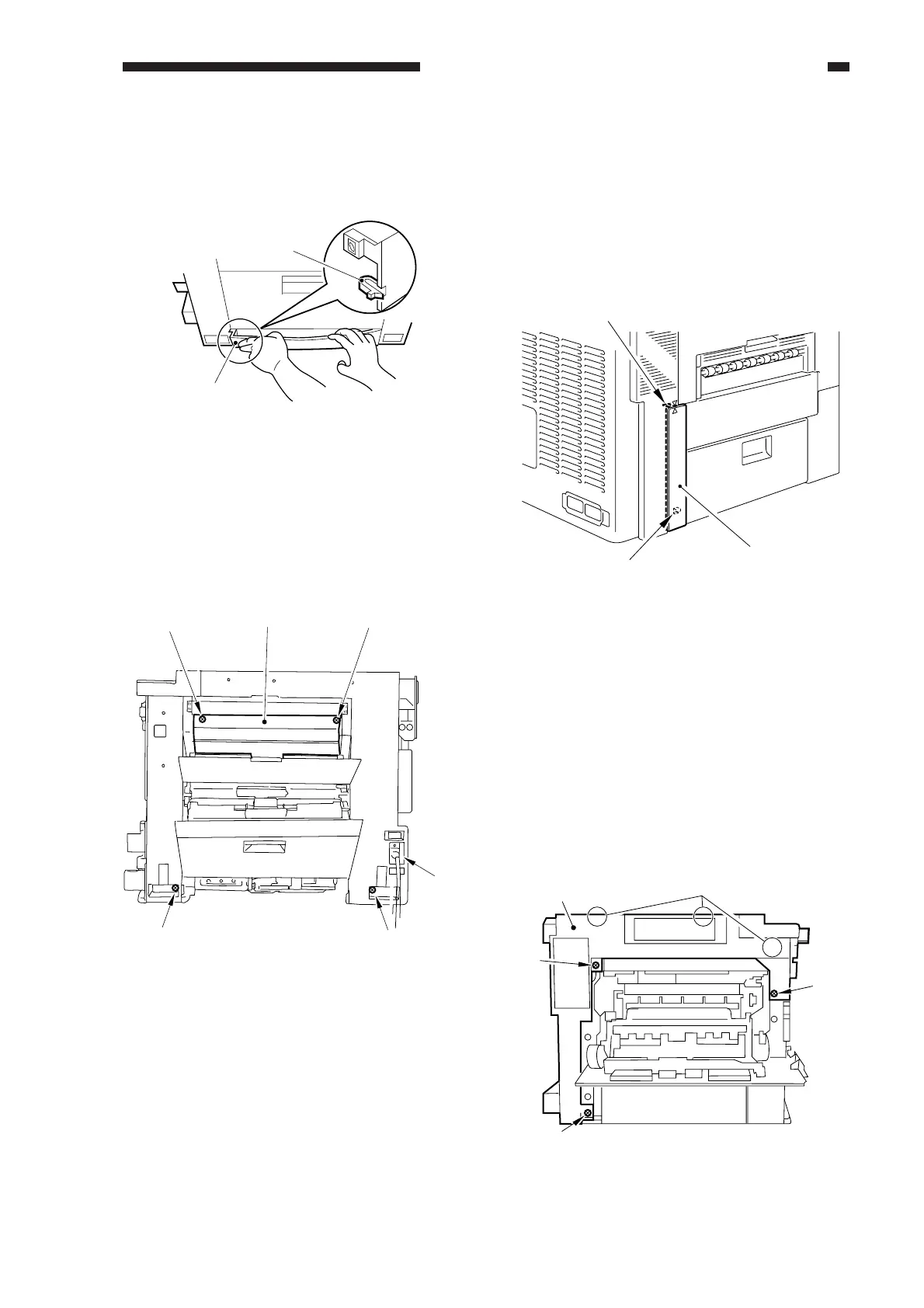
5) While pulling on the middle of the lower
right cover [2], disengage the hook; then,
detach the lower right cover.
Figure 10-504
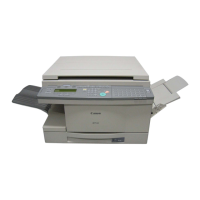
6) Open the multifeeder tray.
7) Detach the power cord cover [3].
8) Remove the four screws [4], and detach
the right cover [5].
Figure 10-505
2. Removing the Left Cover
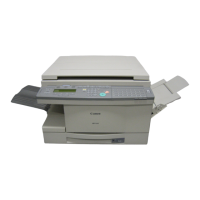
1) Remove the rear cover.
2) Open the front door.
3) Insert a screwdriver into the slot [2]
identified by a marking on the rear left
cover [1], and disengage the hook; then,
detach the rear left cover.
Figure 10-506
4) Remove the inside cover. (See B.
"Removing the Front Cover/Inside
Cover.")
5) Remove the two screws, and detach the
vertical size plate.
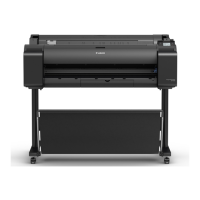
6) Open the delivery assembly.
7) Remove the three screws.
8) Disengage the three hooks [4], and detach
the left cover.
Figure 10-507
[2]
hook
[4]
[4]
[4]
[4][5]
[3]
Hook
[1]
[2]
[3]
[4]
[5]
[3]
[3]



 To Next Page