CHAPTER 12 INSTALLATION
12-10
COPYRIGHT
©
1999 CANON INC. CANON 405/335 REV.0 JAN. 1999 PRINTED IN JAPAN (IMPRIME AU JAPON)
No.
3
Remarks
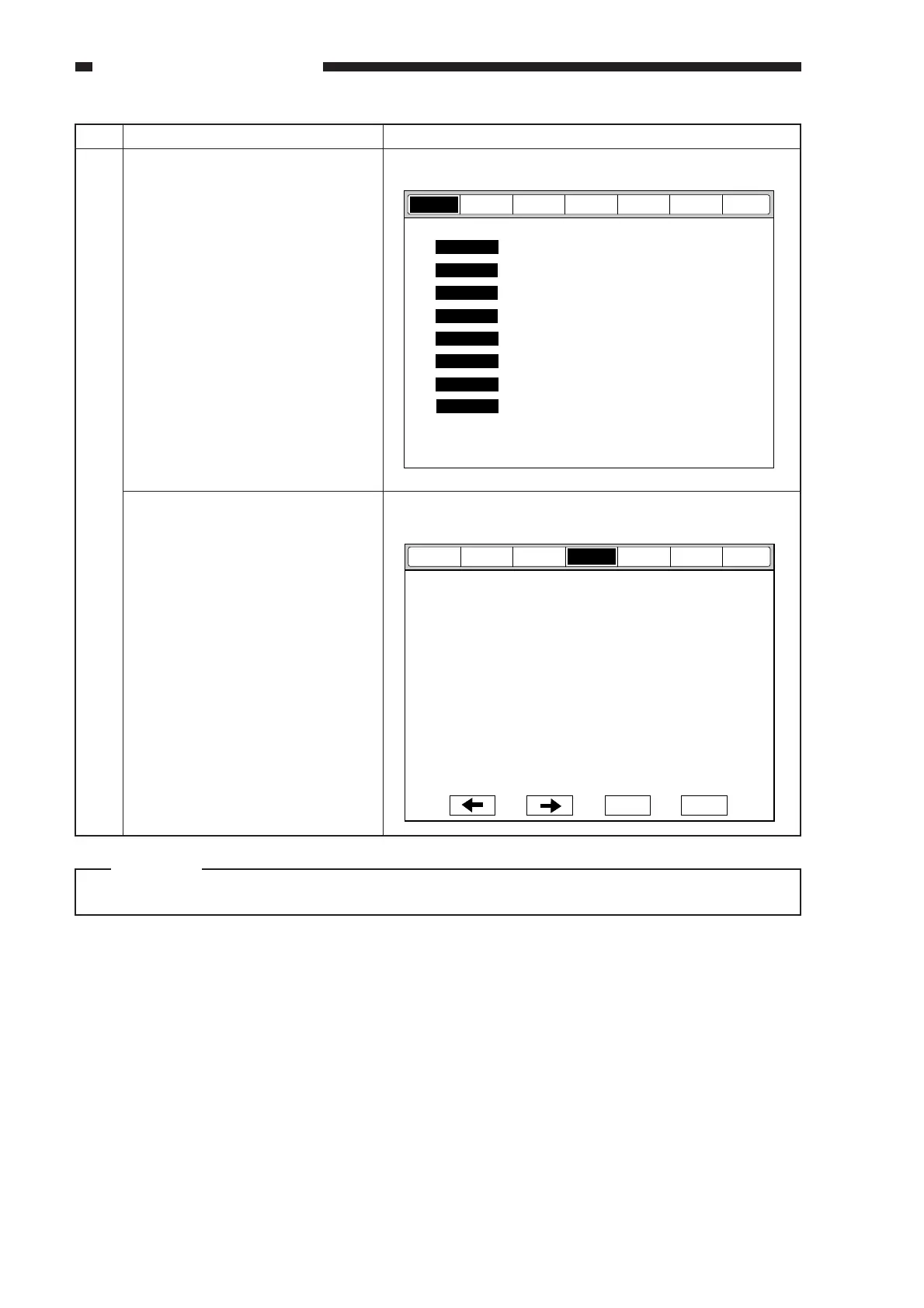
n Level 2 Screen of Service Mode
n Toner Stirring Screen
COPIER>FNCTION>INSTALL>TONER-S
Work
Start service mode, and execute
toner stirring.
a. Starting Service Mode
1) press the User Mode key.
2) Press the keys 2 and 8 on the
numeric pad at the same time.
3) Press the User Mode key.
4) Press <COPIER> on the screen
to highlight. (The Level 2
screen of service mode will
appear.)
b. Execute Toner Stirring
1) Press <FUNCTION>, and press
<INSTALL> on the screen that
has appeared.
2) Highlight <TONER-S>, and
press the OK key to start toner
stirring.
• Stirring takes 240 sec. Wait
unit the count-down reading
stops at "0."
• yakunuke
• To stop in the middle, press
the Stop key.
• All keys except the Stop key
remain disabled during
operation.
3) Press the Rest key twice to end
service mode.
Caution:
Do not execute toner stirring without removing the drum cartridge.
Display
Adjust
Function
Option Test
Counter
I/O
+/-
OK
<INSTALL>
< 1/1 > < READY >
TONER-S
VERSION
USER
ACC-STS
ANALOG
CST-STS
JAM
ERR
HV-STS
Display
Adjust
Function
Option Test
Counter
I/O



 To Next Page