CHAPTER 12 INSTALLATION
12-12
COPYRIGHT
©
1999 CANON INC. CANON 405/335 REV.0 JAN. 1999 PRINTED IN JAPAN (IMPRIME AU JAPON)
No.
5
6
7
RemarksWork
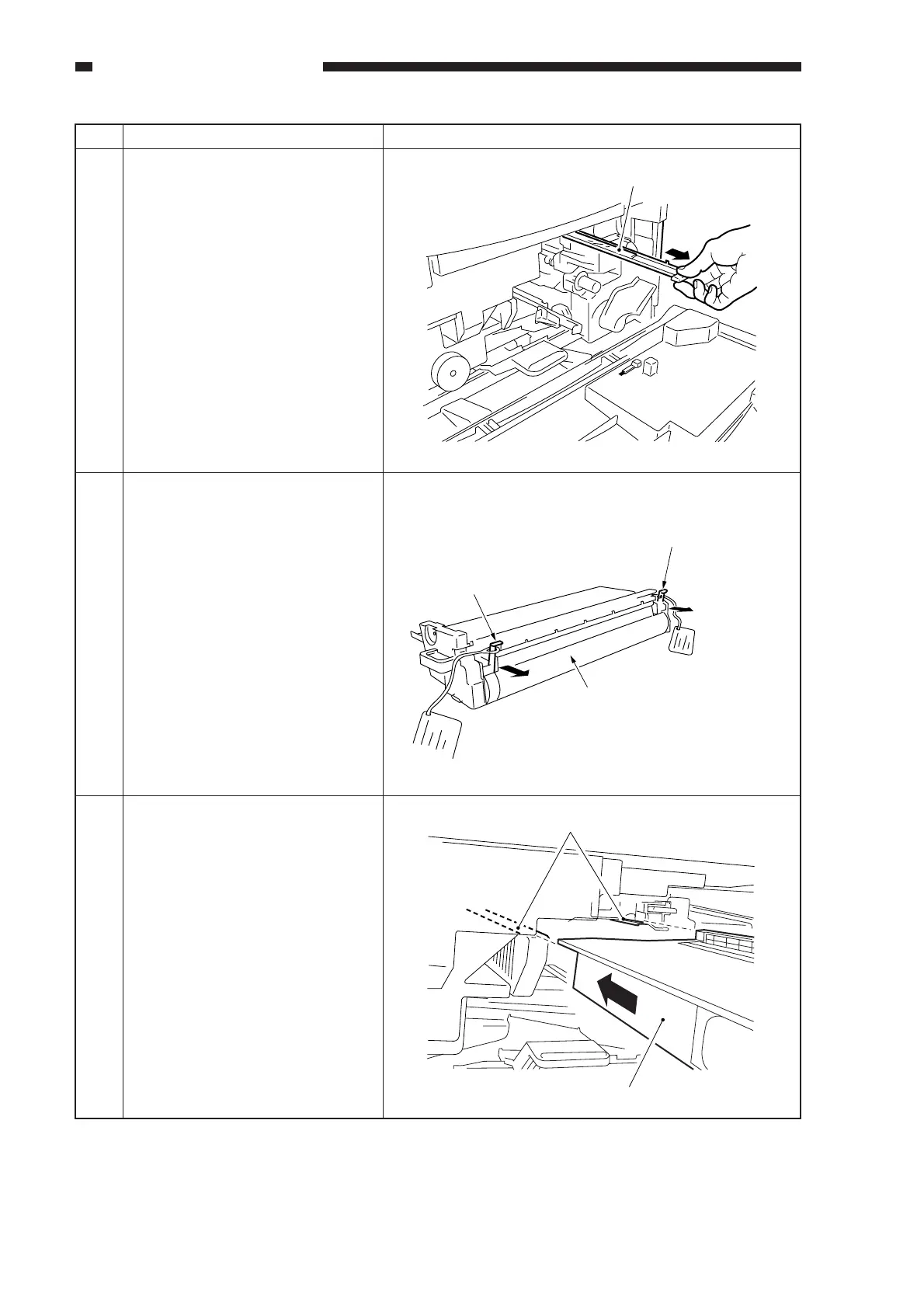
Remove the dust-proofing glass,
and clean it with lint-free paper.
Then, put it back to its initial
position.
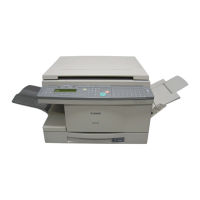
1) Unpack the drum unit.
• To prevent damage, be sure
to hold it at its middle when
taking it out of its box.
2) Remove the two primary
charging roller releasing rolls.
• Do not touch the surface of
the drum.
• Keep the drum away from
light as much as possible.
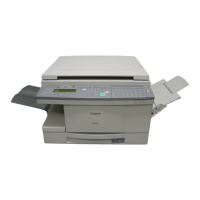
Check to make sure that the
developing assembly is unlocked;
then, insert it carefully along the
rails.
• Avoid touching the surface of
the drum.
Dust-proofing glass
Primary charging roller
releasing roll (to be removed).
Primary charging roller
releasing roll (to be removed).
Do not touch the
drum surface.
Rails
Drum unit



 To Next Page