COPYRIGHT
©
1999 CANON INC. CANON 405/335 REV.0 JAN. 1999 PRINTED IN JAPAN (IMPRIME AU JAPON)
14-17
CHAPTER 14 TROUBLESHOOTING
4
Mounting the Delivery
Assembly Paper Deflecting
Plate Solenoid (SL2)
1) Remove the delivery assembly.
2) Place the delivery assembly upright on a
flat desk.
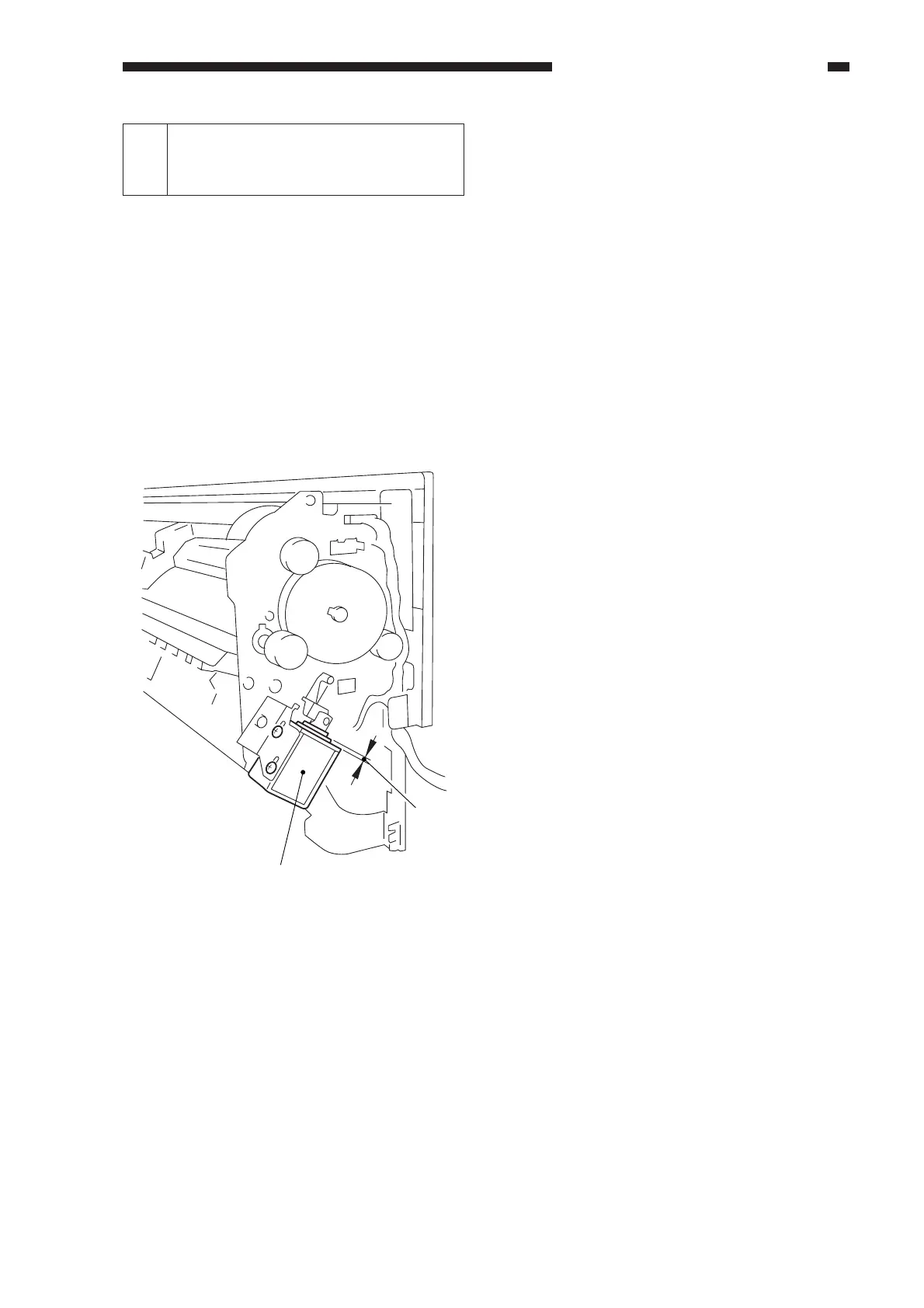
3) Push in the steel core of the paper
deflecting plate 1 solenoid (SL2) until it
stops.
4) Loosen the adjusting screw, and make
adjustments so that the gap between the
steel core E-ring of the solenoid and the
solenoid frame is about 0.2 mm.
5) Mount the delivery assembly.
Figure 14-221
0.2mm
Paper deflecting plate
1 solenoid
SL2



 To Next Page