EasyManua.ls Logo

Canon GP405 - Page 449

Canon GP405
682 pages
Print Icon
To Next Page IconTo Next Page
To Previous Page IconTo Previous Page
Loading...
COPYRIGHT
©
1999 CANON INC. CANON 405/335 REV.0 JAN. 1999 PRINTED IN JAPAN (IMPRIME AU JAPON)
14-31
CHAPTER 14 TROUBLESHOOTING
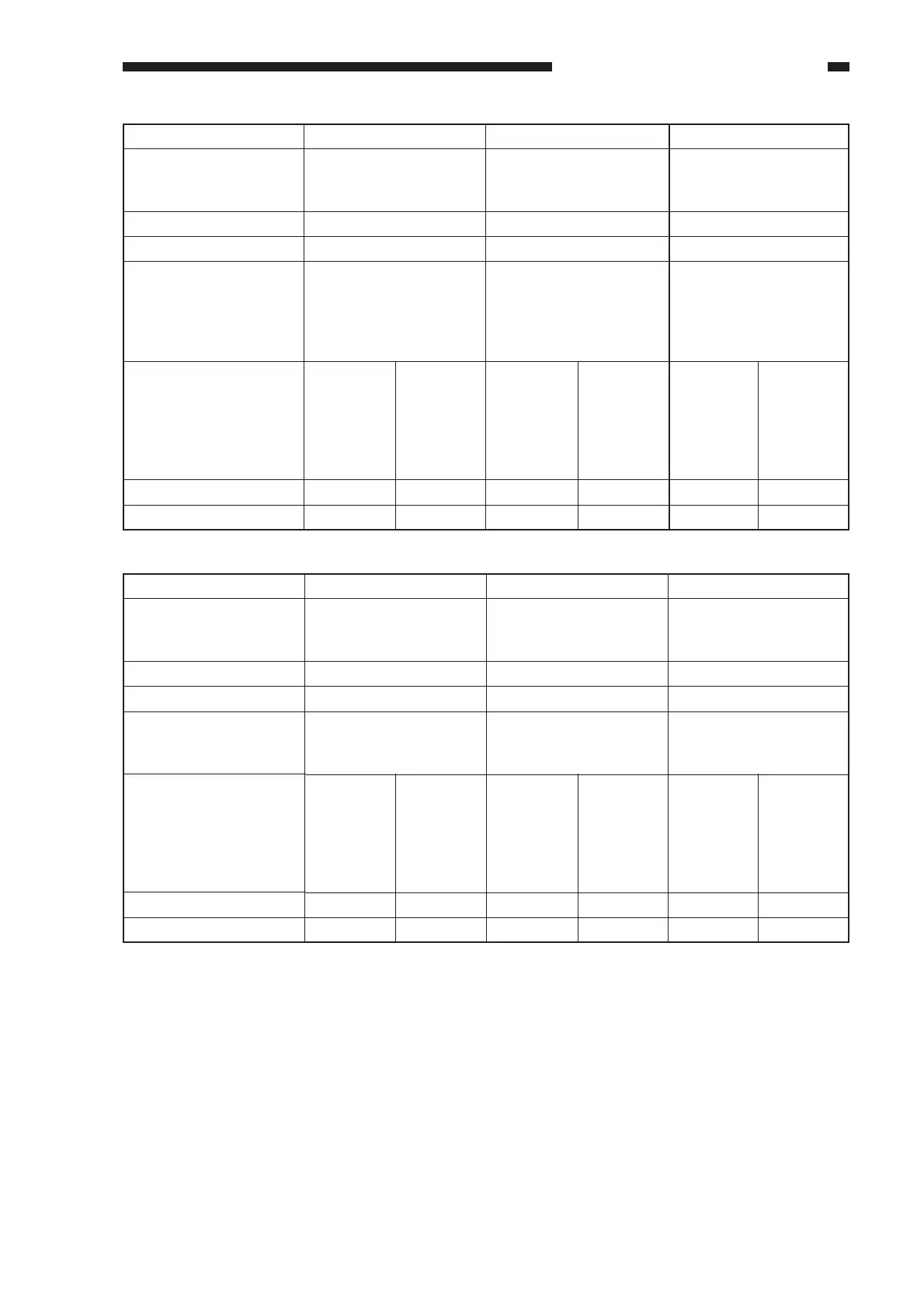
Notation
name
Meter probe
Service mode
Check (Normal if
described.)
Display reading
Meter reading (approx.)
PS8
Duplexing assembly
inlet paper sensor
(PS8S)
J114-B2
P004-bit5
While in standby, open
the delivery assembly,
and move the flag of
PS8.
PS9
Re-pick up sensor
(PS9S)
J114-B5
P004-bit10
While in standby, open
the duplexing unit, and
move the flag of PS9.
PS10
Horizontal registration
paper sensor (PS10S)
J102-A8
P004-bit11
While in standby, open
the right door; then,
insert paper into the re-
pick up assembly, and
slide it to the rear.
When the
flag is
blocking
the sensor
(paper
absent),
1
5 V
When the
flag is
blocking
the sensor
(paper
absent),
1
5 V
When the
flag is not
blocking
the sensor
(paper
present),
0
0 V
When the
flag is not
blocking
the sensor
(paper
present),
0
0 V
When the
paper is
slid to the
rear,
1
5 V
When the
paper is
not slid to
the rear,
0
0 V
Notation
name
Meter probe
Service mode
Check (Normal if
described.)
Display reading
Meter reading (approx.)
PS11
Vertical path sensor
(PS11)
J108-B8
P004-bit2
While in standby, move
up the lever of PS11.
PS12
Right cover open/
closed detecting sensor
(PS12S)
J108-B14
P003-bit13
While in standby, open
the right door.
PS13
Left cover open/closed
sensor (PS13S)
J114-5
P003-bit11
While in standby, open
the left door.
When the
right door
is closed,
1
5 V
When the
lever is
moved up
(paper
present),
1
5 V
When the
lever is
moved
back
(paper
absent),
0
0 V
When the
right door
is open,
0
0 V
When the
left door
is closed,
1
5 V
When the
left door
is open,
0
0 V

Table of Contents

Other manuals for Canon GP405

Related product manuals