COPYRIGHT
©
1999 CANON INC. CANON 405/335 REV.0 JAN. 1999 PRINTED IN JAPAN (IMPRIME AU JAPON)
14-57
CHAPTER 14 TROUBLESHOOTING
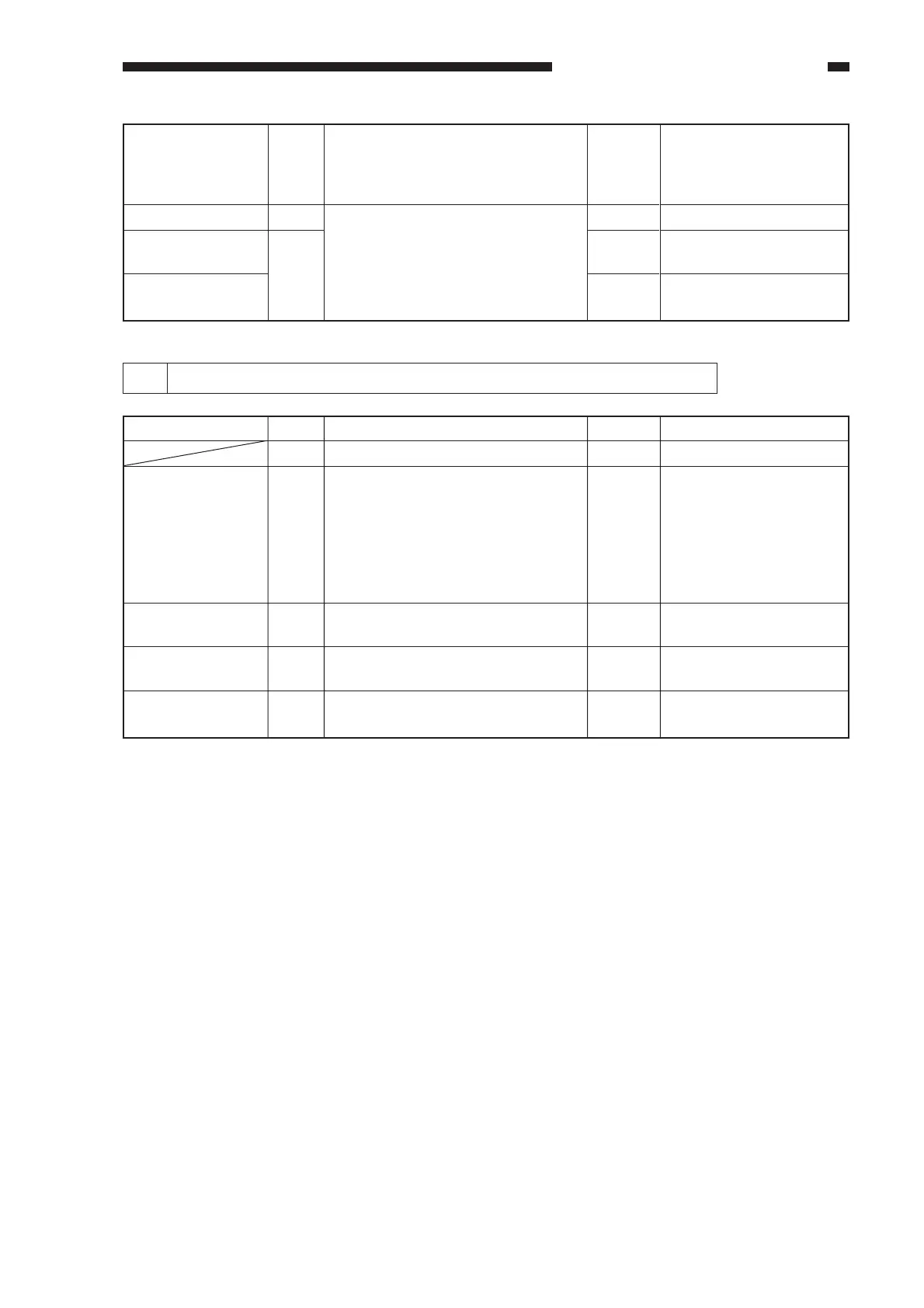
2 E001 (The Fixing Temperature Overheat message turns on.)
SSR
Relay
DC controller
PCB
Image processor
PCB
Replace the SSR. At this
time, check to make sure
that the harness around the
SSR is not trapped.
Replace the relay.
End.
Replace the image
processor PCB.
9
10
11
YES
YES
YES
NO
Are 6-7 and 7-8 of the SSR
shorted?
Replace the relay. Is the problem
corrected?
Cause
Thermistor
SSR
DC controller
PCB
Image processor
PCB
Action
Replace the thermistor
unit.
Replace the SSR.
End.
Replace the image
processor PCB.
Step
1
2
3
4
5
Yes/No
YES
YES
YES
NO
Check
Clear the error in service mode.
Wait until the fixing assembly has
cooled sufficiently; then,
disconnect J426, and measure the
resistance of the thermistor. Is the
reading as follows?
J426 (white harness; TH1):about 0 Ω
J426 (black harness; TH2):about 0Ω
Are the 6-7 and 7-8 of the SSR
shorted?
Replace the relay. Is the problem
corrected?
Replace the DC controller PCB. Is
the problem corrected?



 To Next Page