CHAPTER 14 TROUBLESHOOTING
14-132
COPYRIGHT
©
1999 CANON INC. CANON 405/335 REV.0 JAN. 1999 PRINTED IN JAPAN (IMPRIME AU JAPON)
1. Removing the DIMM
1) Turn off the main power switch, and
disconnect the power cord.
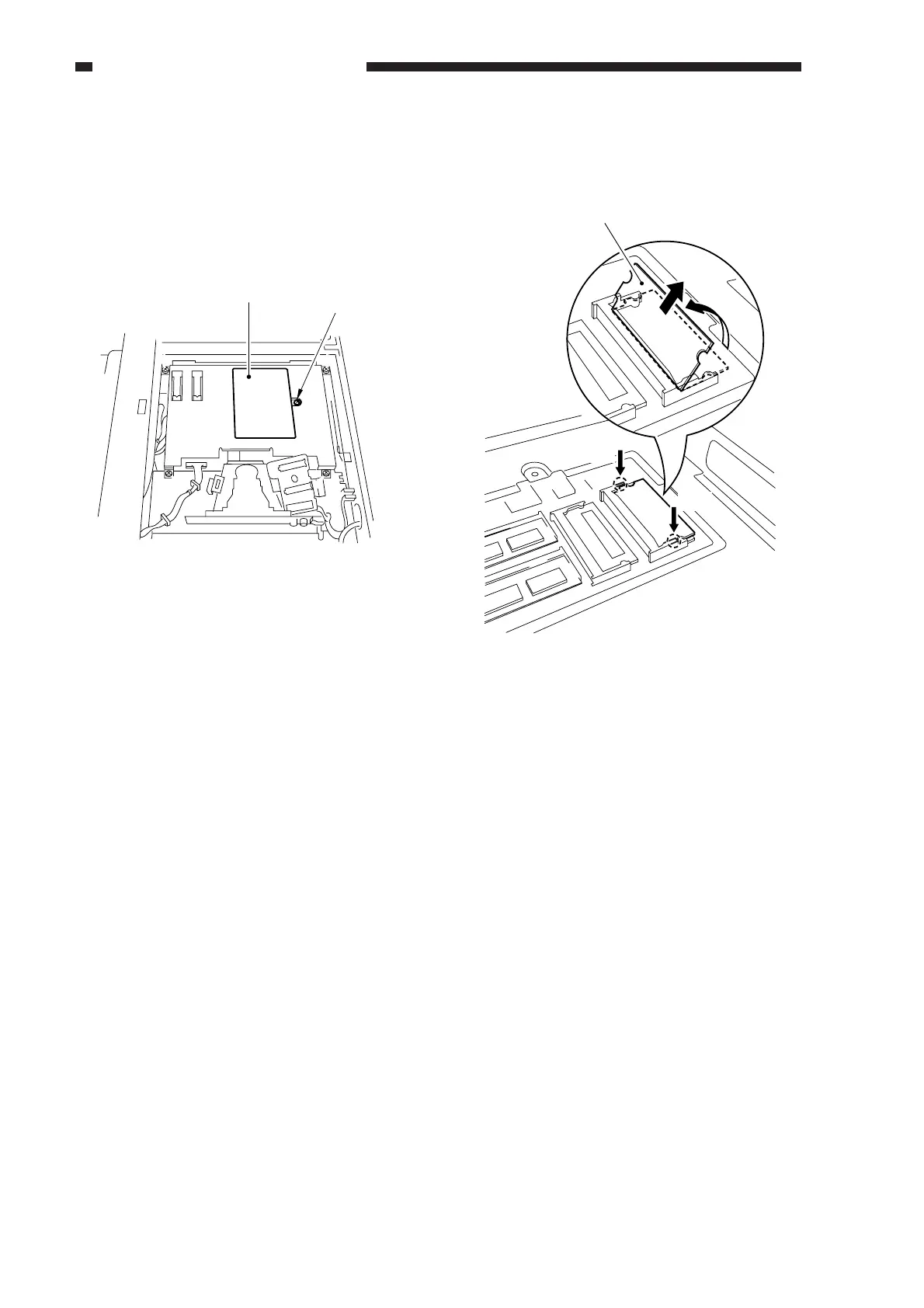
2) Remove the copyboard glass; then,
remove the screw, and detach the small
cover from the IP cover.
Figure 14-702
M4×4bis
Small cover
3) Open the slot claw, and pull off the
DIMM as if to lift it.
Figure 14-703
Push
Push
IP,DIMM(1MByte)



 To Next Page