COPYRIGHT
©
1999 CANON INC. CANON 405/335 REV.0 JAN. 1999 PRINTED IN JAPAN (IMPRIME AU JAPON)
4-13
CHAPTER 4 IMAGE FORMATION SYSTEM
2. Density Correction Curve
The density correction curve for density processing varies according to the following:
• Copy Density key/Density Correct key on the control panel
• Text, Text/Photo, Photo mode
• Photosensitive drum resistance (result of measurement)
a. Coy Density Key/Density Correct Key
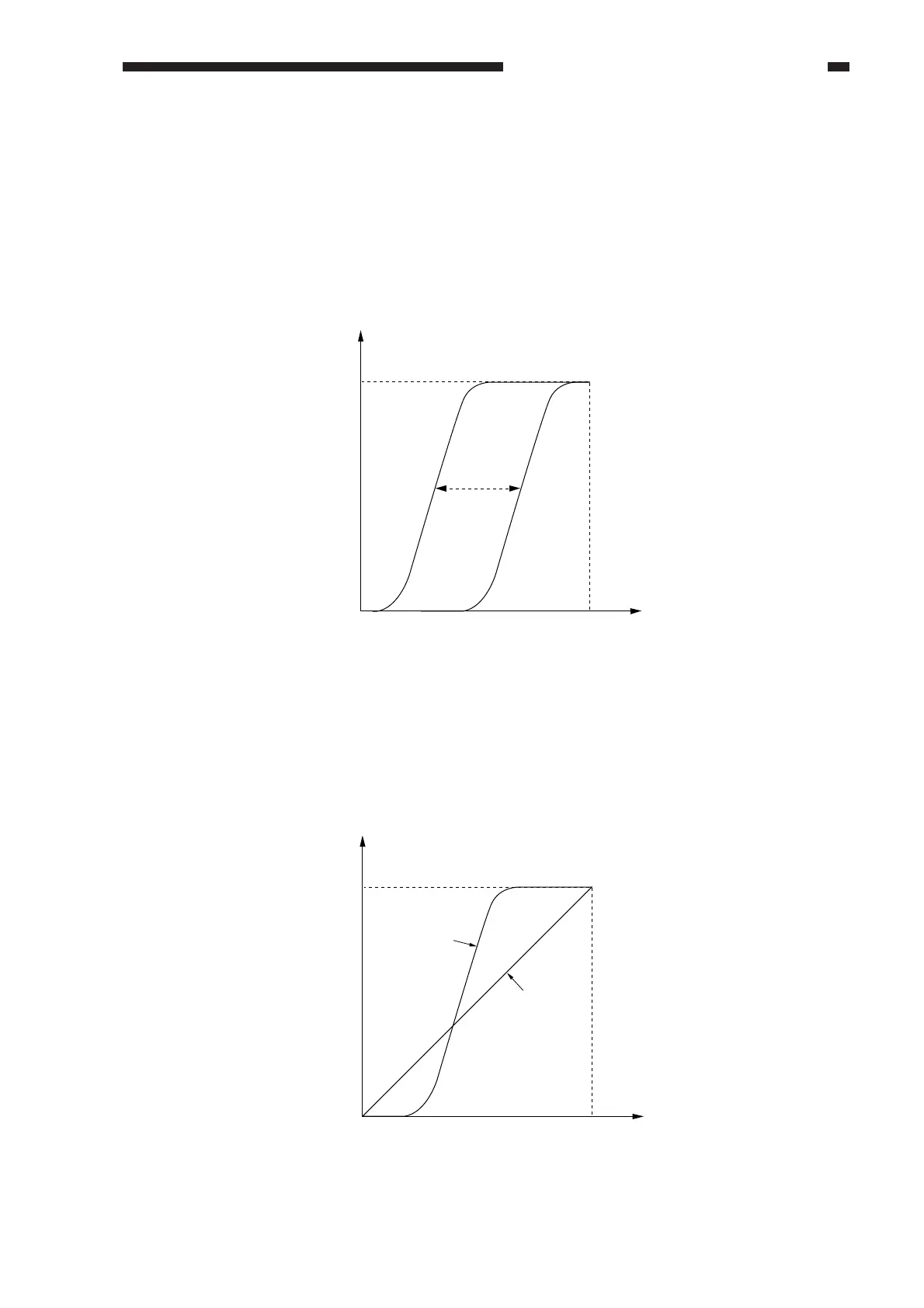
The density correction curve varies as shown according to the key settings.
Figure 4-306
b. Text, Text/Photo, Photo Mode
When text mode is selected, the contrast is increased by using a steep density correction curve.
When text/photo or photo mode is selected on the other hand, a curve that ensures better gradation
and reproduction of the original density is selected.
Figure 4-307
Copy density
Original density
Darker
Lighter
Copy density
Original density
Text/photo
and photo
mode
Text mode



 To Next Page