Handling rolls
Attaching the Spacer for Borderless Printing
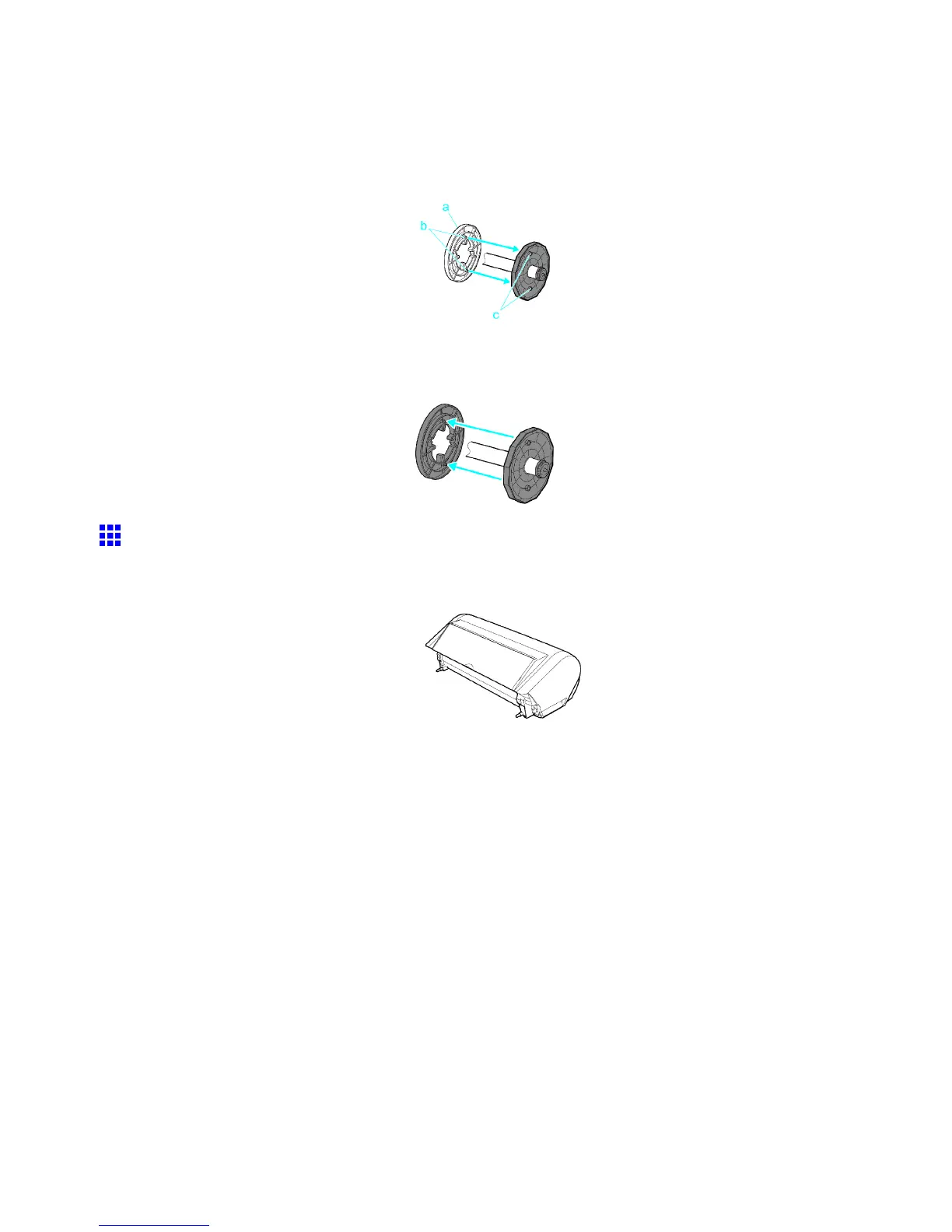
If you use an A2 roll for borderless printing, insert the provided Spacer for Borderless Printing on the Roll
Holder .
Insert the protrusions (b) of the Spacer for Borderless Printing (a) into the holes (c) of the Roll Holder , as
shown.
Removing the Spacer for Borderless Printing
Pull out the Spacer for Borderless Printing from the Roll Holder , as shown.
Roll Feed Unit
A unit for using rolls. (Optional)
• Roll Feed Unit RU-01
For instructions on installing the Roll Feed Unit , see “Installing the Roll Feed Unit”. (→P .143)
140 Handling Paper



 To Next Page
 Loading...









