Handling sheets
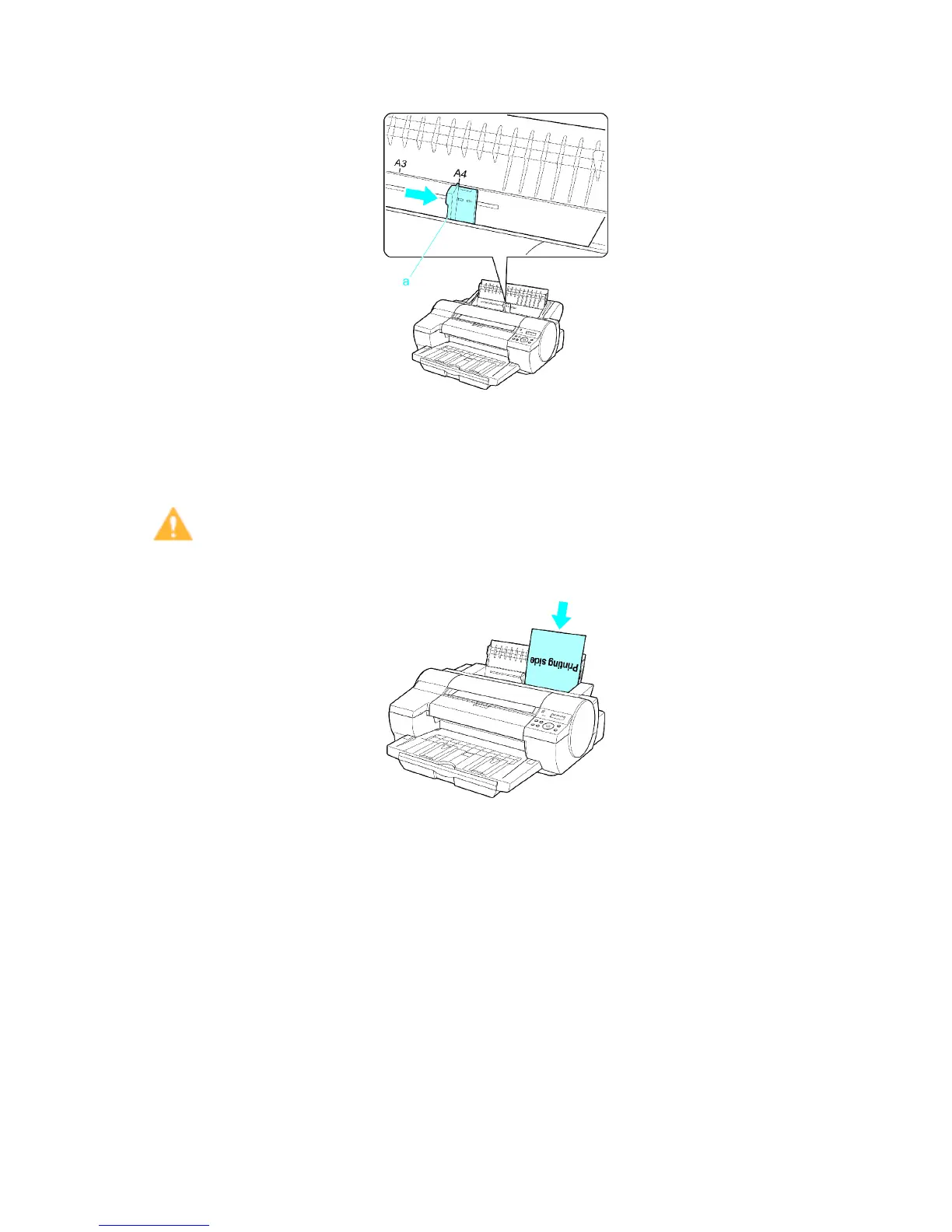
3. Slide the Width Guide (a) to align it with the mark for the size of paper you will load.
4. Load the paper in the T ray with the printing side face-up.
Insert the paper until its edge touches the far end of the tray lightly .
Feeding may not be possible and feeding errors may occur if the edge of the paper does not
touch the tray .
Caution
• If you load A2 or larger in the printer , the paper goes down on the back of the printer under its own
weight. Therefore, place your hands on the paper till the paper is fed.
156 Handling Paper


 To Next Page
 Loading...










