3- 126
Printing from a Macintosh
TOP
Chapter 3
Printing by Objective
Chapter 4
Maintenance
Chapter 5
Using the Printer
in a Network
Environment
Chapter 6
Troubleshooting
Chapter 7
Operating the
Function Menu
Index
Contents
Chapter 2
Using Various Media
Chapter 1
Basic Use
When the Printout Quality Is Not Clean
How to Set the Media Type
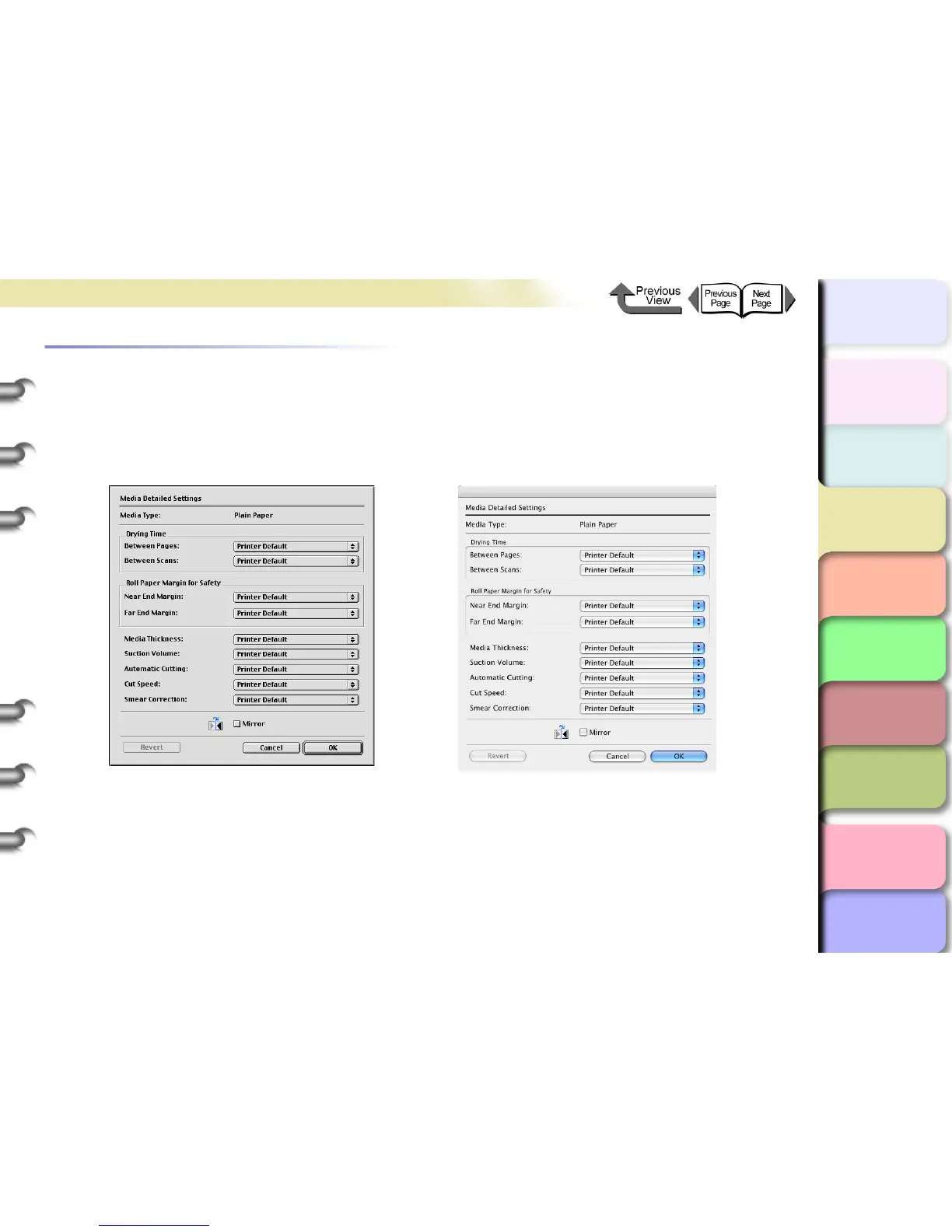
Paper settings such as ink drying time, etc., can be made using the panel on the printer. Some of these settings can be
changed using the Media Detailed Settings dialog box in the printer driver. If clean printing cannot be performed, make
printing adjustment using this dialog box.
For more details about the Media Detailed Settings dialog box, please refer to the online Help.


 To Next Page
 Loading...