Installing the CAPT Software
3-25
Setting Up the Printing Environment
3
10
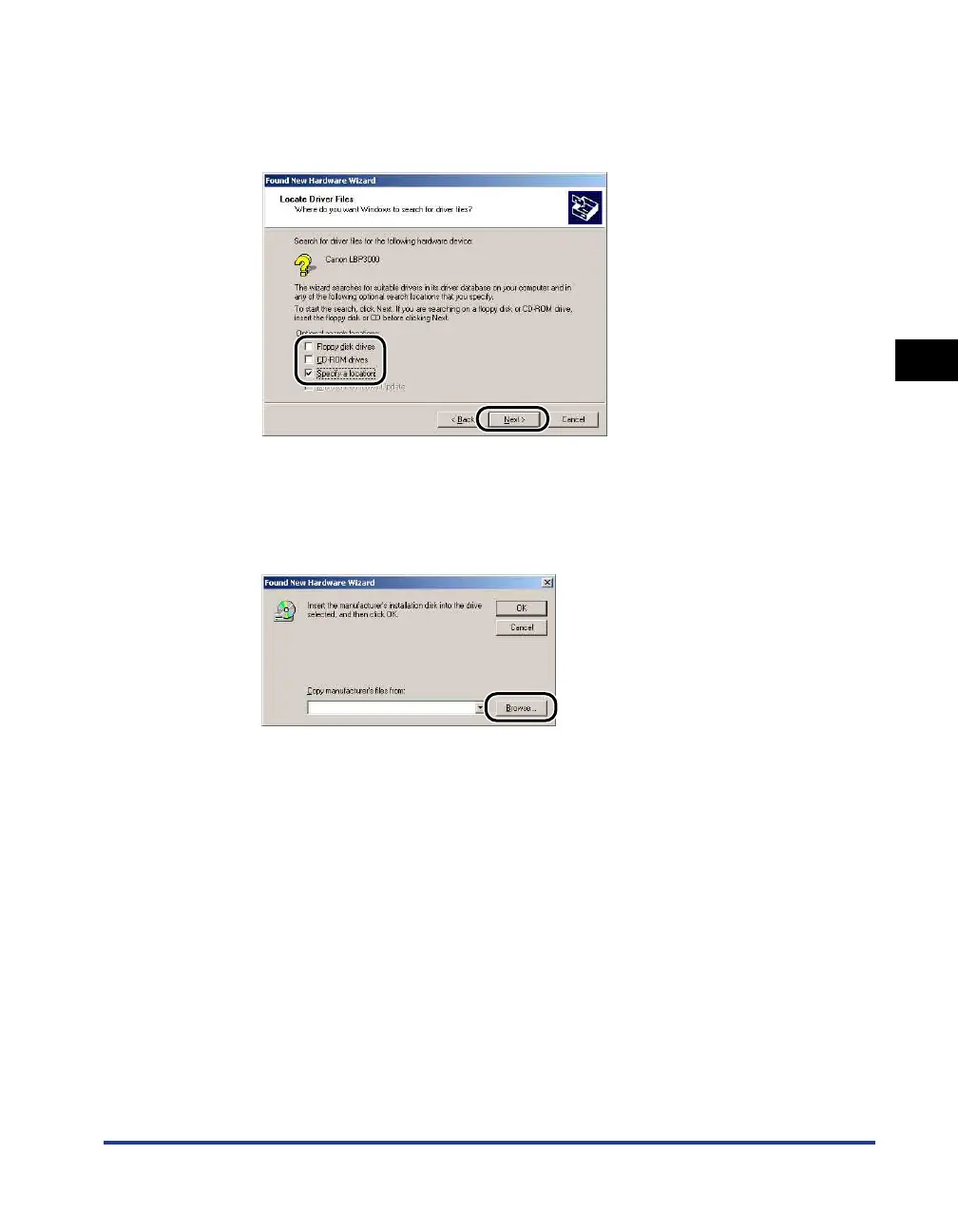
Remove the checkmarks from [Floppy disk drives] and
[CD-ROM drives], place a checkmark next to [Specify a
location], and then click [Next].
11
Insert the supplied "LBP3000 User Software" CD-ROM into
the CD-ROM drive, then click [Browse].
If CD-ROM Setup appears, click [Exit].











 To Next Page