Installing the CAPT Software
3-37
Setting Up the Printing Environment
3
12
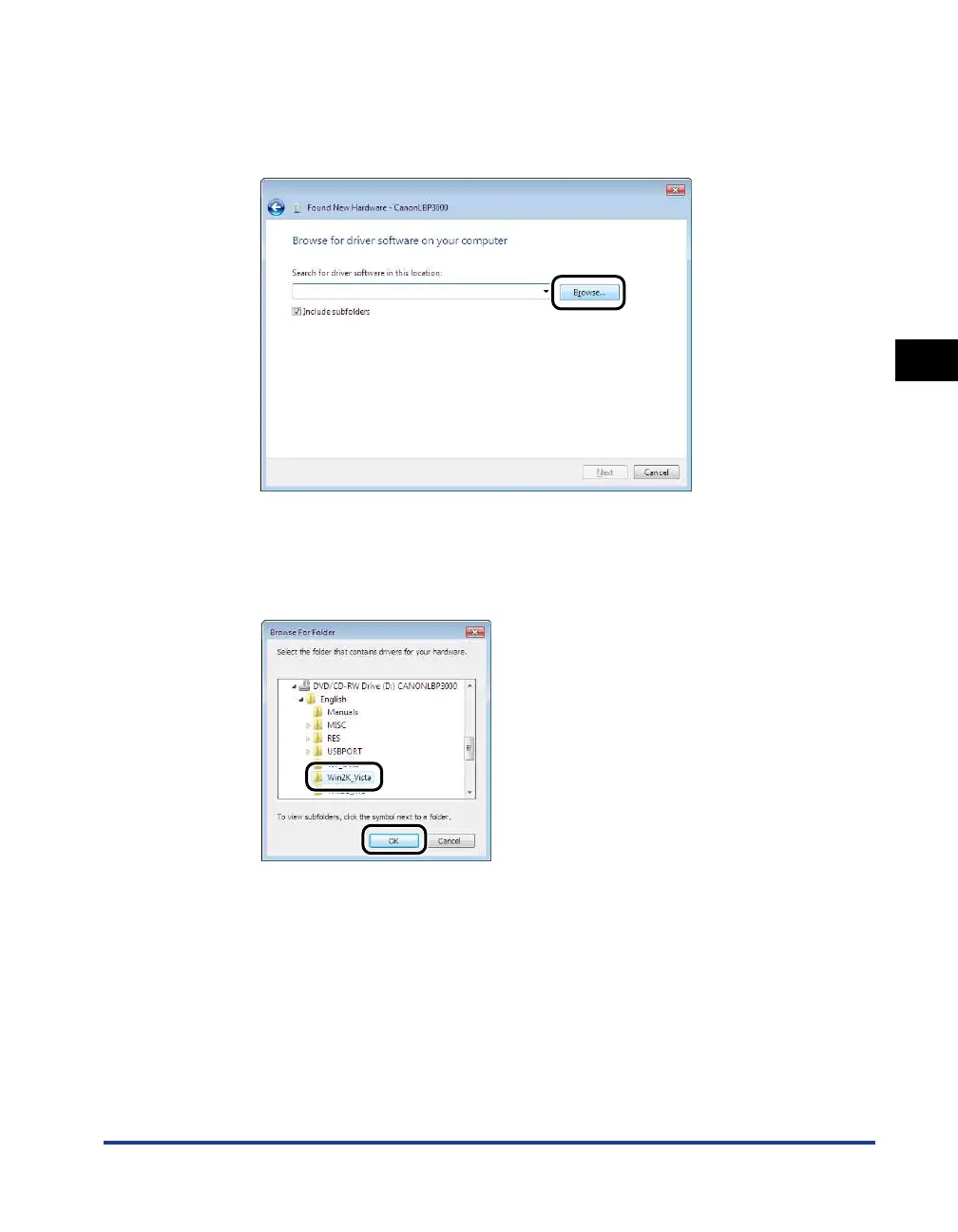
Insert the supplied "LBP3000 User Software" CD-ROM into
the CD-ROM drive, and then click [Browse].
If CD-ROM Setup appears, click [Exit].
13
Select [D:\English\Win2K_Vista], then click [OK].
The CD-ROM drive name is indicated as "D:" in this manual. The CD-ROM drive
name may differ depending on the computer you are using.











 To Next Page