Printing from a Network Computer using a Shared Printer
3-58
Setting Up the Printing Environment
3
5
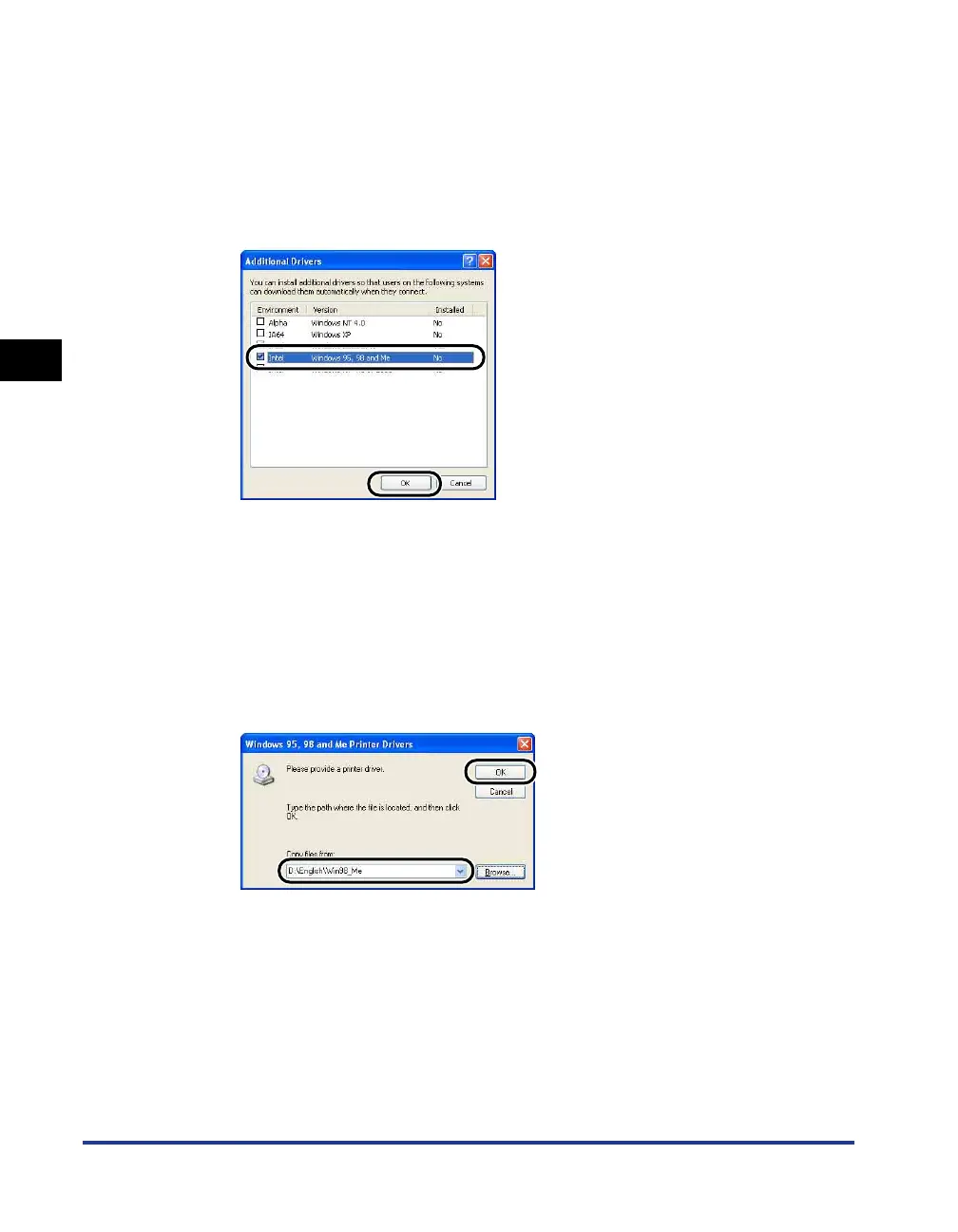
Place a checkmark next to [Windows 95, 98 and Me], then
click [OK].
For Windows 2000: Place a checkmark next to [Windows 95 or 98], and then
click [OK].
For Windows Server 2003: Place a checkmark next to [Windows 95, Windows 98,
and Windows Millennium Edition], and then click [OK].
6
Insert the supplied "LBP3000 User Software" CD-ROM into
the CD-ROM drive.
If the [Insert Disk] dialog box appears, click [OK].
7
Click [Browse]. If your CD-ROM drive is drive [D:], select
[D:\English\Win98_Me], and then click [OK].
Windows will begin copying files.











 To Next Page