Printing from a Network Computer using a Shared Printer
3-70
Setting Up the Printing Environment
3
4
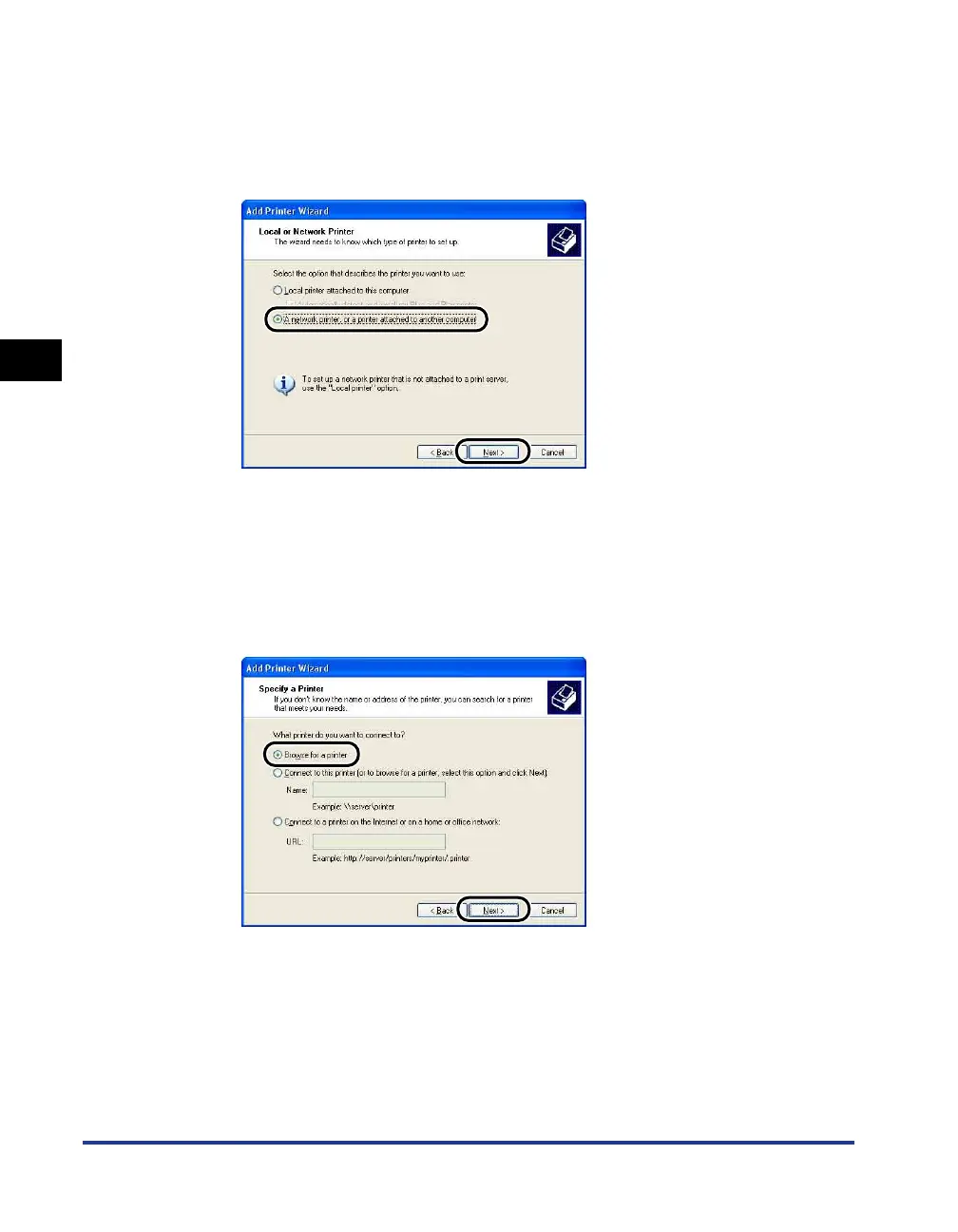
Select [A network printer, or a printer attached to another
computer], then click [Next].
For Windows 98/Me/2000: Select [Network Printer] then click [Next].
For Windows Vista: Click [Add a network, wireless or Bluetooth printer].
If you are using Windows Vista, searching the printer on a network starts
automatically. Click [The printer that I want isn't listed].
5
Select [Browse for a printer], then click [Next].
For Windows 98/Me: click [Browse].
For Windows Vista, select [Select a shared printer by name], and then click
[Next].











 To Next Page