Printing from a Network Computer using a Shared Printer
3-71
Setting Up the Printing Environment
3
6
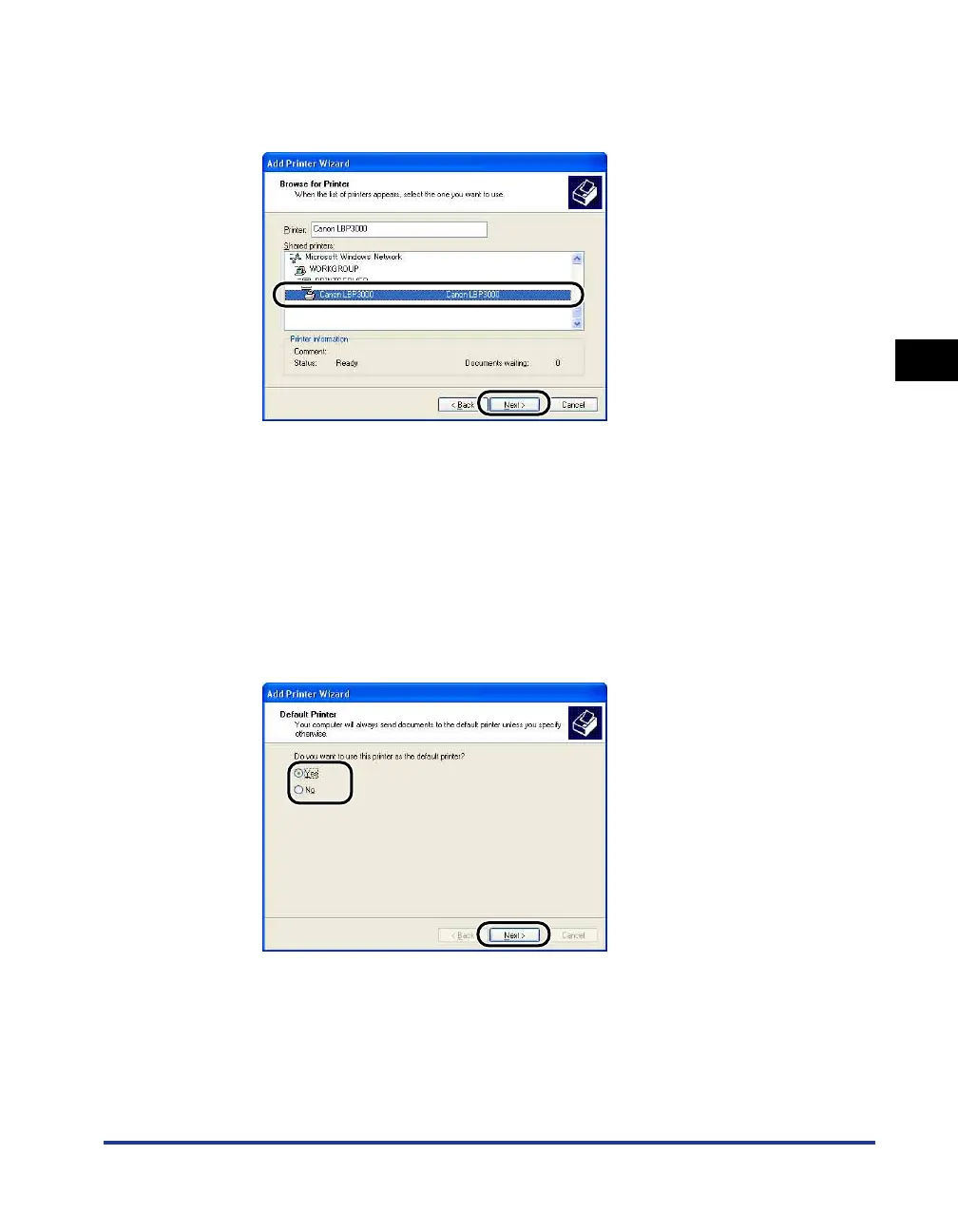
Select the printer on the print server, then click [Next].
For Windows Vista, select the printer on the print server, and then click [Select].
For Windows 98/Me: Proceed to Step 8.
For Windows Vista: The [Printers] dialog box appears. Click [Install driver]. (If the
[User Account Control] dialog box appears, click [Continue].)
7
Select whether or not to use this printer as the default printer,
then click [Next].
For Windows Vista, enter a new name in [Printer name] if you want to change the
printer name. When specifying the printer as the default printer, select the [Set as
the default printer] check box, and then click [Next].
For Windows Vista, click [Print a test page] when printing a test page. A dialog box
appears after printing. Click [Close] to close the dialog box.











 To Next Page