Replacing the Toner Cartridge
5-9
Routine Maintenance
5
2
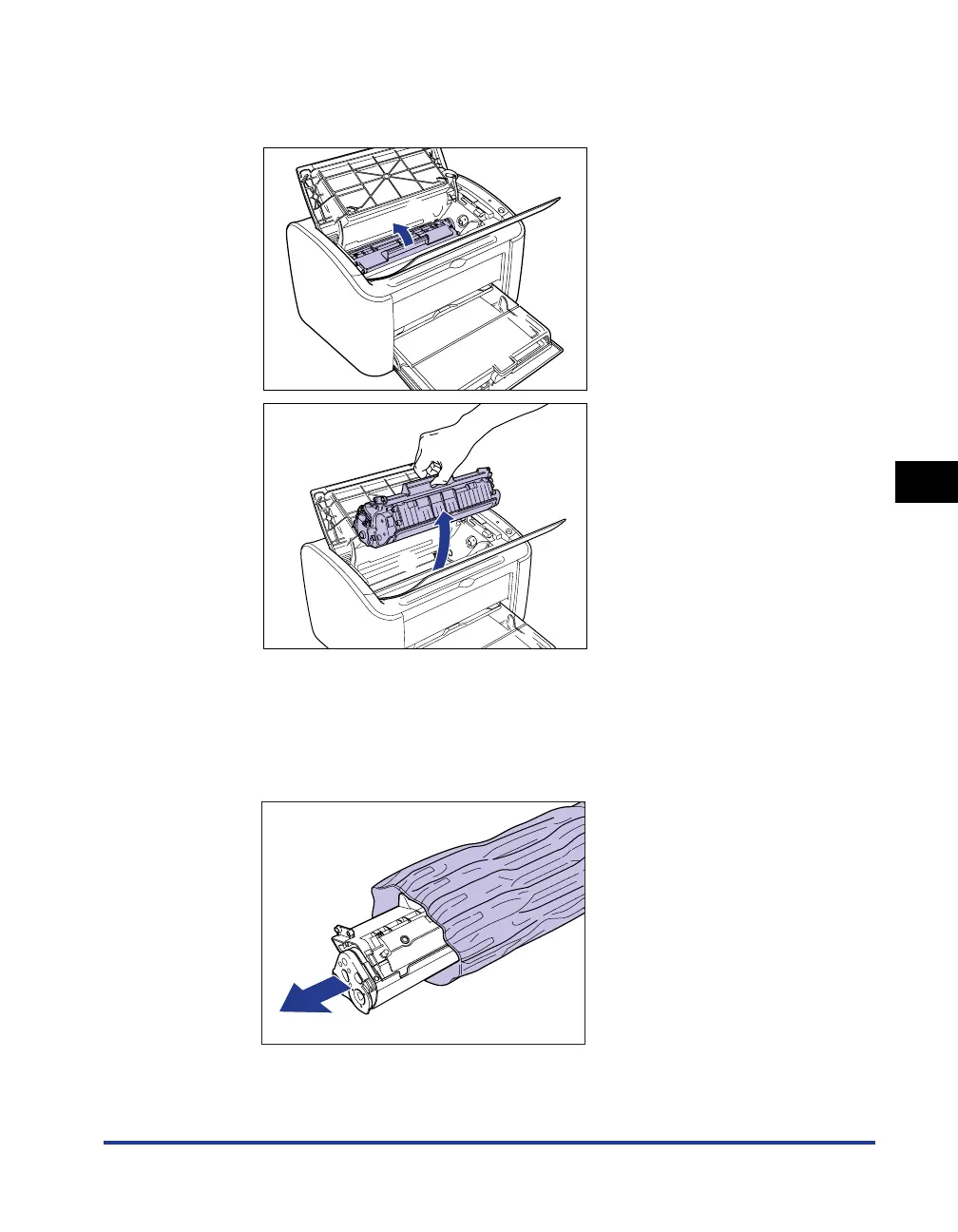
Lift the toner cartridge in the direction of the arrows aa
aa
, then
pull it out
bb
bb
.
3
Take the new toner cartridge out of the protective bag.
As there is a notch cut into the protective bag near the arrow, you can tear open
the bag by hand. However, if you are unable to tear open the bag by hand, you
should use scissors to cut the bag open to avoid damaging the toner cartridge.
a
b











 To Next Page