Replacing the Toner Cartridge
5-10
Routine Maintenance
5
IMPORTANT
•
Do not throw away the toner cartridge protective bag. You will need this cover when
you remove the toner cartridge for printer maintenance, etc.
•
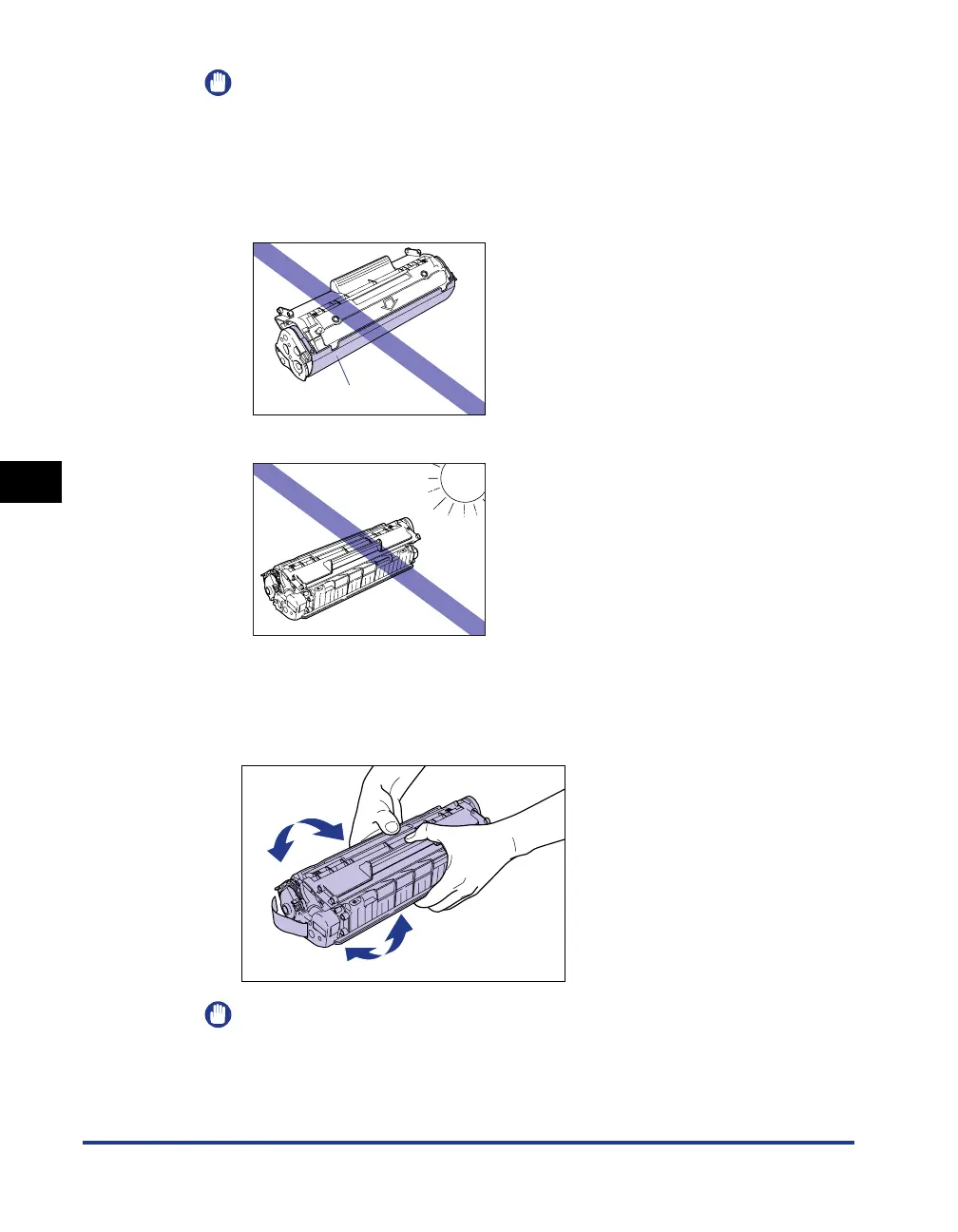
If you touch the inner drum with your hand or scratch it, the printing quality will be
degraded. Do not touch or open the protective shutter of the drum under any
circumstances. Be careful not to hold or touch any parts other than as directed.
Doing so may damage the toner cartridge.
•
Do not expose the toner cartridge to direct sunlight or strong light.
4
Hold the toner cartridge as shown in the figure, and roll it
gently from side to side 5 or 6 times to evenly distribute the
toner inside.
IMPORTANT
•
If the toner is not distributed evenly, you may get poor printing quality. Make sure
you perform this step.
•
Rotate the toner cartridge gently. If you do not rotate the cartridge gently, toner may
spill out.
Drum Protective Shutter











 To Next Page