Moving the Printer
5-23
Routine Maintenance
5
4
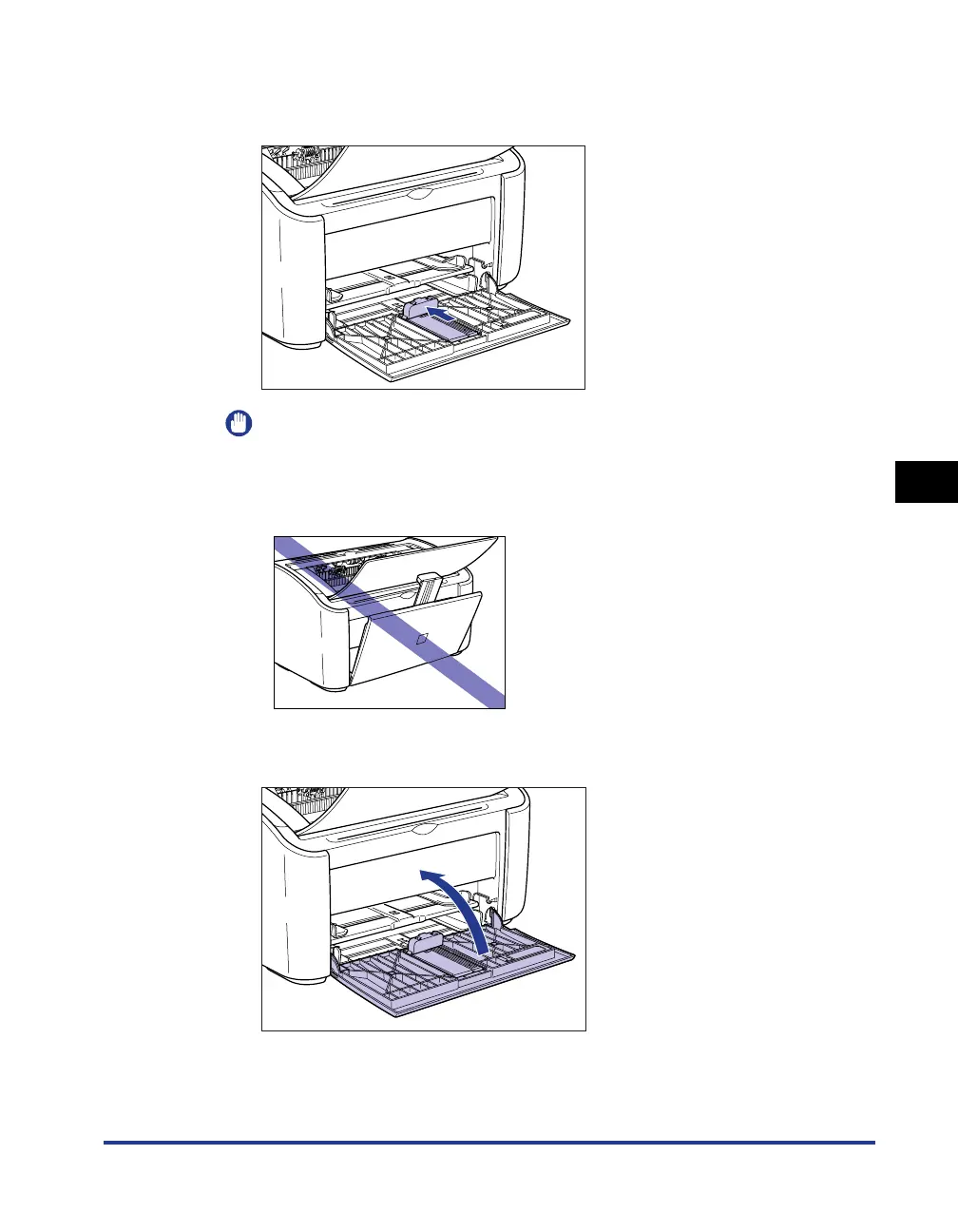
Clear out any paper that is loaded in the printer, and push the
rear paper guide in to the position shown in the diagram.
IMPORTANT
If you try to close the multi-purpose tray while the rear paper guide is sticking out of
the tray, you may damage the printer. Always check to make sure that rear paper
guide is pushed all the way back into the multi-purpose tray before you close the
multi-purpose tray.
5
Close the multi-purpose tray.











 To Next Page