Installation Problems
6-32
Troubleshooting
6
5
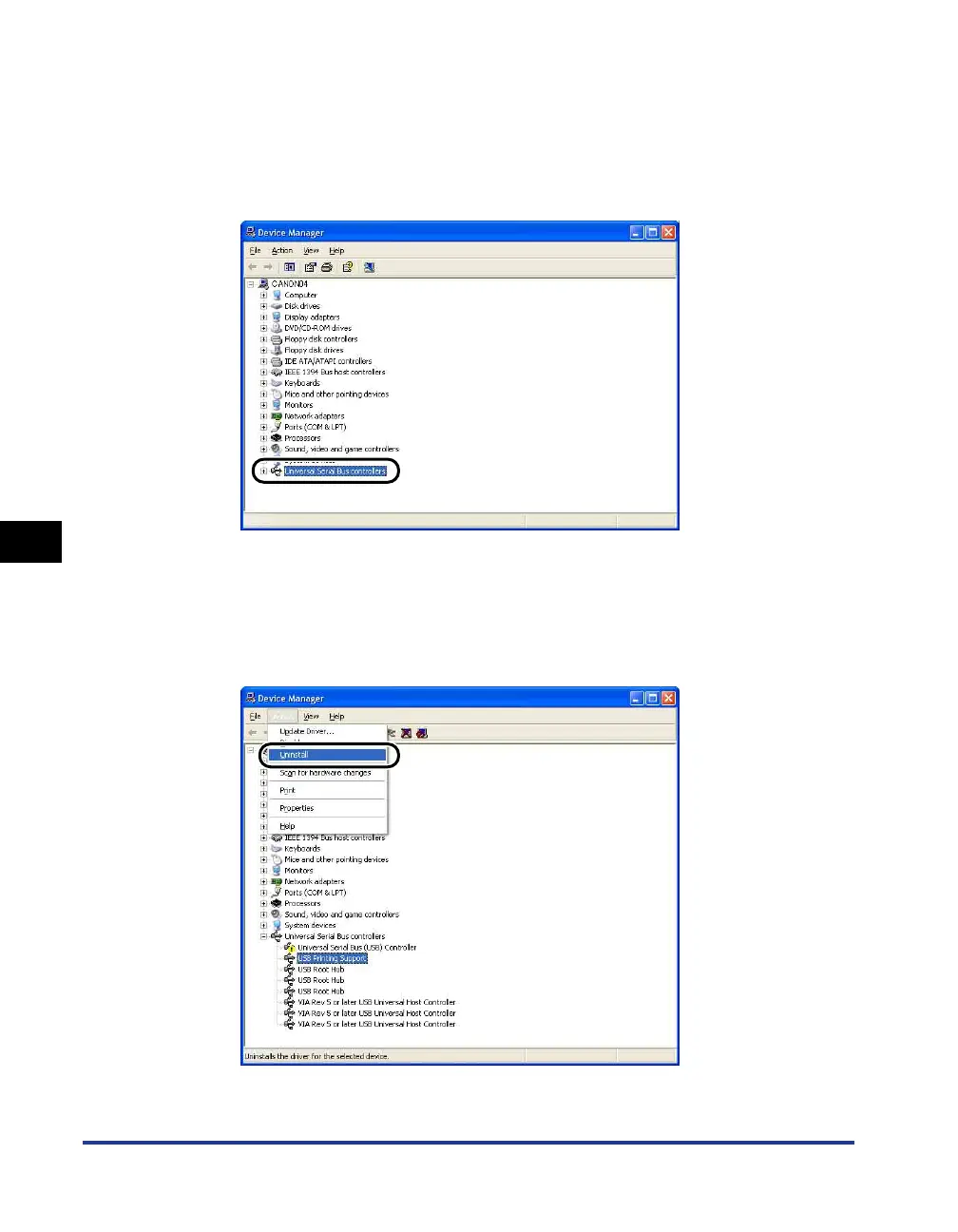
Click [Hardware] ➞ [Device Manager], and then double-click
[Universal Serial Bus controllers].
For Windows 98/Me: Display the [System Properties] dialog box, click the
[Device Manager] tab, and then double-click [Universal Serial Bus controllers].
For Windows Vista: Double-click [Universal Serial Bus controllers].
6
Select [USB Printing Support], then select [Uninstall] in the
[Action] menu.
On Windows 98 select [Canon LBP3000]; and on Windows Me select [Canon
CAPT USB Device]; and then click [Remove].











 To Next Page