Installing the CAPT Software
3-20
Setting Up the Printing Environment
3
6
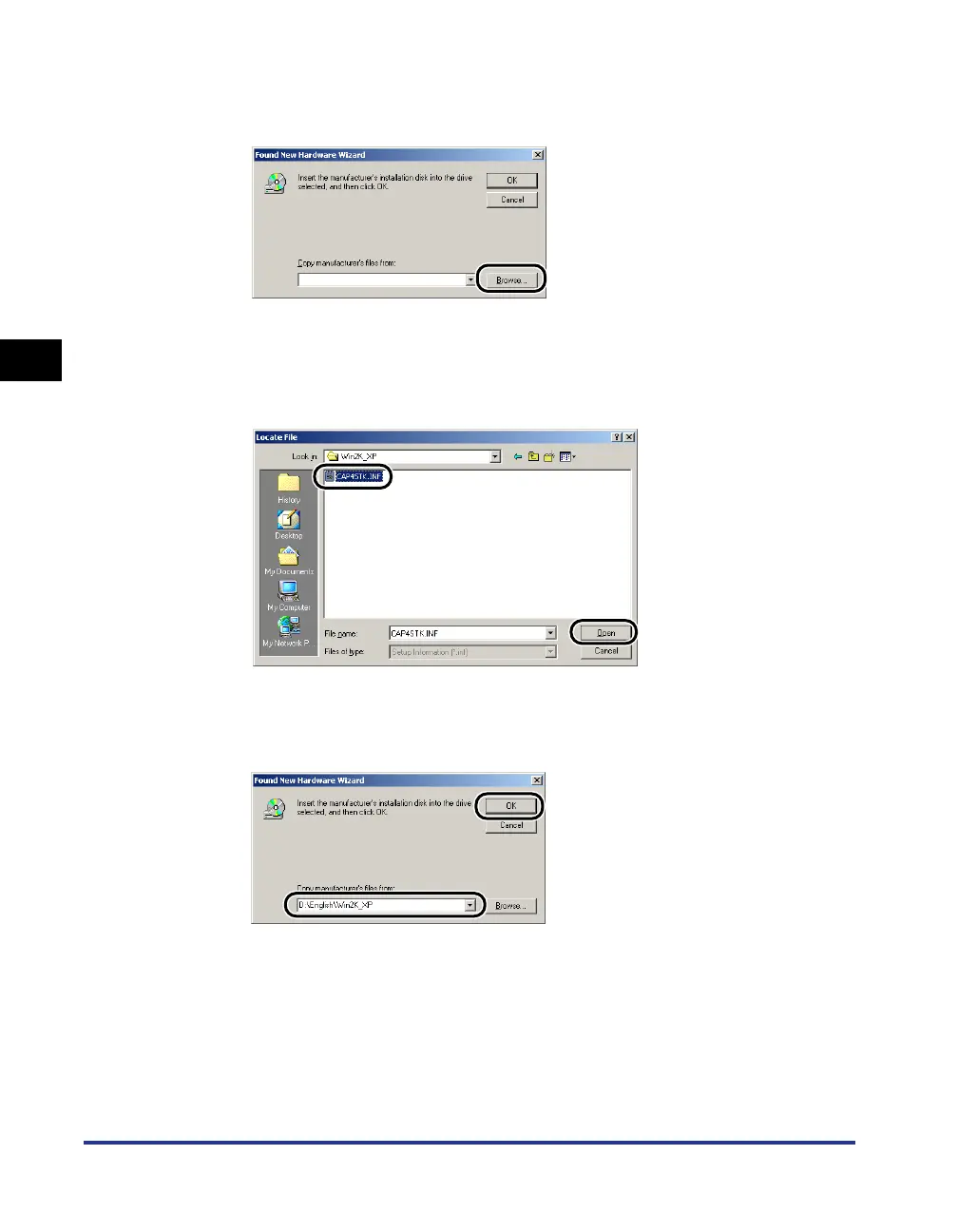
Put the "User Software for LBP3200" CD-ROM into the
CD-ROM drive, then click [Browse].
7
If your CD-ROM drive is drive [D:], select
[D:\English\Win2K_XP]. Select [CAP4STK.INF], then click
[Open].
8
Make sure that the selected folder is displayed in [Copy
manufacturer's files from], then click [OK].
The dialog box for completing the search for a driver file will appear.












 To Next Page