Installation Problems
6-28
Troubleshooting
6
2
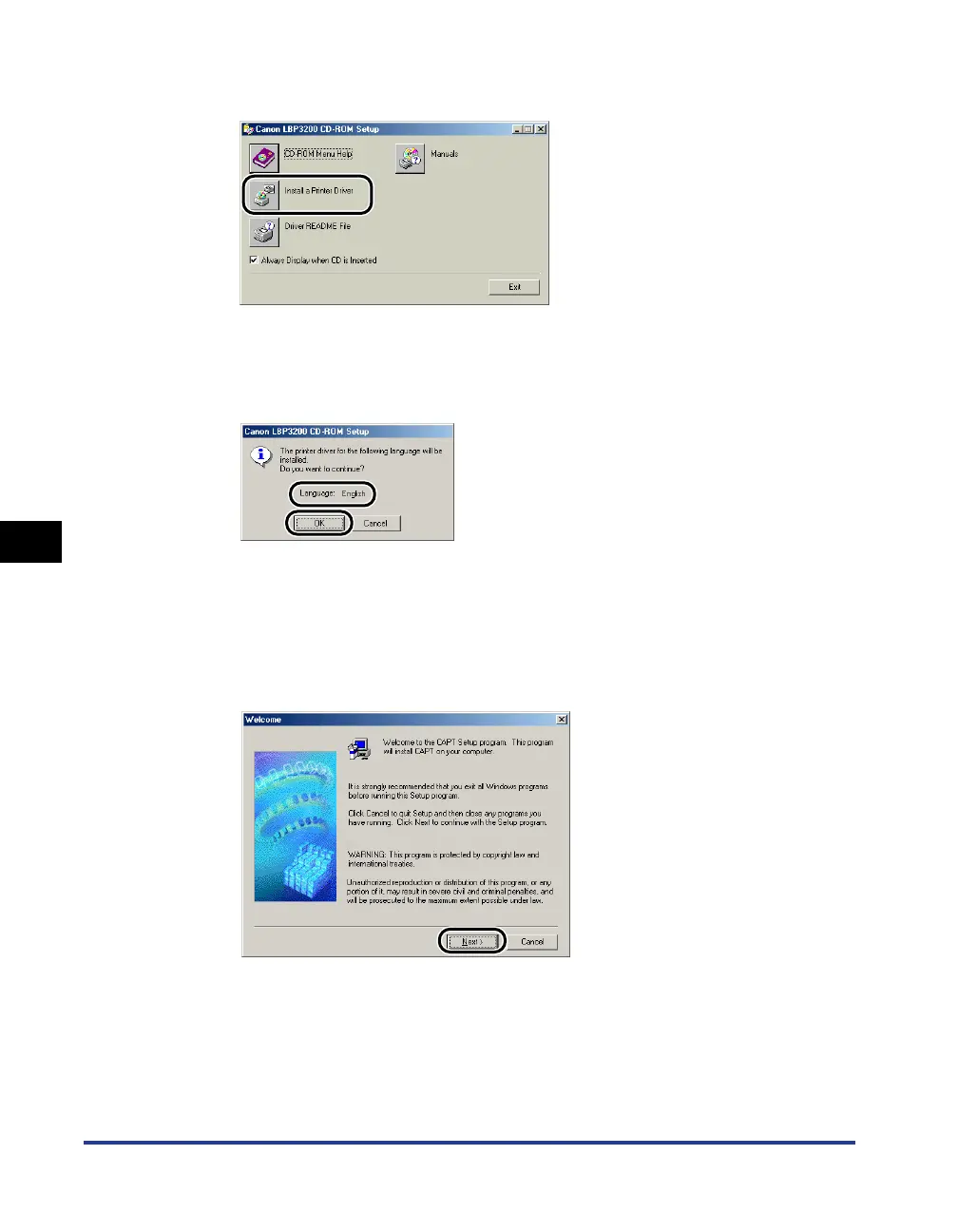
Click [Install a Printer Driver].
The dialog box for confirming the language will appear.
3
Confirm the language and click [OK].
After the preparation for installation is completed, the CAPT (Canon Advanced
Printing Technology) software installer will start up.
The [Welcome] dialog box will appear.
4
Click [Next].
The [Software License Agreement] dialog box will appear.












 To Next Page