Installation Problems
6-30
Troubleshooting
6
7
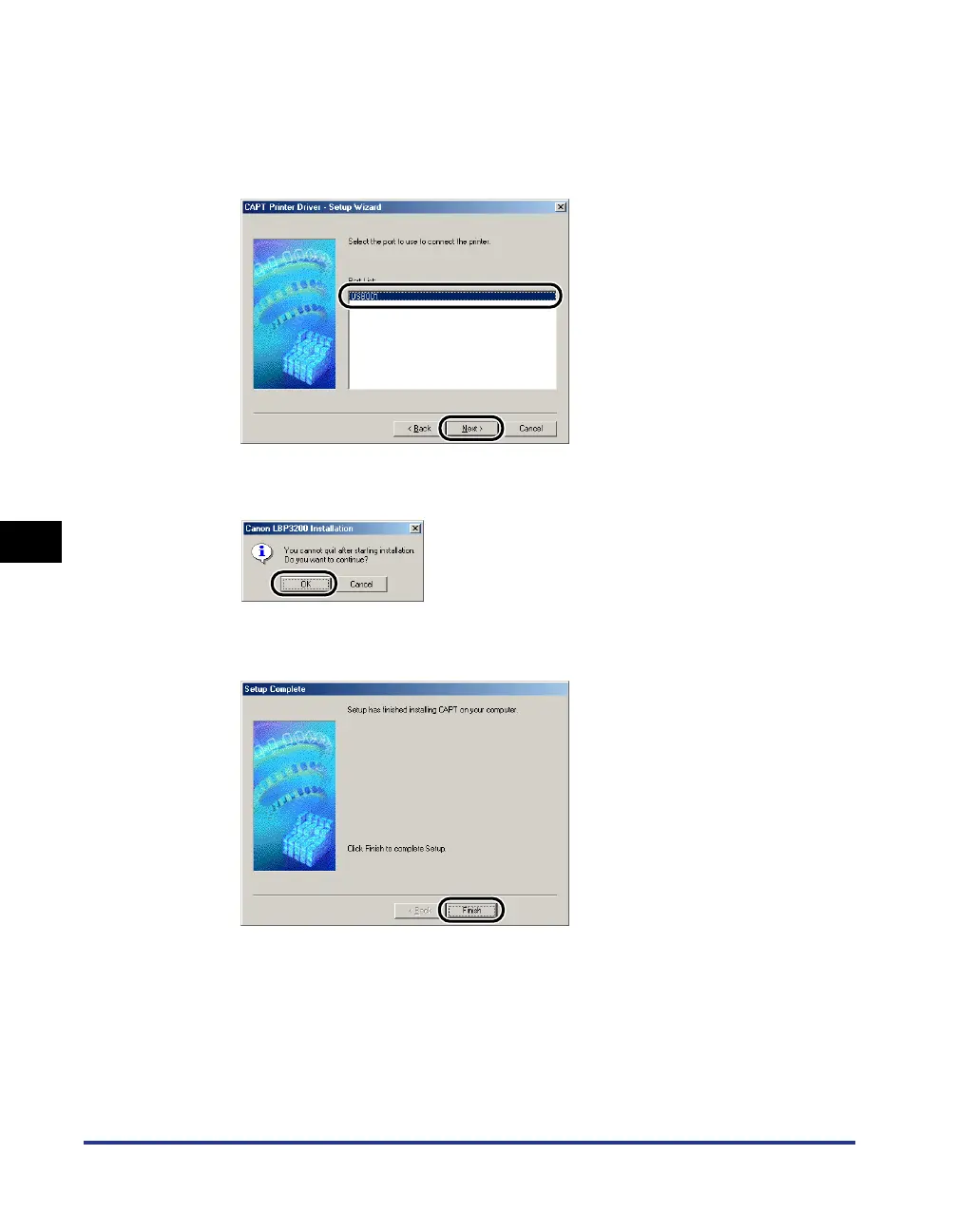
From [Port List], select a USB port that can be used with this
printer, then click [Next].
For Windows 98, select "USBPRNXX" (XX: numbers).
For Windows Me, select "USBXXX" (XXX: numbers).
8
Click [OK].
9
After installation is completed, click [Finish].












 To Next Page