Printing on Plain Paper / Heavy Paper / Label / Transparency
2-16
Loading and Delivering Paper
2
1
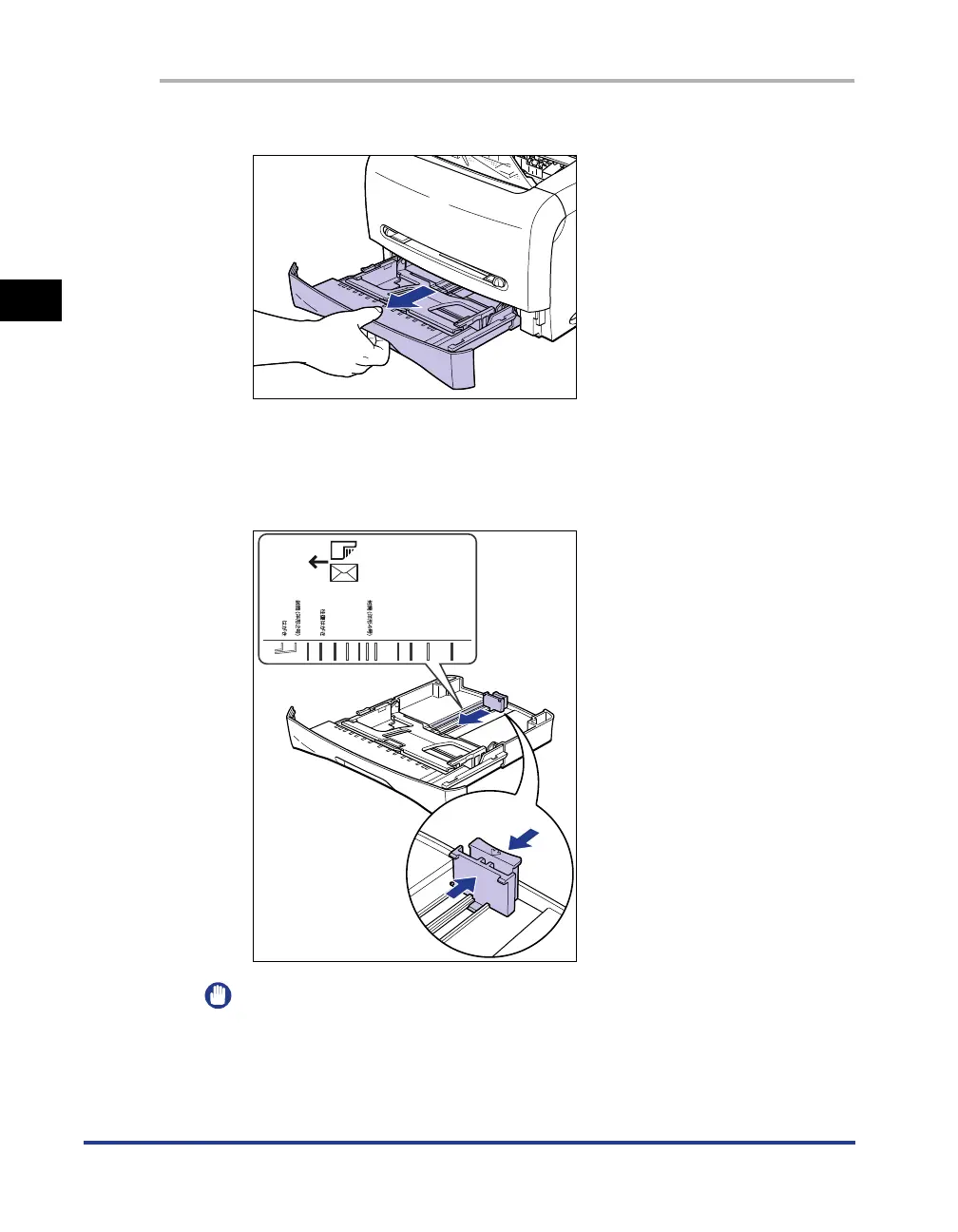
Pull out the cassette.
2
While holding the lock release lever on the paper guide at the
rear of the cassette, slide the paper guide to the mark
indicating the desired paper size.
IMPORTANT
If "LGL" is indicated in the cassette, you can load the legal-size paper in the
cassette. Whether "LGL" is indicated in the cassette or not depends on the area
where you purchased this printer.
ENV. ISO
-
C5
ENV. DL
LTR
A4
B5
A5
EXEC
ENV. COM10
ENV.
MONARCH












 To Next Page