Printing on Plain Paper / Heavy Paper / Label / Transparency
2-17
Loading and Delivering Paper
2
NOTE
"LGL" indicated in the cassette shows legal size, "LTR" shows letter size, and
"EXEC" shows executive size.
3
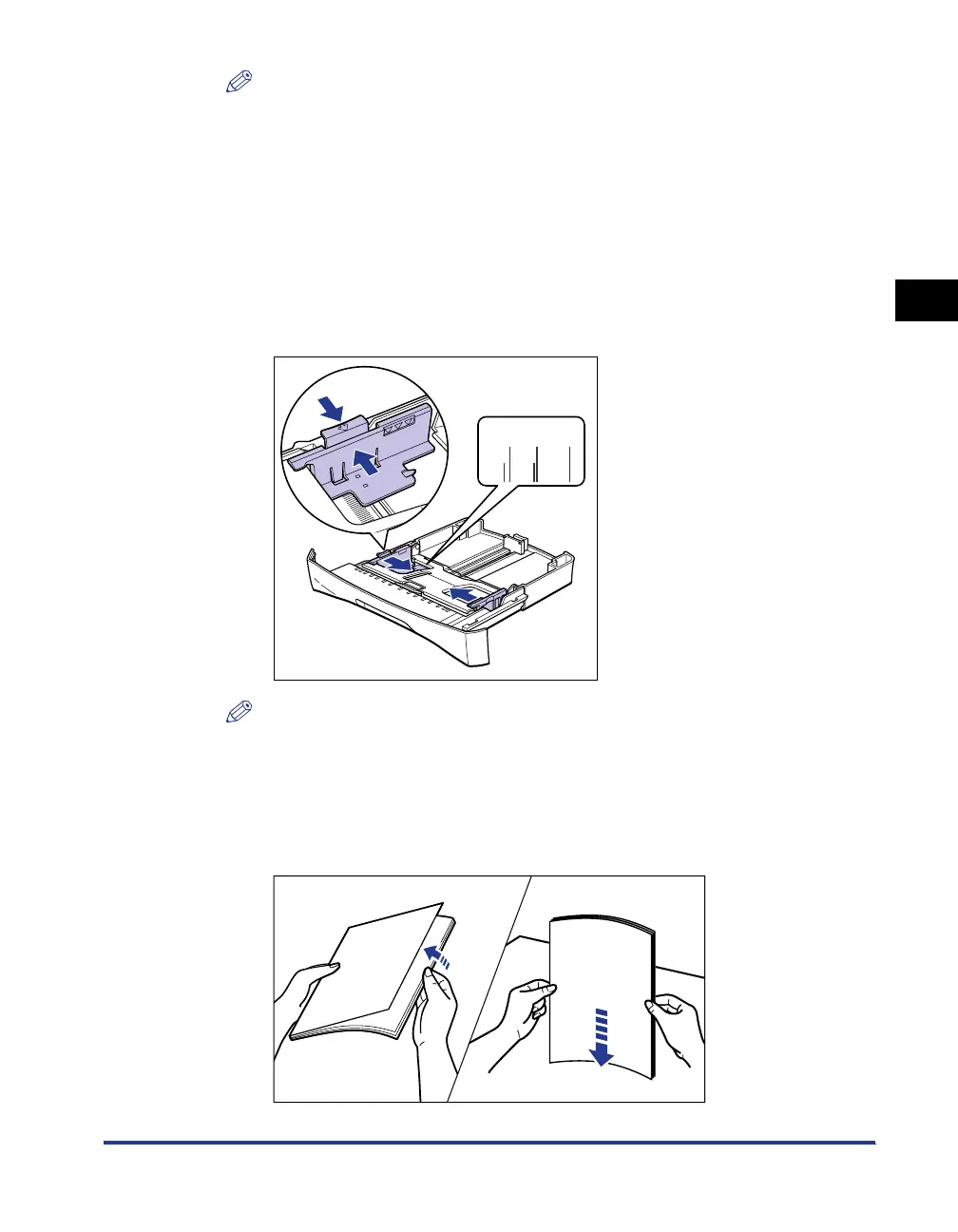
While holding the lock release lever on the paper guide on
either side of the cassette, slide the paper guide to the mark
indicating the desired paper size.
The paper guides on the sides of the cassette move together.
When you load the legal-size paper in the cassette on which "LGL" is indicated,
slide the paper guide on either side of the cassette to "LTR".
NOTE
"LTR" indicated in the cassette shows letter size, and "EXEC" shows executive
size.
4
Before loading transparencies or labels, fan them in small
portions and align the edges.
LTR
A4
B5
A5
EXEC
Tap the edges on a flat
surface a few times.
Thoroughly fan in small portions.












 To Next Page