Installing the 6200 network element 5-43
6200 Packet-Optical Platform Installation, Commissioning, and Testing Procedures
Release 1.1 009-6200-201 Draft Issue 1
Copyright
©
2014 Ciena
®
Corporation September 2014
Procedure 5-13
Connecting E3/DS3 cables to 6xE3DS3 interfaces
Use this procedure to connect the E3/DS3 cables to the E3/DS3 interfaces on
the 6xE3DS3 tributary circuit packs of the 6200 network element.
Prerequisites
Make sure that the following tools and materials are available:
• standard installer tool kit
•flat screwdriver
• E3/DS3 cables. Refer to Planning Guide, S78-1002-110
for orderable
codes
• cable ties
Action
Step Action
1 Identify the SMB connectors and cables.
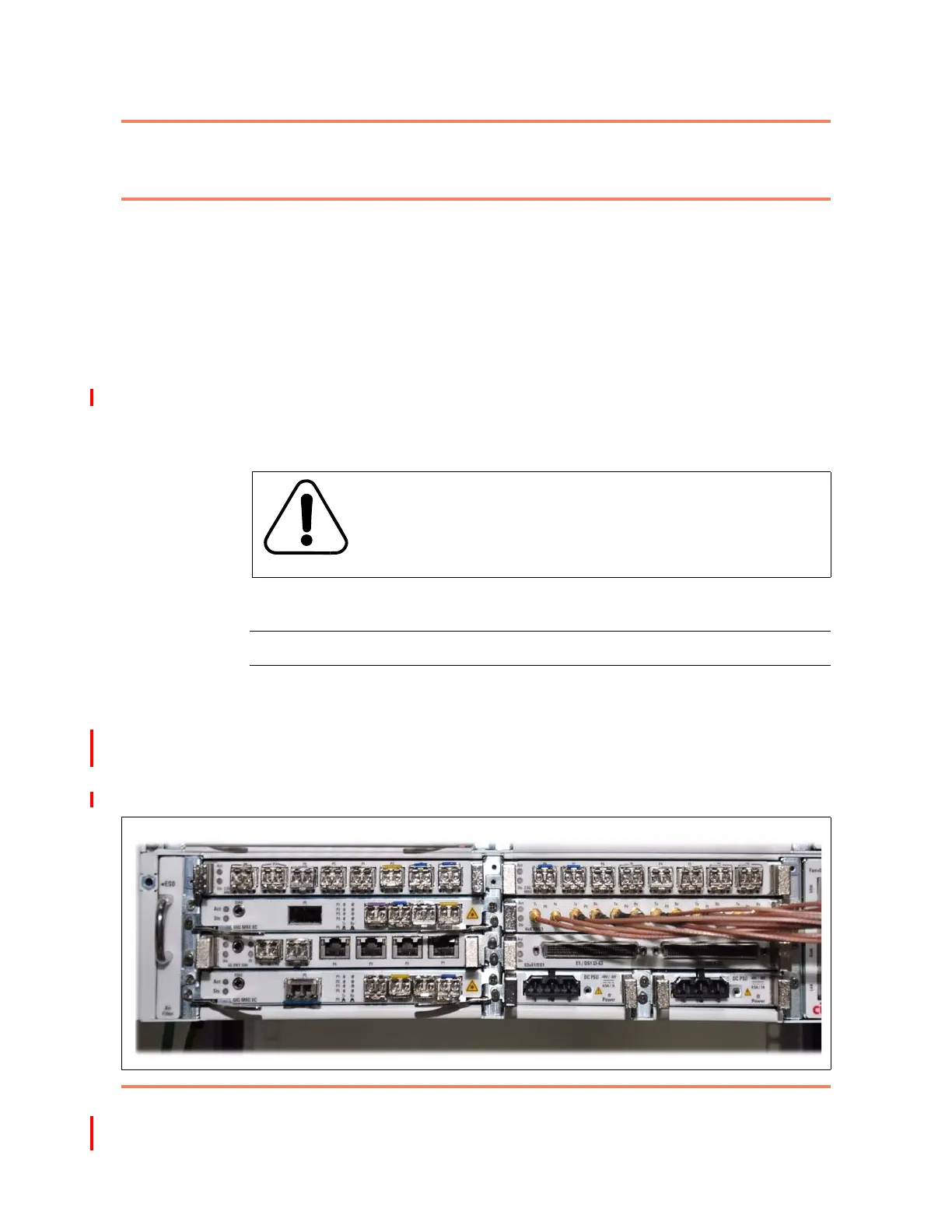
2 Connect the appropriate SMB cables to the transmit and receive ports on the
6xE3DS3 circuit packs as shown in Figure 5-24.
—end—
CAUTION
Risk of equipment damage
Electrostatic discharge can damage electrostatic sensitive
devices. Use antistatic protection to avoid damaging the shelf
and circuit packs.
Figure 5-24
E3/DS3 cable management (6xE3DS3 circuit pack)



 To Next Page