4-69
Catalyst 6500 Series Switches Installation Guide
OL-5781-04
Chapter 4 Removal and Replacement Procedures
Installing the Air Filter Assembly on a Catalyst 6509-NEB-A Switch (Optional)
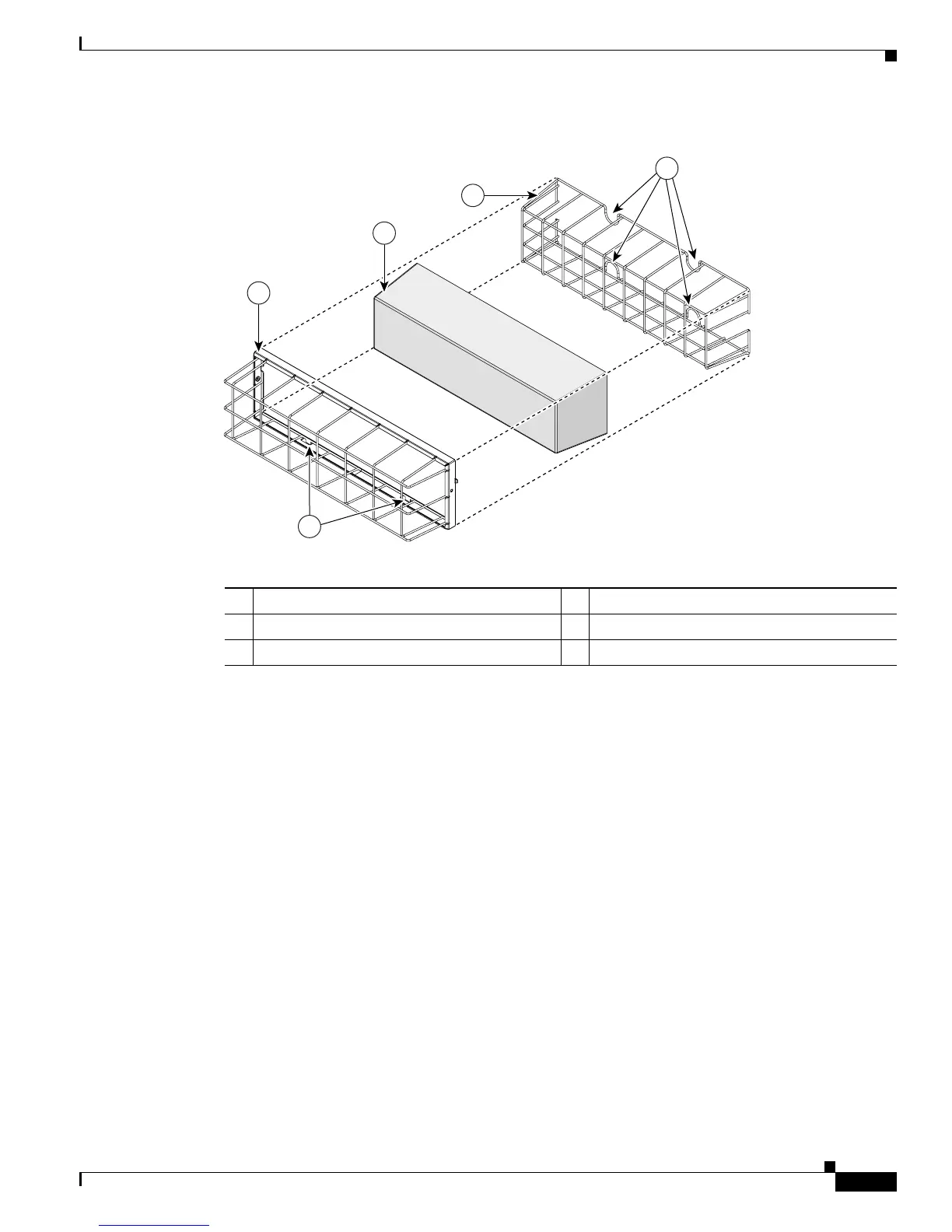
Figure 4-60 Placing the Foam Filter Over the Filter Retainer
Step 6
Install the filter assembly with the tabs facing the floor, as follows:
a. Fit the tabs (see Figure 4-60) on the bottom of the filter cage assembly into the lower support loops.
(See Figure 4-58.)
b. Let the tabs on the side of the filter cage assembly slide into the notch. (See Figure 4-61.)
c. Tighten the two fastening screws.
1 Filter cage assembly 2 Filter
3 Filter retainer 4 Tabs
5 Thumb loops
104899
1
2
3
5
4








 To Next Page