l No images.
l No-read images. (Images where the reader was triggered but either no code was present or the code could not
be decoded.)
l Images where a code was successfully decoded.
l All images.
If you select all images or no-read images, you can specify a sampling rate to control the number of images that are
buffered.
Retrieving Buffered Images
You can use the DataMan Setup Tool to view and download images from your DataMan device, or you can configure the
DataMan reader to automatically transfer the buffered images to an FTP server that you specify.
For more information, see the DataMan Setup Tool Reference Manual.
DataMan Multi-Reader Sync Configuration
Overview
If you have multiple DataMan fixed-mount readers connected to the same network, you can configure multiple readers to
use group triggering. Readers configured to use group triggering all acquire an image simultaneously, and then
combine their individual read results to form a composite result.
There are two important aspects to group triggering:
l Readers configured for group triggering consolidate reader results from among all readers in the group and
transmit them from the primary reader only. This simplifies the task of collecting and processing read results from
multiple readers.
l Readers configured for group triggering can be triggered simultaneously based on a single input trigger signal
received by the primary reader.
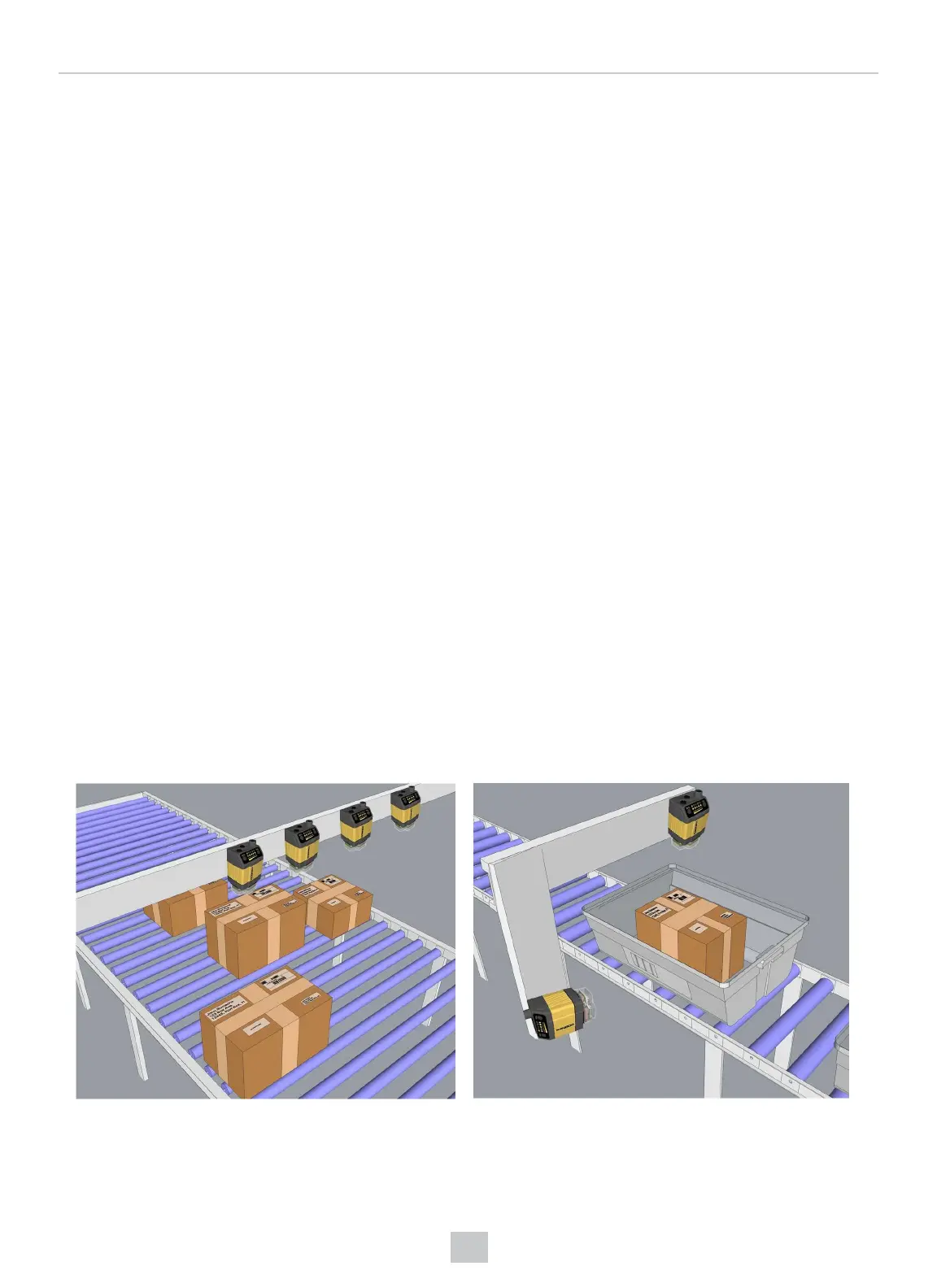
Multi-Reader Sync configurations are typically used to expand the field of view for broad conveyor applications and to
read codes from multiple surfaces of packages or objects:
160
Operations Guide











 To Next Page