Service Procedures
DataMan 50 Service Procedures
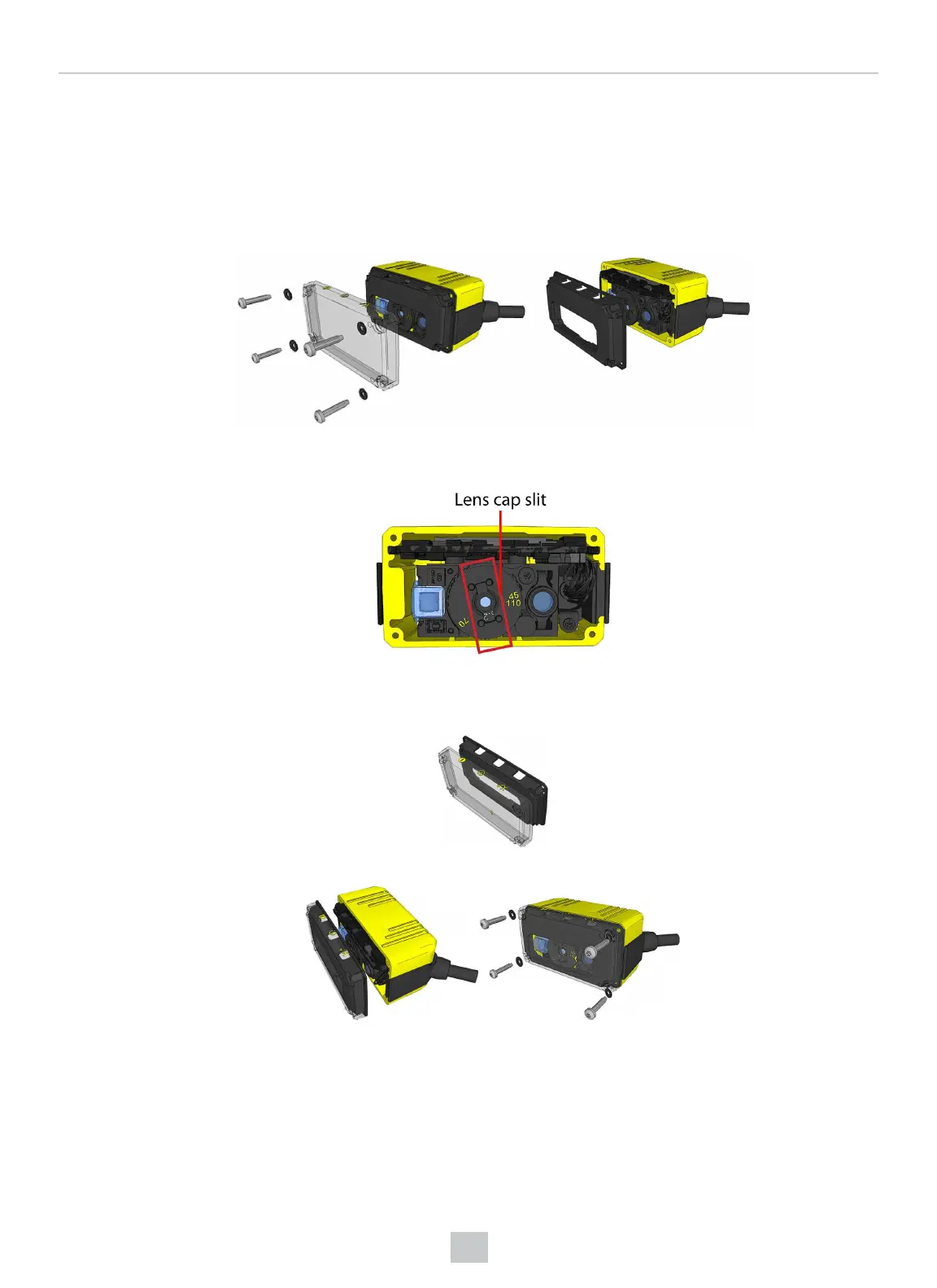
DataMan 50 supports three distance ranges. Perform the following steps to set the focus position:
1. Remove the screws, washers, lens cover and rubber part.
2. Set focus by positioning a coin into the lens cap slit and turning the coin. Do not use a coin thicker than 2 mm. If
no coin is available, use the edge of the back cover
3. Make sure that the sealing and the sealing surface are clean before reassembling the lens cover.
4. Line up the holes with the icons, and attach the rubber part to the front window.
5. Attach both to the housing and add the washers and screws.
25
Mechanical Information











 To Next Page