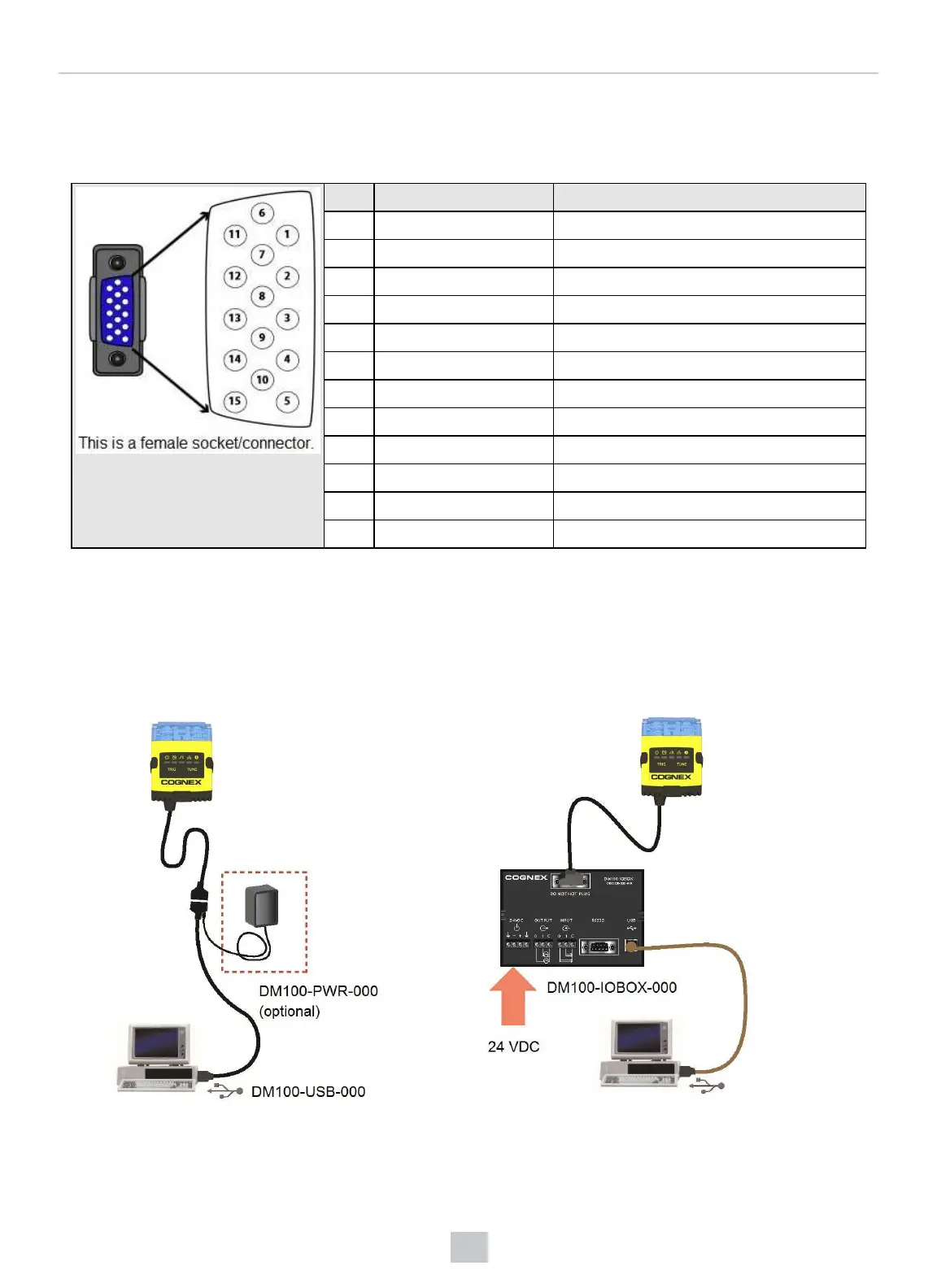
DataMan 150 Flying Leads Cable
You can connect a cable with flying leads (DM50-PWRIO-05) to the cable that is attached to the device. The following
table shows the pinout and color description of the flying leads.
PIN Color Signal
2 Green TxD
3 Green/Black RxD
4 Red GND
5 Brown/White DC+(system power, 5-24 VDC)
6 Blue RTS
7 Blue/White Output-0
8 White Input-0
9 White/Black Input-1
10 Light Blue CTS
11 Light Blue/Black Output-1
12 Light Blue/Yellow Output-Common
13 Light Blue/Green Input-Common
DataMan 150 USB Connections
When connected to a PC over USB, the DataMan 150 appears as a COM port.
You can connect your device to the computer in the following ways:
Connect directly to the PC: Connect to the PC through a basic I/O module:
96
Electrical Information











 To Next Page