DataMan 70 Service Procedures
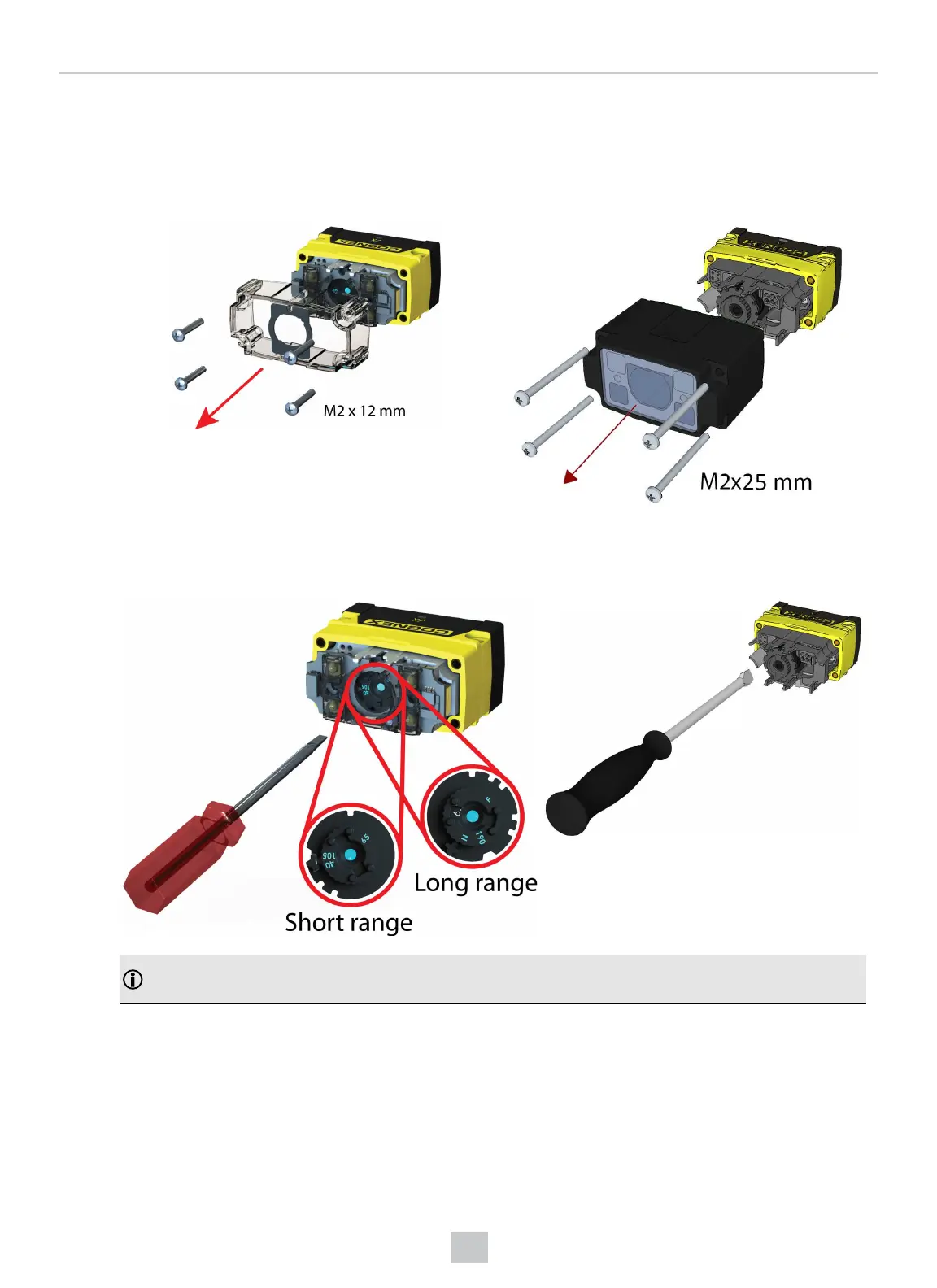
DataMan 70 can operate in one of three distance ranges. Follow the steps below to set the focus position.
1. Remove the screws and the front cover.
DM70 with 6.2 mm lens DM70 with 16 mm lens
2. Using a flathead screwdriver, set the focus position from the front. Always turn clockwise to focus to a larger
distance and counterclockwise to focus to a shorter distance.
DM70 with 6.2 mm lens DM70 with 16 mm lens
Note: If an optical filter has been mounted, first disconnect the DataMan 70 reader from power and remove
the illumination module with the filter before adjusting the focus.
28
Mechanical Information











 To Next Page