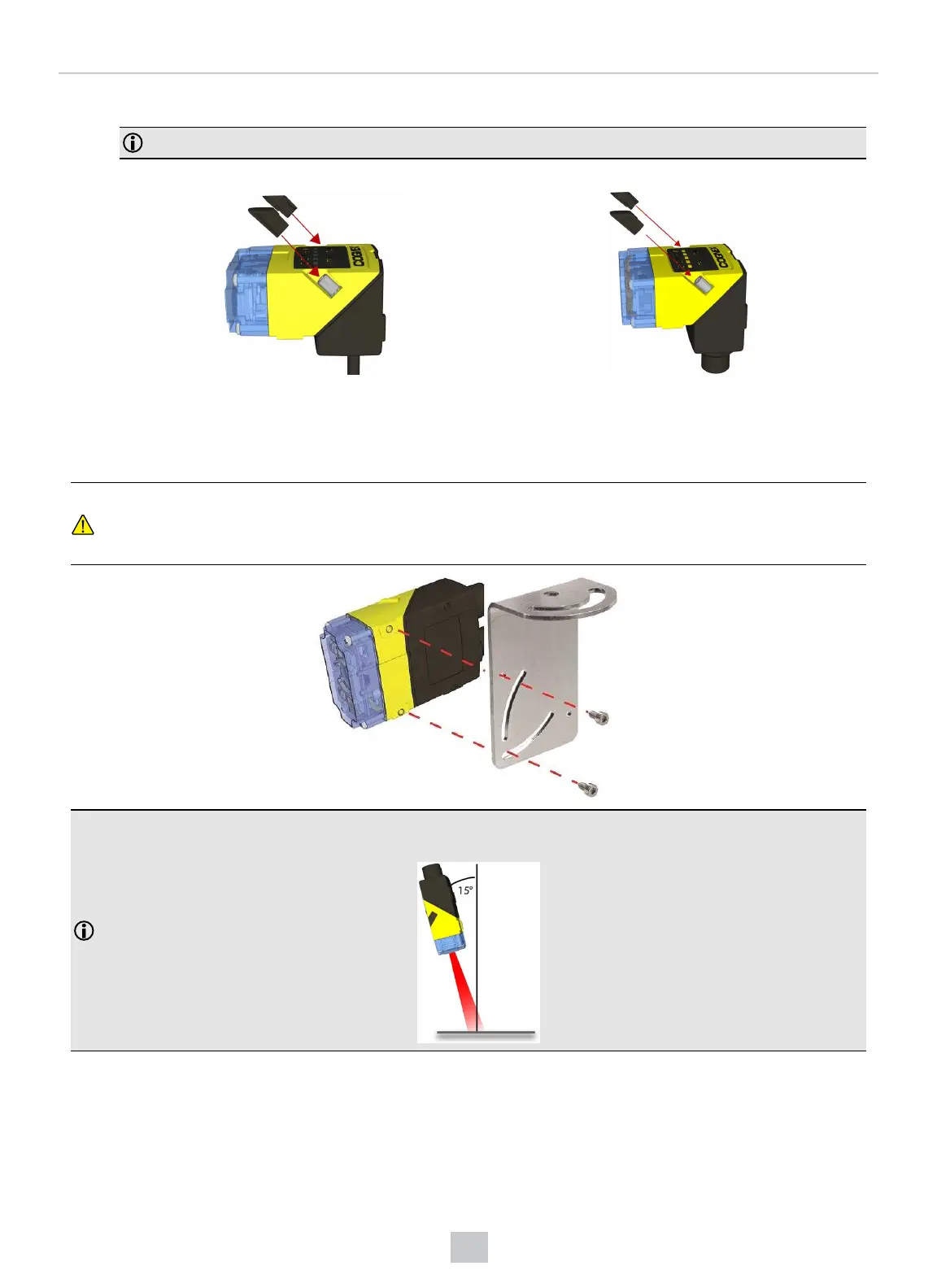
5. After each cap nut has been fastened, torque to 0.12 Nm (1.06 in-lb) and reinstall the screw covers.
Note: There are unique left and right screw covers. Take care to attach them correctly.
DataMan 150 DataMan 260
Mounting the DataMan 280 Reader
The reader provides mounting holes for attachment to a mounting surface.
CAUTION: The reader has to be grounded, either by mounting the reader to a fixture that is electrically grounded or
by attaching a wire from the reader’s mounting fixture to frame ground or Earth ground. If a ground wire is used, it
has to be attached to one of the four mounting points on the bottom plate of the reader and not to the mounting
points on the front of the reader.
Note:
Mounting the DataMan 280 at a slight angle (15°) reduces reflections and improves performance of the reader.
Mounting the DataMan 370 and 470 Reader
The accessory mounting bracket kit (DMBK-370-MNT for the DataMan 370 and DMBK-470-MNT for the DataMan 470)
includes the mounting bracket, four Phillips flat head M3 DIN 965 screws for attaching the reader to the mounting bracket
79
Mechanical Information











 To Next Page