DataMan 300 and 360 Series Service Procedures
Replacing a 10.3 mm Lens
To remove and replace a 10.3 mm lens of a DataMan 300 or 360 series reader, perform the following steps:
WARNING: Disconnect the DataMan reader from power before continuing.
CAUTION: Do not leave the image sensor exposed to the environment.
Note: The following steps describe service procedures for both the DataMan 300 and the 360 readers, but the
images show only the DataMan 360.
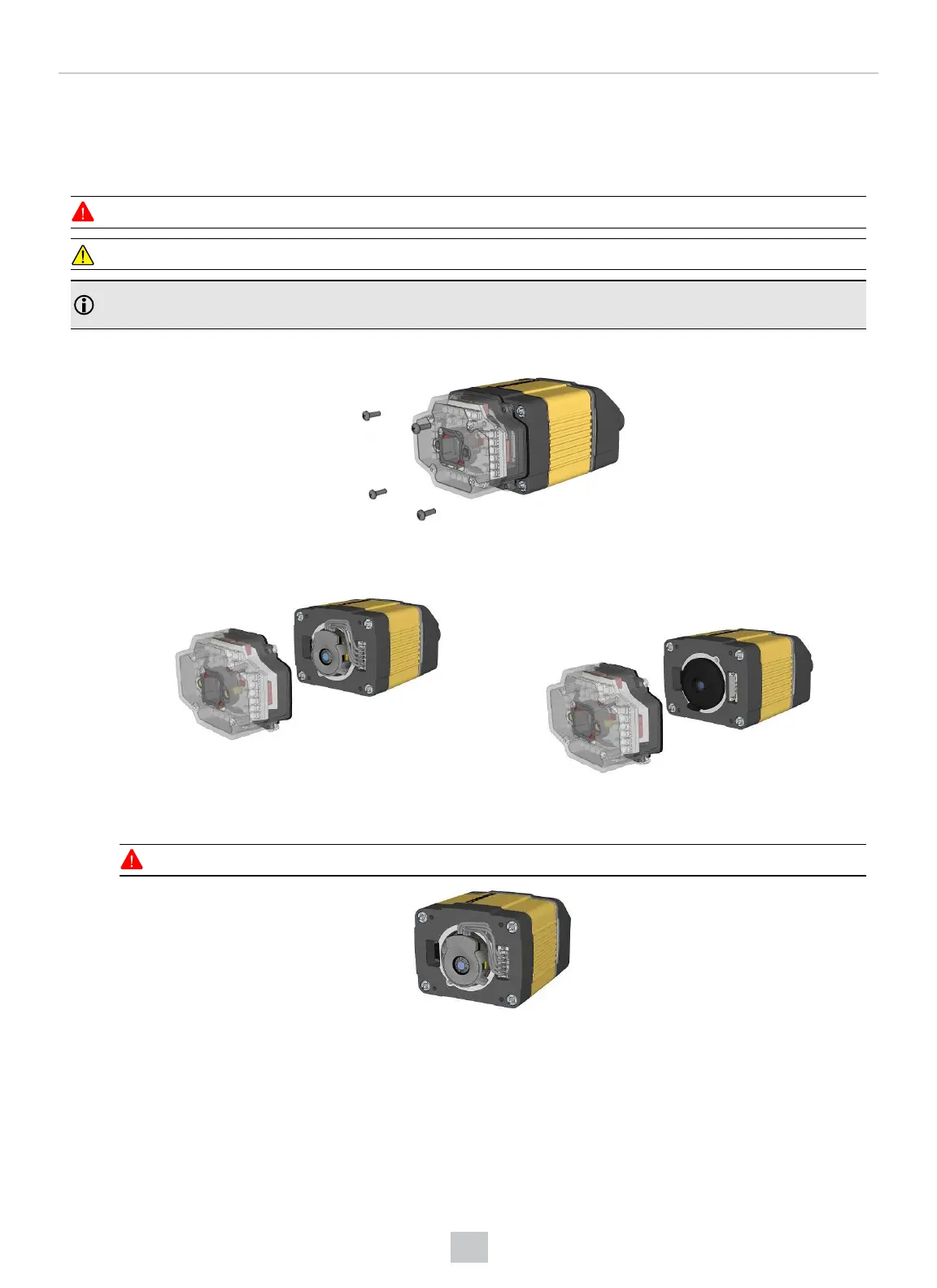
1. Remove and retain the four screws at the corners of the front cover.
2. Remove the front cover. The first image shows a reader with a liquid lens attached to the 10.3 mm lens. The
second image shows a reader with a 10.3 mm lens only.
3. If you have a liquid lens module attached to your 10.3 mm lens, carefully disconnect the liquid lens module cable.
If you only have a 10.3 mm lens inserted, jump to step 5 of this procedure.
WARNING: Do not pinch or pull the cable.
52
Mechanical Information











 To Next Page