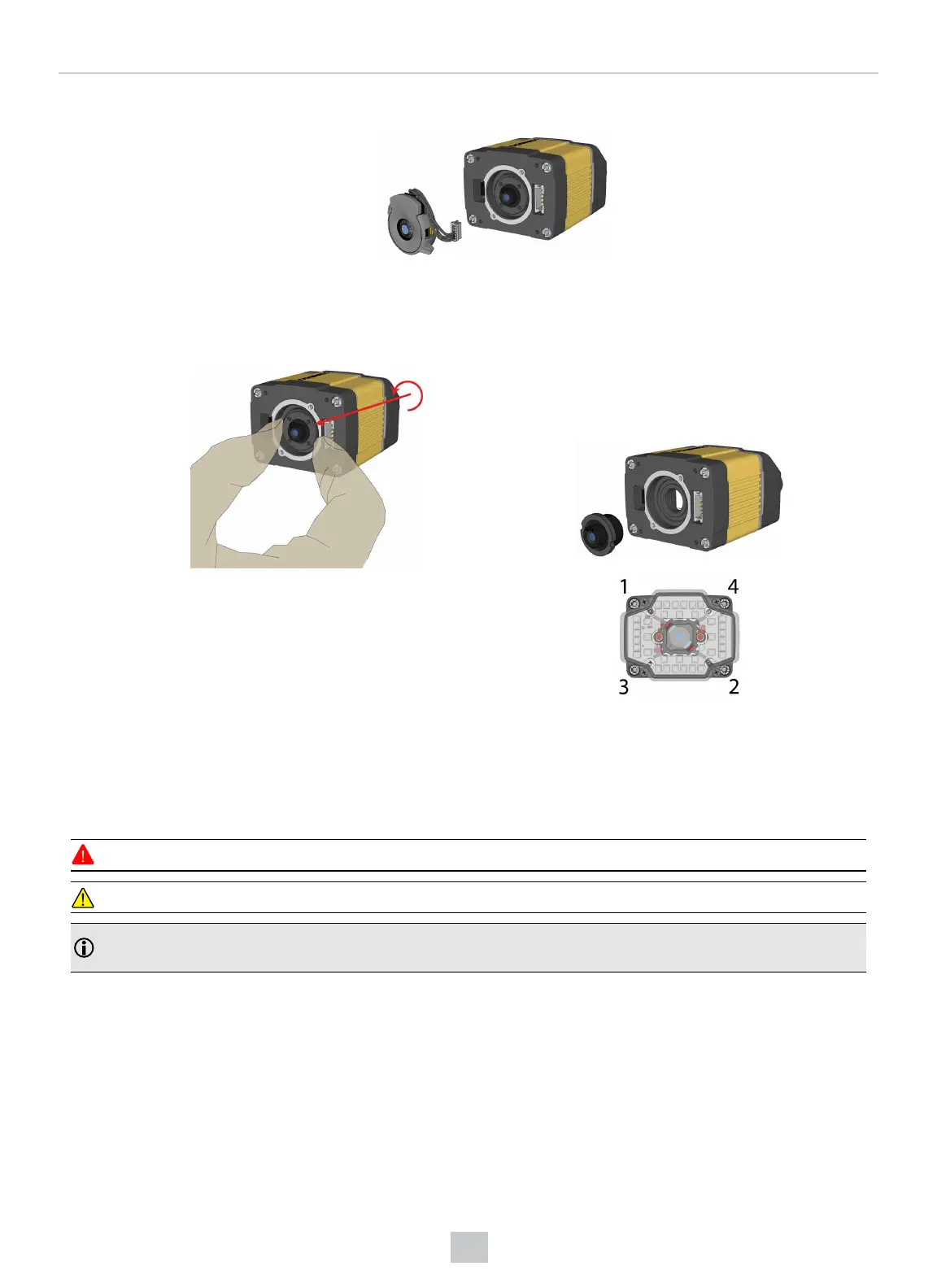
4. Loosen the lens locking ring and withdraw the module.
When reinstalling the module, observe the following precautions:
l Make sure that the liquid lens cable is not pinched, pulled or crimped during installation.
5. Loosen the locking ring and withdraw the lens.
When reattaching the front cover, tighten the screws in
the sequence shown below and observe a torque limit
of 9 N-cm (0.8 Lb-In).
Installing the 24 mm Liquid Lens Module
The possible hardware configurations using a 24 mm liquid lens module with a DataMan 300 or 360 series reader is the
following: DM3xx-system + DM300-LENS-24LL + DM360-HPIL-RE-01 / DM360-HPIL-RE-P-01.
To install a 24 mm liquid lens module of a DataMan 300 or 360 series reader, perform the following steps:
WARNING: Disconnect the DataMan reader from power before continuing.
CAUTION: Do not leave the image sensor exposed to the environment.
Note: The following steps describe service procedures for both the DataMan 300 and the 360 readers, but the
images show only the DataMan 360.
53
Mechanical Information











 To Next Page