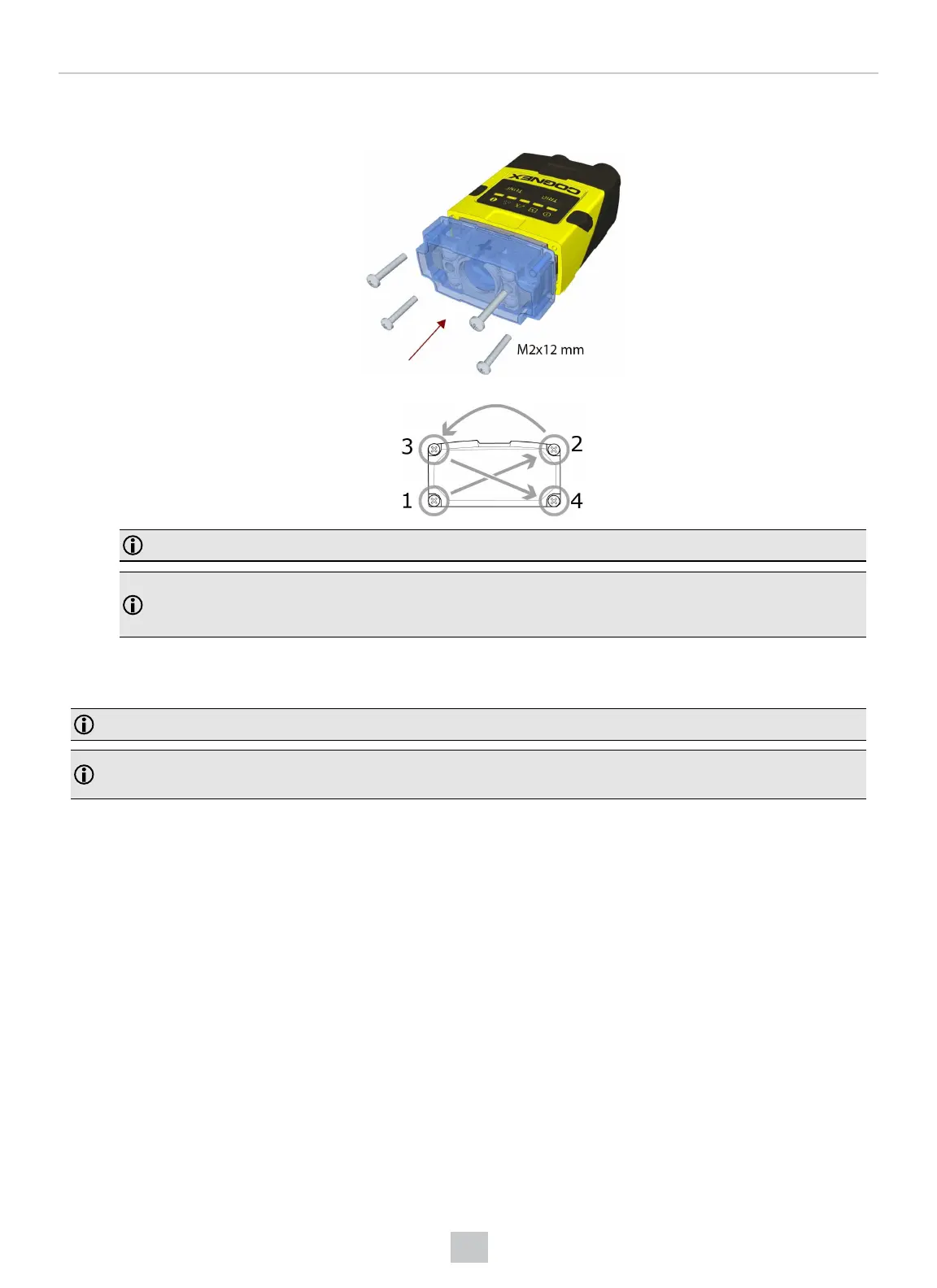
8. Attach the front cover. Observing the tightening sequence below, tighten all four M2x12 mm Phillips Pan screws
to 9 Ncm using a torque wrench.
Note: The rib in the front cover must be oriented to the top side.
Note: The DataMan 150 and the DataMan 260 liquid lens must be calibrated after field exchange. This can
be done under Focus Settings in the DataMan Setup Tool. For more information, see the DataMan
Questions and Answers document. A reboot is required for the lens to operate with the new settings.
Changing to an Illumination with a Different Color
Perform the following steps to change the illumination.
Note: Disconnect the reader from power before changing to an illumination with a different color.
Note: The following steps describe service procedures for both the DataMan 150 and the 260 readers, but the
images show only the DataMan 260.
37
Mechanical Information











 To Next Page