Replacing a C-Mount Lens
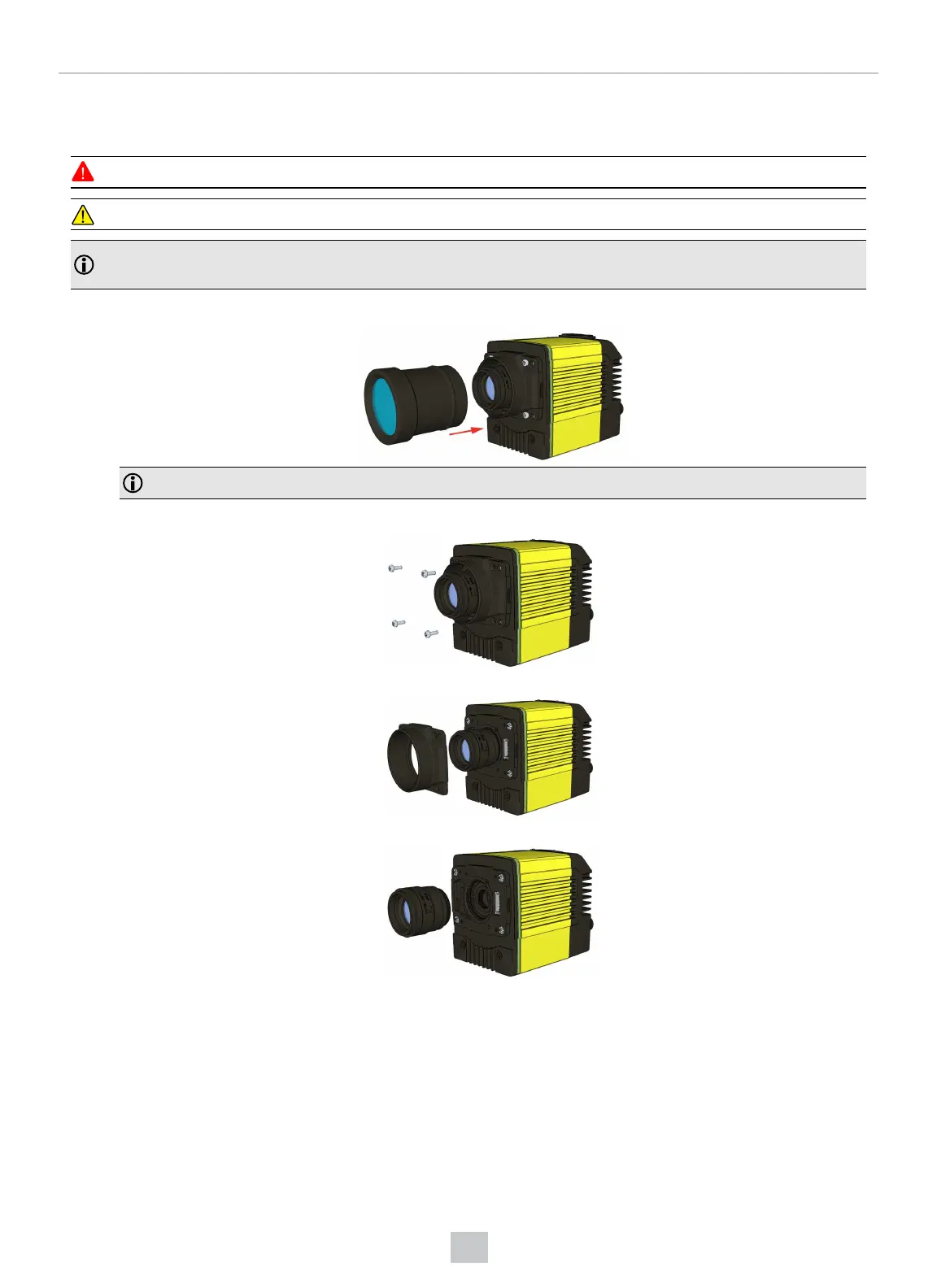
To remove and replace a C-Mount lens of a DataMan 370 or 470 series reader, perform the following steps:
WARNING: Disconnect the DataMan reader from power before continuing.
CAUTION: Do not leave the image sensor exposed to the environment.
Note: The following steps describe service procedures for both the DataMan 370 and the 470 series readers, but
the images show only the DataMan 470.
1. Remove the front cover.
Note: Do not unscrew the front-most part of the nose of the cover to avoid risking the glass lens falling out.
2. Remove the screws from the C-mount cover base.
3. Remove the C-Mount cover base.
4. Remove the lens.
When replacing the lens, observe the following precaution:
l When you attach the front cover, align the peg on the reader and the slot on the cover so that the cover locks in
place.
70
Mechanical Information











 To Next Page