Operation
2023-05 D111XXXXXX | 05 67
7.1.1 Meaning of the status LED colours
During the charging process, both the information display, if available, and the status LEDs show the
progress of the charging process.
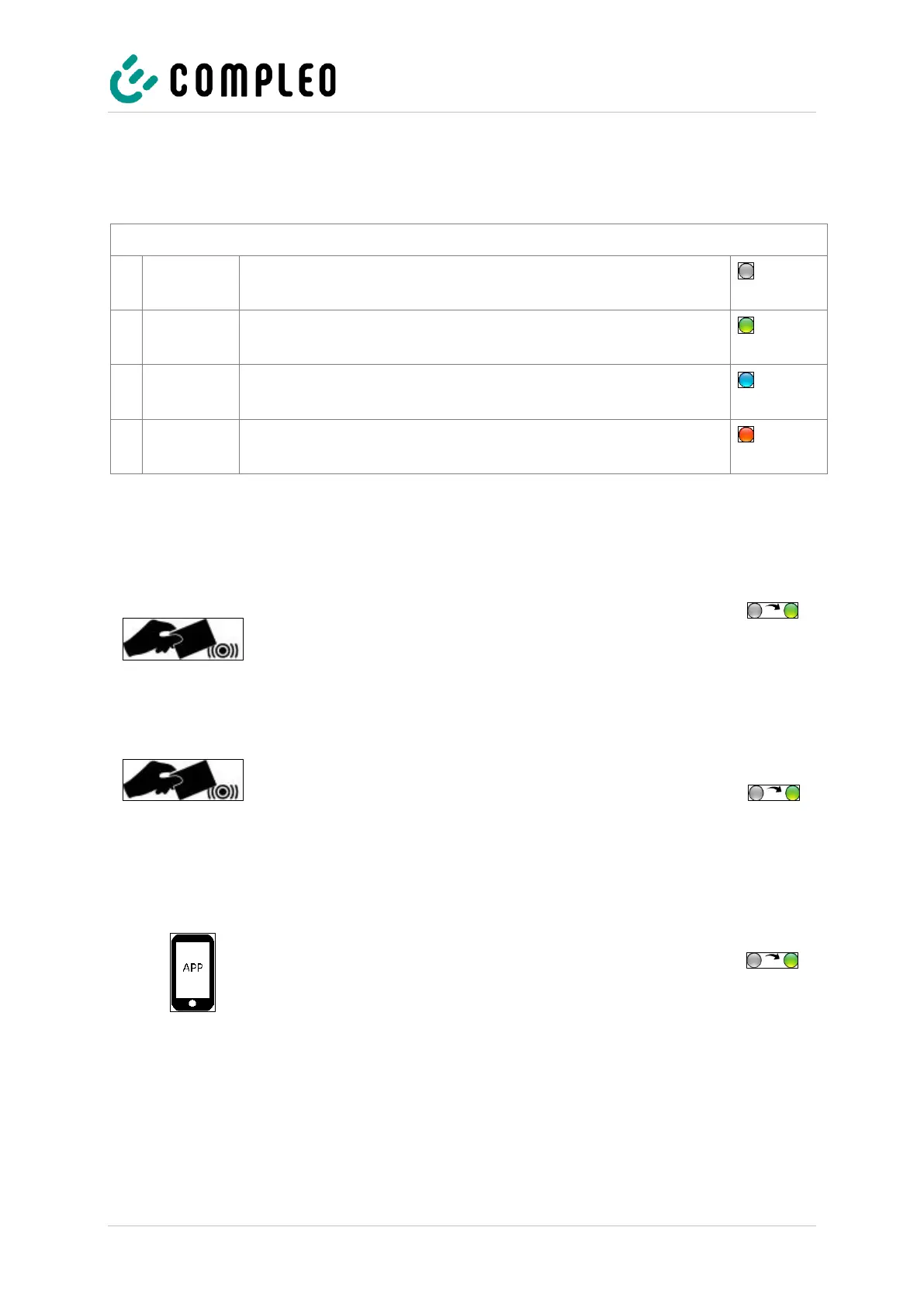
Charging state display: LED colour state
The charging system indicates the standby state.
Authorisation can be carried out.
The charging system indicates readiness for operation.
A charging process can be started.
The charging system indicates a charging process.
The charging process can be maintained or terminated.
The charging system indicates an error state. (not for RGB 2-colour)
A charging process cannot be started.
7.1.2 Authorisation at the RFID field
The following means of authorisation/payment are available:
RFID card or RFID chip
1. Hold the RFID card or RFID chip in front of the RFID
field.
The display and the status LED indicate readiness
for operation.
Giro-e
1. Hold the Giro card in front of the RFID field.
Tariff conditions are shown on the display.
2. Hold the Giro card again in front of the RFID field to agree
to the conditions and the direct debit procedure.
The display and the status LED indicate readiness
for operation.
App on smartphone/tablet or web interface
1. Download and install app for smartphone or tablet or start
web interface.
2. Follow the instructions of the app or web interface for the
authorisation process.
The display and the status LED indicate readiness
for operation.


 To Next Page