Operation
72 D111XXXXXX | 05 2023-05
7.2 Operating Signals and Displays
Depending on type and configuration, the charging systems have the ability to output states, processes
or errors via a display and/or LEDs. Depending on the type, configuration and the number of charger
interfaces of the charging system, the type of representations on the display and/or the colour of the
LEDs may differ.
7.2.1 Message display
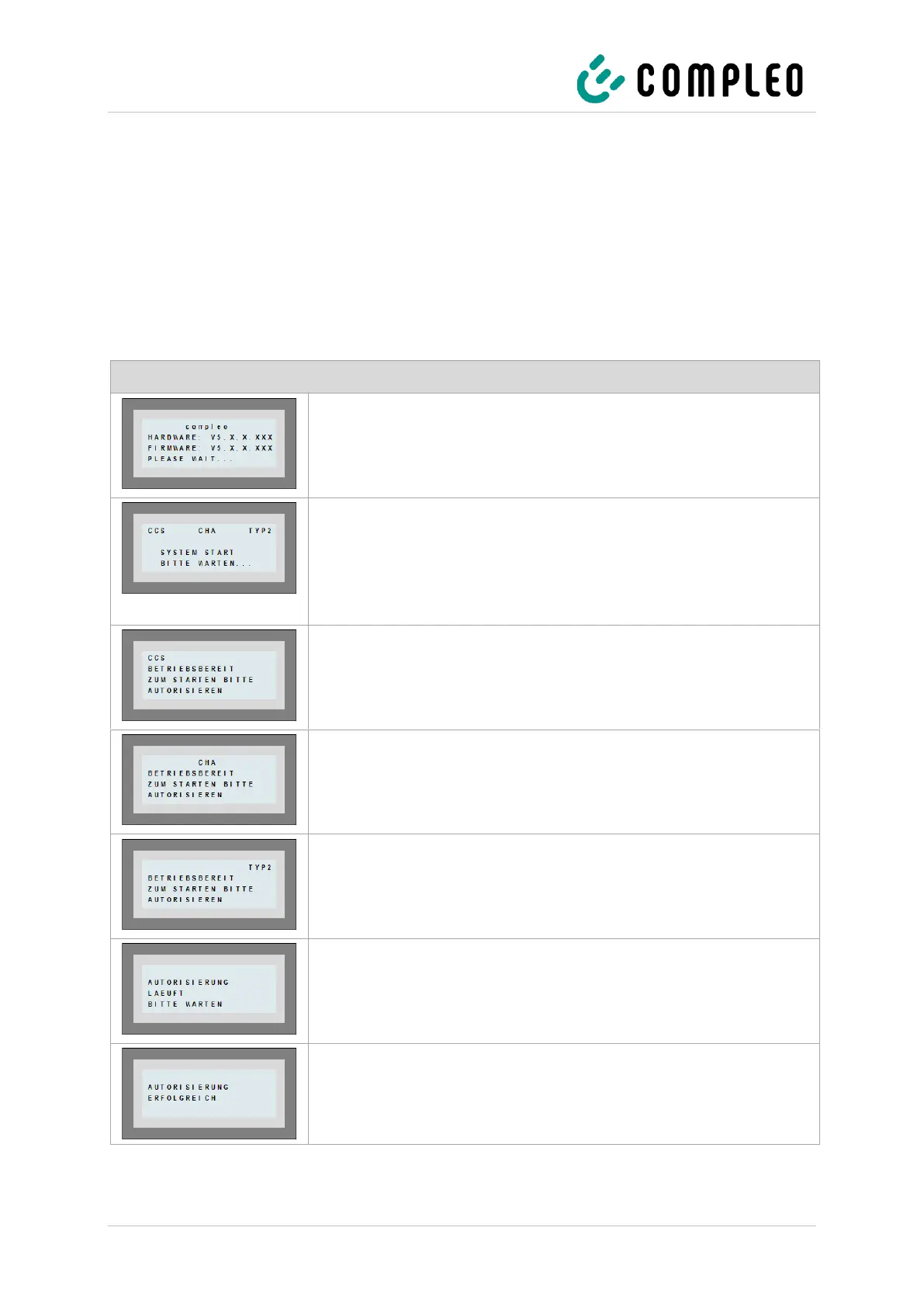
The following message display explains the displays for the left side of a charging system with display:
The charging system indicates the “compleo + hardware:
+ Firmware + Please wait” state.
• The hardware version is displayed. The firmware version is
displayed. Initialisation is being prepared.
The charging system indicates the "CCS - CHA - Type 2+
+ System start + Please wait" state.
• The available charger interfaces are displayed. The charging
system processes data. It takes time to start an action, e.g. an
authorisation process.
The charging system indicates the "CCS - Ready for operation +
Please authorise to start" state.
• The charger interface is ready for operation. A charging
process can be started. Authorisation is required.
The charging system indicates the "CHA - Ready for operation +
Please authorise to start" state.
• The charger interface is ready for operation. A charging
process can be started. Authorisation is required.
The charging system indicates the "Type 2 - Ready for operation +
Please authorise to start" state.
• The charger interface is ready for operation. A charging
process can be started. Authorisation is required.
The charging system indicates the “Authorisation in progress +
Please wait” state.
• Authorisation is in progress. The charger interface is
prepared for a charging process.
The charging system indicates the "Authorisation successful" state.
• The authorisation process has been successfully completed.
The charging process can be performed.


 To Next Page