DT-4500 Series C- and Ku-Band Down Converters MN/DT4500.IOM
Installation and Startup Revision 2
3–7
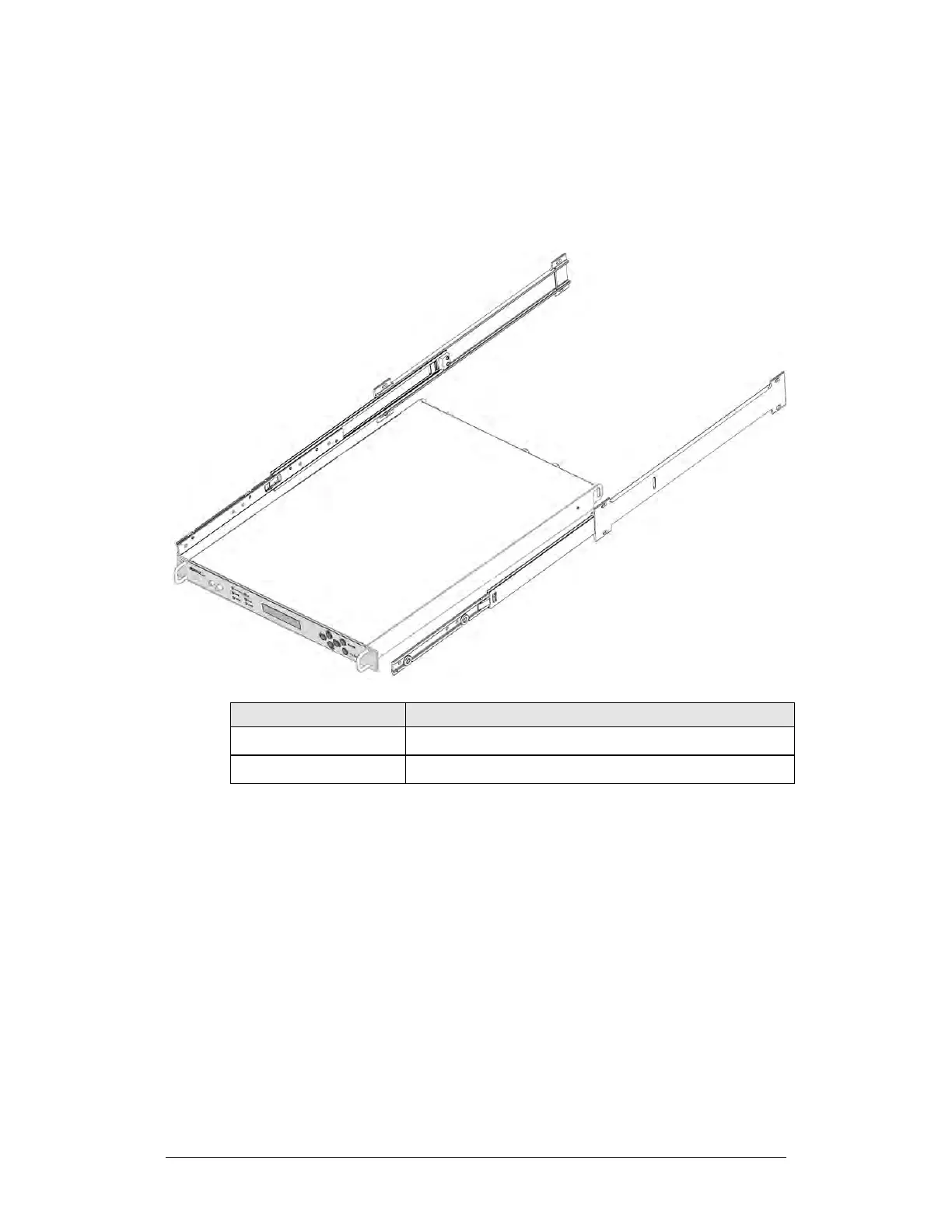
3.2.2 Install the Optional Rack Slide Set
If the converter is to be mounted on slides, install the provided bearingless rack
slide set into the rack cabinet, and onto the sides of the DT-45XX. Use the
hardware provided with the slide set that is determined to be appropriate for
installation.
FP/SL0006 Bearingless Rack Slide Set – 26”
FP/SL0008 Bearingless Rack Slide Set – 24”
Figure 3-4. Install the Optional Rack Slide Set
Do these steps to install the slide set (Figure 3-4):
1. Use the provided hardware to install one slide onto each side of the unit
chassis.
2. Use the provided hardware to install the slide rail components into each
interior side of the equipment rack cabinet.
3. Install the unit into the front of the equipment rack. Ensure that the slides
properly engage the cabinet-mounted slide rails.



 To Next Page