DT-4500 Series C- and Ku-Band Down Converters MN/DT4500.IOM
Firmware Update Revision 2
5–9
5.3 Download and Extract the Firmware Update
Files
Do these steps:
1. Go online to www.comtechefdata.com.
2. On the Main page – Under Support Information or the Support tab,
select the Software Downloads hyperlink.
3. On the Software Downloads page – Click Download Flash and Software
Update Files.
4. On the Flash Updates Index page – Select the (Select a Product Line)
Converters hyperlink.
5. On the Converters product page – Select the DT-4500 product hyperlink.
6. Select the appropriate firmware archive EXE or ZIP file download
hyperlink.
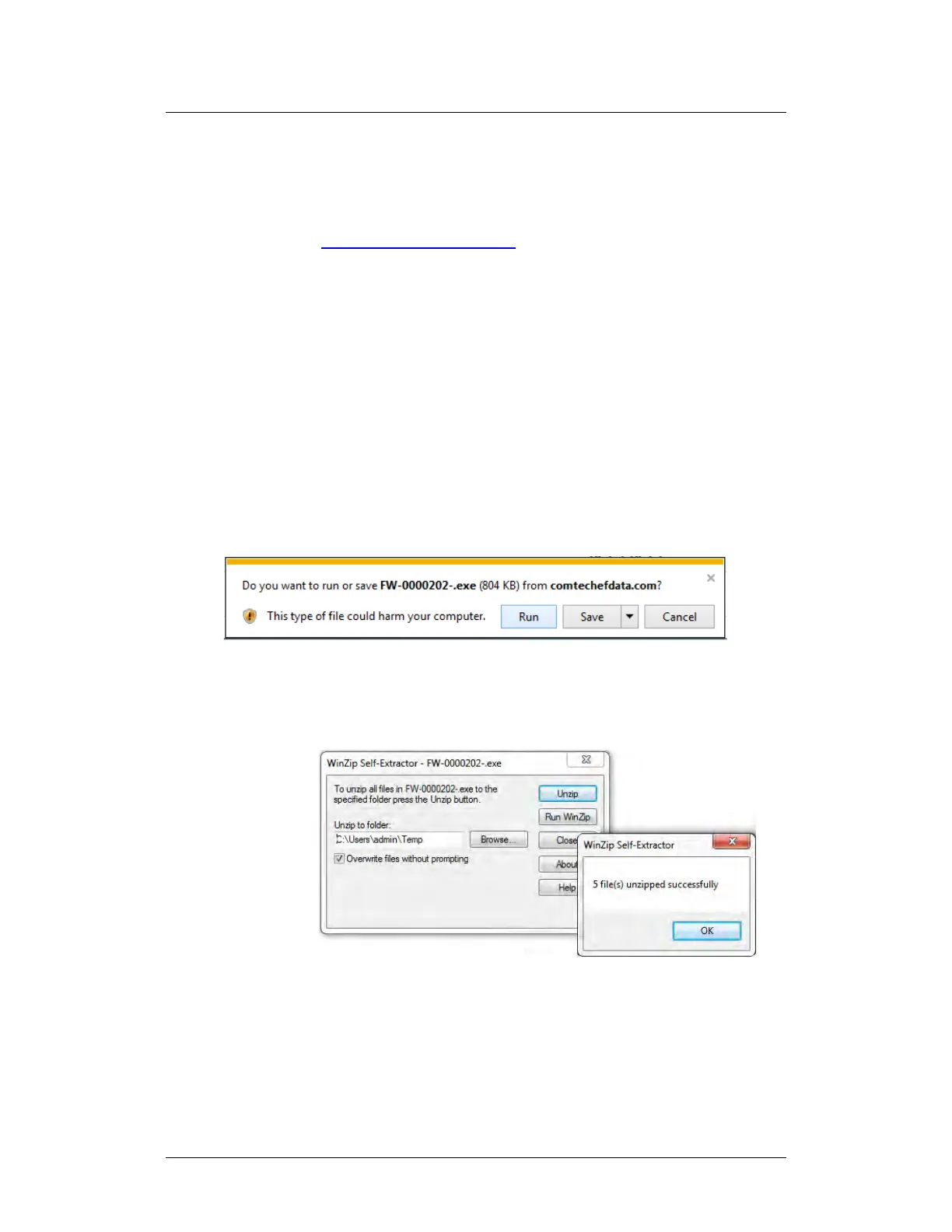
7. Once you select the EXE or ZIP hyperlink, the File Download dialogue
opens on your browser and prompts an action. You may otherwise click
[Cancel] to quit the file download process. Note the following:
• For EXE files:
o Click [Run] to open the self-extractor dialogue window. Use
[Browse] to select your destination folder. Click [Unzip] to extract
the files. Your results display as per this example – click[OK] to
close. Your files are now available for transfer to the DT-4500.
o Click [Save] to download the EXE file to your Downloads
folder. Once the download is complete the dialogue prompts



 To Next Page