DT-4500 Series C- and Ku-Band Down Converters MN/DT4500.IOM
Front and Rear Panel Connectors Revision 2
4–9
As shown in Figure 4-7 and Figure 4-8: The unit rear panel features a fuse holder
that is press-fit into the body of the IEC power module.
WARNING!
DISCONNECT THE POWER SUPPLY BEFORE PROCEEDING!
CAUTION
FOR CONTINUED OPERATOR SAFETY, ALWAYS REPLACE THE FUSES
WITH THE CORRECT TYPE AND RATING.
Do these steps to replace the AC fuses (Figure 4-8):
1. Unseat the fuse holder from the IEC power module.
a. Use the slot to pry the fuse holder outward from the IEC power
supply module.
b. Pull the holder straight out, and then swing the holder away from the
module.
2. Remove and replace the fuses as needed.
• Use T2.00A 20mm fuses for AC operation.
3. Re-seat the fuse holder in the IEC power module.
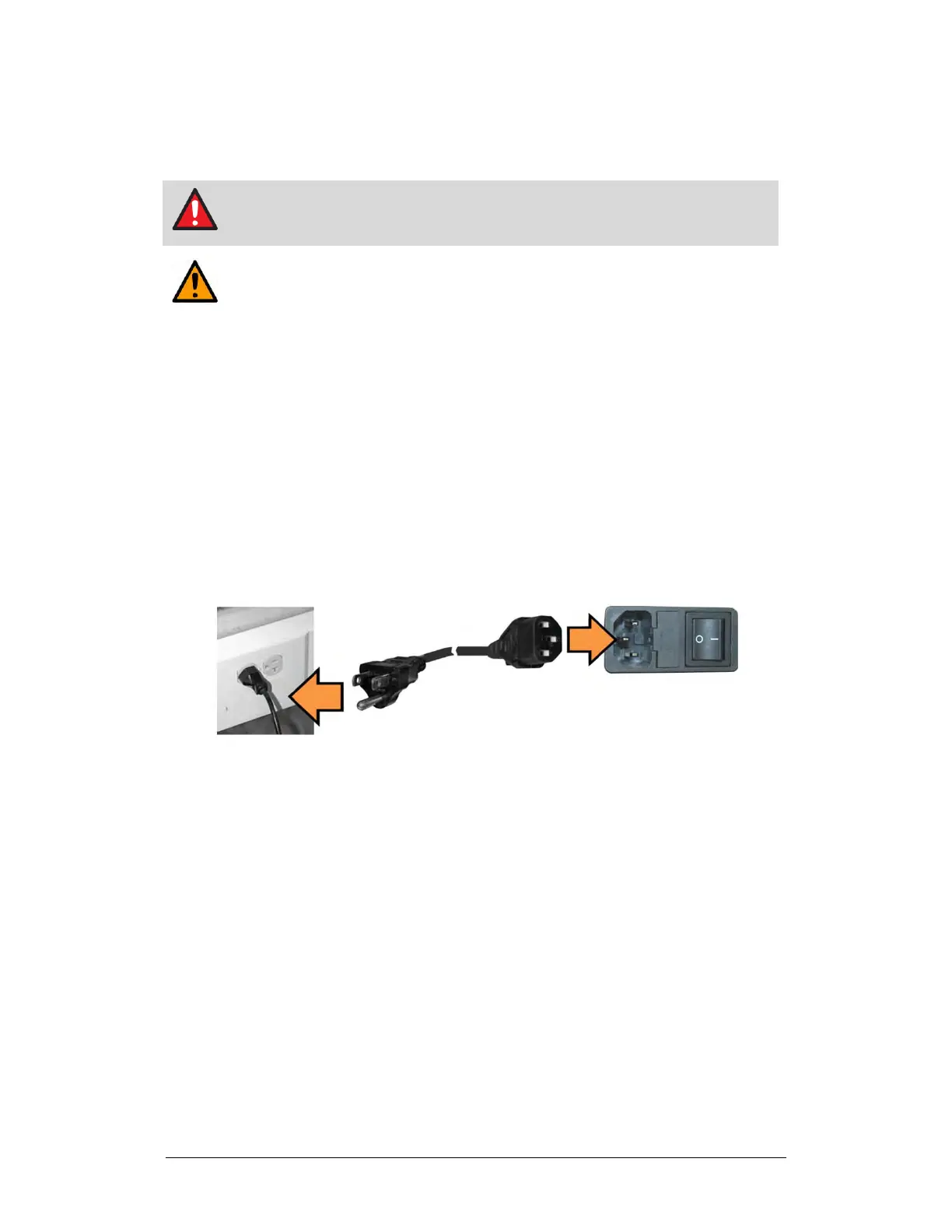
4.2.1.1.2 AC Operation – Apply AC Power
Figure 4-9. Apply AC Power to the Unit
Do these steps to apply AC power to the unit (Figure 4-9):
1. Plug the provided AC power cord female end into the unit.
2. Plug the AC power cord male end into the user-supplied power source.
3. Switch the unit ON.



 To Next Page