DT-4500 Series C- and Ku-Band Down Converters MN/DT4500.IOM
Firmware Update Revision 2
5–5
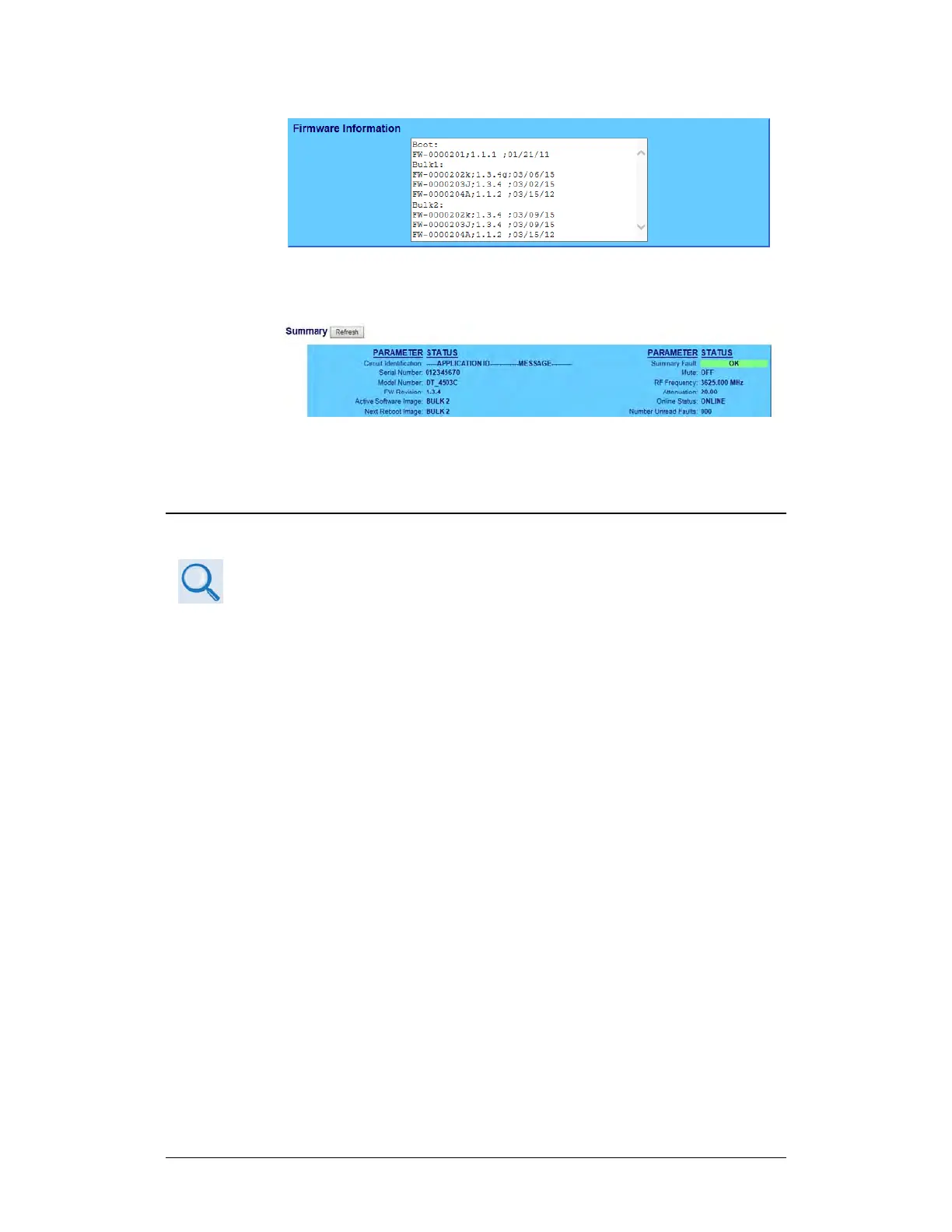
• The ‘Summary’ section of the ‘Status | Summary’ page provides
the firmware details – “FW Revision”, “Active Software Image”,
and “Next Reboot Image” – as shown in this example:
2. Write down your firmware information for further reference or to provide
to Comtech EF Data Product support.
5.2.3.3 Use the Serial Interface to Find the Firmware Information
Chapter 8. SERIAL INTERFACE OPERATION
Use your terminal emulator program to execute remote queries with the
DT-4500. Use the “FRM” remote query to find the firmware information:
• <DEV/FRM_{cr}
(returns the complete information of the firmwares running under Boot,
Bulk1, and Bulk2 in the form FW-AAAAAAA B.B.BB DD/MM/YY,
where:
o FW-AAAAAAA = the firmware part number
o B.B.BB = the firmware version number
o DD/MM/YY = the firmware release date (Day/Month/Year)
5.2.4 Make a Temporary Folder (Subdirectory) on the
User PC
The temporary folder is where you store the firmware archive download. There
are several ways you can make a temporary folder on a Windows PC:
• To use the Windows Desktop, see Section 5.2.4.1.



 To Next Page