EasyManua.ls Logo

Contex FLEX50i - Page 100

Contex FLEX50i
133 pages
Print Icon
To Next Page IconTo Next Page
To Previous Page IconTo Previous Page
Loading...
Maintenance 8-19
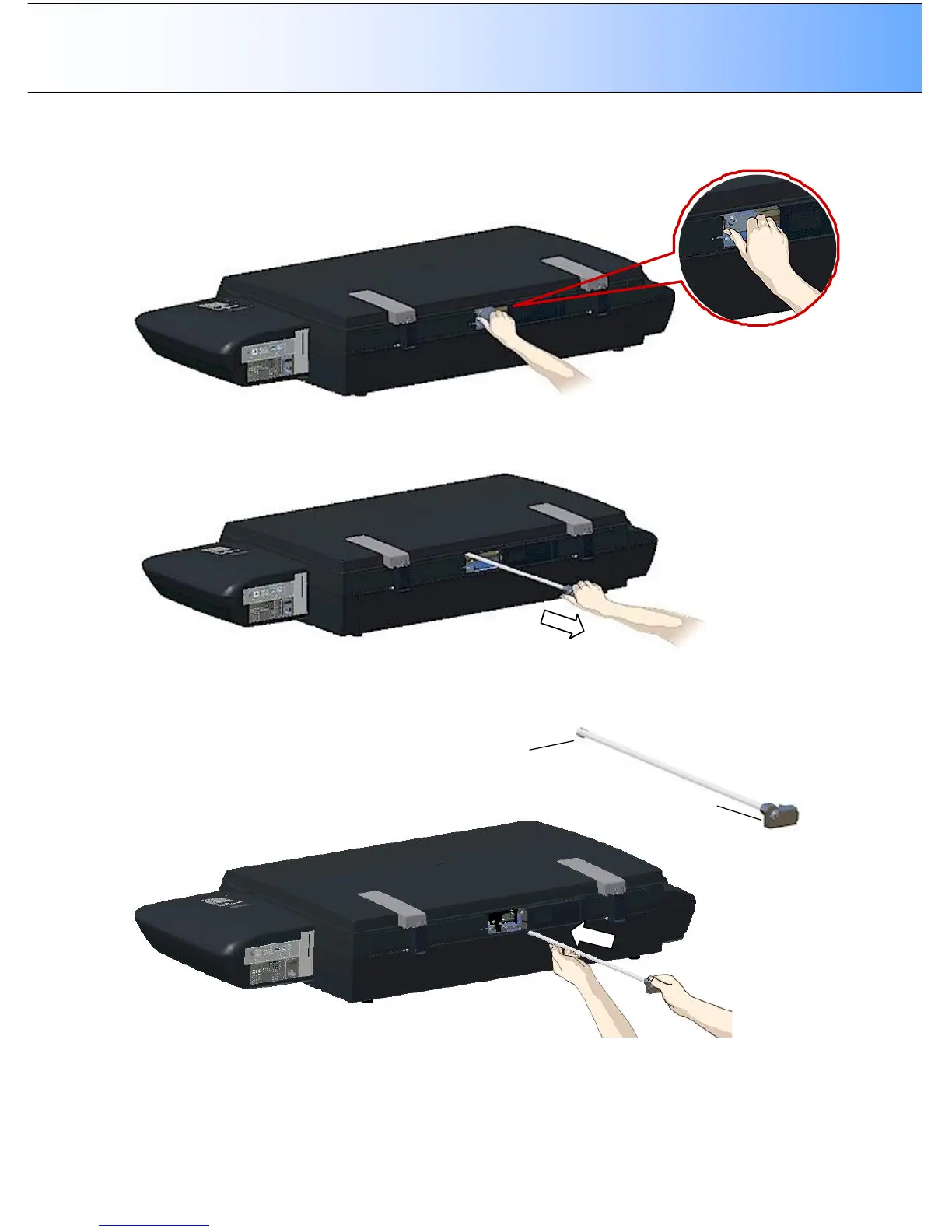
9. Grasp the visible end of the lamp-unit (its power connector casing)
10. Carefully pull the lamp-unit out of the scanner.
11. Reinsert the new lamp-unit. Support the unit with both hands. Take care to insert at the right angle.
The round end goes in first and the power connector end last. The power connector casing must be
aligned horizontally with the connections visible through the lamp cover opening. To guide you, match
the shape of the lamp-unit end with the shape of the insertion hole.
Lamp unit, round end
L
amp unit, power
connector
end
12. Insert the lamp-unit all the way so the power connections engage with the connections on the lamp-
unit.

Table of Contents

Related product manuals